



Here's how it works



How to use or fill out montgomery county rental application with DocHub

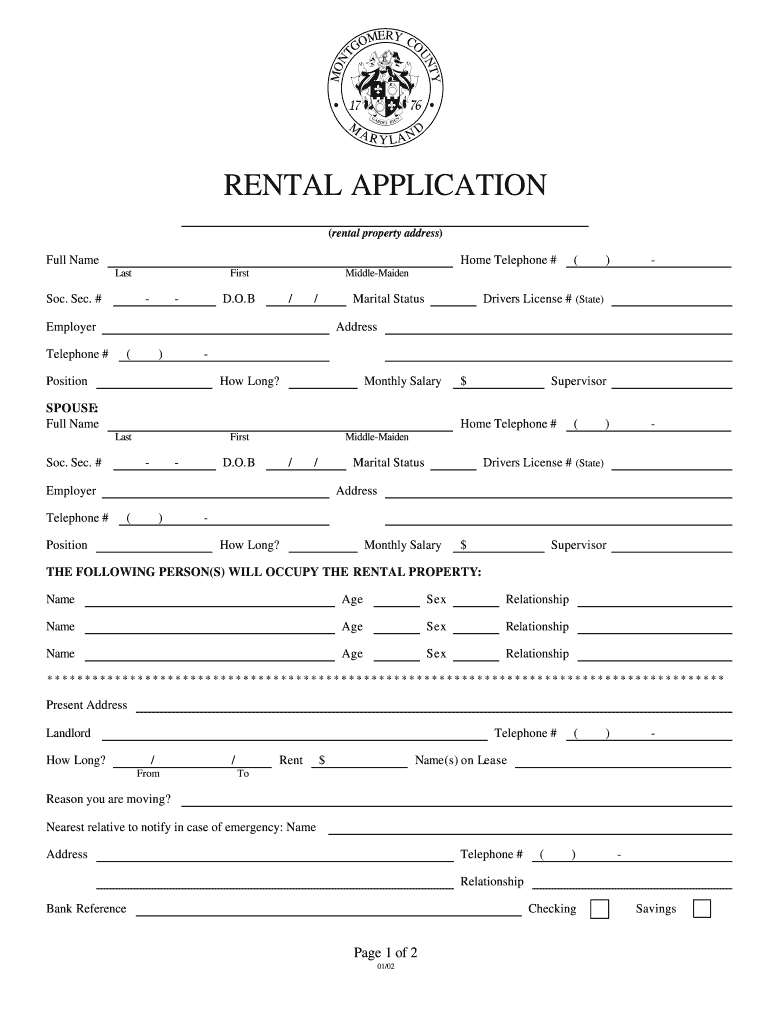
- Click ‘Get Form’ to open the Montgomery County Rental Application in our editor.
- Begin by entering your full name, including last, first, and middle-maiden names. Fill in your home telephone number and social security number.
- Provide your date of birth and marital status. Next, enter your employer's details, including address, telephone number, position, duration of employment, and monthly salary.
- If applicable, repeat the process for your spouse by filling in their information in the designated section.
- List all individuals who will occupy the rental property along with their ages and relationships to you.
- Fill out your present address details, landlord's information, duration of stay, rent amount, and reason for moving.
- Include emergency contact information for a nearest relative and provide bank references for checking and savings accounts.
- List two credit references with account numbers and indicate if they are open or closed.
- Indicate any vehicles you own along with their details. Check any boxes for appliances or pets you may have.
- Finally, review the application fee section and sign where indicated before submitting the form.
Start using our platform today to fill out your Montgomery County Rental Application easily and for free!
It's free
See more montgomery county rental application versions
| Versions | Form popularity | Fillable & printable |
|---|---|---|
| 2002 | 4.9 Satisfied (468 Votes) |
Got questions?
How can I eSign my montgomery county rental application from Gmail?
With DocHub, it’s quite simple. The platform offers users an add-on called DocHub for Gmail, which you can find in the Google Workspace Marketplace without being charged. Set it up and grant it access to your Google account. Open your email with your montgomery county rental application attached and click on the add-on button in the right-side panel. Log in to your DocHub account, and import the form to our editor, where you can fill it out and sign.
How do you edit property landlord on iOS?
You can easily edit and complete your property landlord on any iOS device. Open an internet browser of your liking, visit the DocHub site, authorize or create a new account, upload your file for editing, and make your desired alterations. Our service is mobile-friendly, so utilizing its features on your phone will be a no-brainer, even on the first try.
Security and compliance
At DocHub, your data security is our priority. We follow HIPAA, SOC2, GDPR, and other standards, so you can work on your documents with confidence.
Learn more