



Here's how it works



How to use or fill out SSA 3368 2012 form with our platform

- Click ‘Get Form’ to open the SSA 3368 2012 form in the editor.
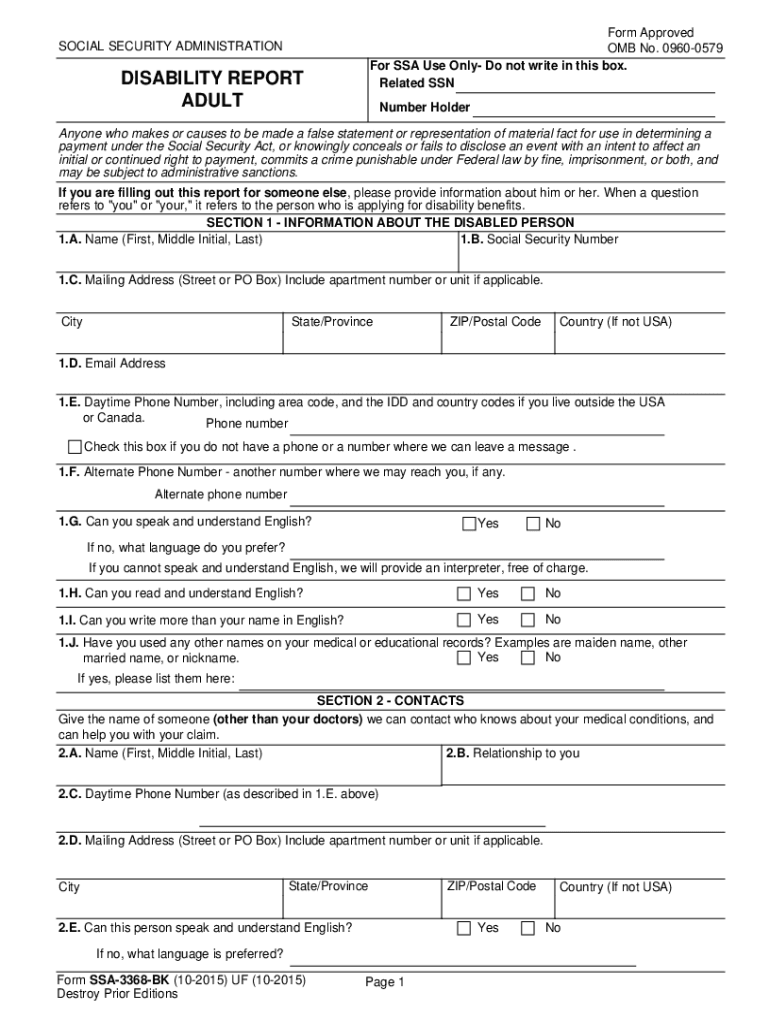
- Begin with Section 1, providing your name, Social Security Number, and mailing address. Ensure all information is clear and complete.
- In Section 2, list a contact person who can provide additional information about your medical conditions. Include their relationship to you and contact details.
- Move to Section 3 to detail your medical conditions. List each condition separately and provide any relevant symptoms.
- In Section 4, indicate your work activity status. Answer questions regarding past employment and how your conditions have affected your ability to work.
- Continue through Sections 5 to 10, providing educational background, job history, medications, and any vocational rehabilitation services you may have received.
- Finally, use Section 11 for any additional remarks or information that did not fit in previous sections.
Start filling out your SSA 3368 form today on our platform for free!
It's free
See more ssa 3368 2012 form versions
Got questions?
How can I sign my ssa 3368 without printing?
eSignatures are an excellent replacement for traditional signing, as they save time, effort, and costs people spend on printing, scanning, and paper delivery. You can electronically sign your ssa 3368 using a reliable and robust online document management tool like DocHub. It complies with major eSignature regulations (ESIGN and UETA), so all documents approved there are legally binding and have the same validity as physically signed ones.
How do you modify ssa 3368 form from Google Drive?
If you store your files in Google Drive, there is no need to download your ssa 3368 form on your computer and upload it back to our editor. A significantly simpler way is to install a browser extension created by DocHub to simplify this flow. The extension allows editing PDFs right in your web browser. Alternatively, you can integrate your DocHub and Gmail accounts for more efficient modifying.
What is a SSA-827 form?
What is a SSA 3373 form?
What is the SSA 3368 form?
Security and compliance
At DocHub, your data security is our priority. We follow HIPAA, SOC2, GDPR, and other standards, so you can work on your documents with confidence.
Learn more