






Definition and Meaning
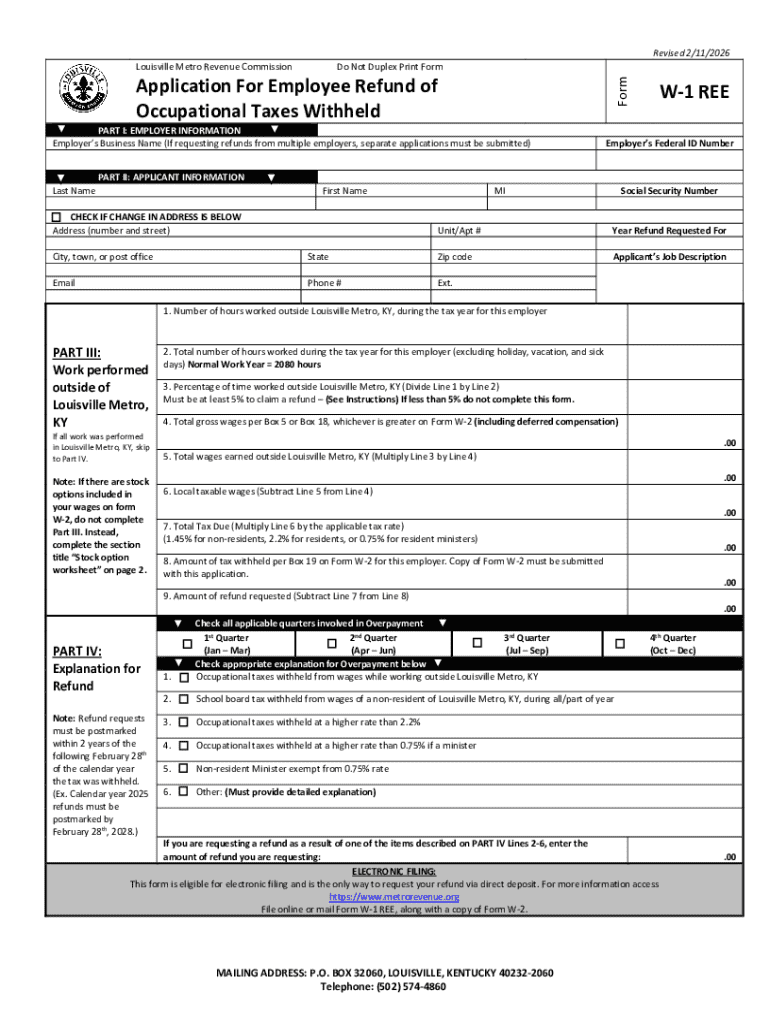
The "Do Not Duplex Print Form" is a specialized type of document used in specific scenarios where ensuring that the document contents are printed on single-sided paper is crucial. Duplex printing refers to the process where a printer automatically prints on both sides of a sheet of paper. The directive "Do Not Duplex Print" emphasizes the need for clarity, privacy, or legal compliance by printing on only one side.
Purpose and Importance
- Clarity in Communication: Single-sided printing avoids confusion and ensures that there are no missed pages when reviewing documents.
- Privacy Concerns: Critical or sensitive information that should not be viewed simultaneously may require single-sided printing.
- Legal Compliance: Regulatory guidelines might necessitate specific documents to be printed one-sided for archival or submission purposes.
How to Use the Do Not Duplex Print Form
Using the "Do Not Duplex Print Form" involves several straightforward steps that ensure you adhere to the document's requirements.
Printing Process
- Configure Printer Settings: Before printing, access your printer's settings; look for an option to disable duplex printing. Choose "Print on One Side Only."
- Check Print Preview: Always use the print preview function to verify that each page appears correctly, ensuring no content is split or lost in the transition from digital to paper.
- Batch Printing Considerations: If printing multiple forms, ensure each set is separated to maintain order and alignment with the single-sided print requirement.
Scenarios for Use
- Official Submissions: Many official documents, especially in legal or governmental settings, mandate single-sided printing to prevent misfiling or misinterpretation.
- Examination Scripts: Educational institutions require single-sided forms to avoid any oversight in grading.
How to Obtain the Do Not Duplex Print Form
Acquiring the "Do Not Duplex Print Form" can depend on its specific application or issuing entity. Here's how you can typically obtain it:
Common Methods
- Online Platforms: Visit the official website of the organization requiring the form. Many institutions provide downloadable PDFs of necessary forms.
- Local Offices: If applicable, regional offices or branches of the issuing entity may have physical copies available for pick-up.
- Document Management Systems: For organizations using DocHub or similar solutions, the forms might be available directly within the platform for digital manipulation before printing.
Compatibility and Accessibility
- Compatibility: Ensure that the digital form format is compatible with standard software like Adobe Reader or document management platforms like DocHub.
- Accessibility: Some forms are also optimized for accessibility, providing alt text or screen reader compatibility for visually impaired users.
Steps to Complete the Do Not Duplex Print Form
Completing the "Do Not Duplex Print Form" requires careful attention to detail to ensure compliance with its purposes.
Detailed Instructions
- Read Instructions Thoroughly: Each form may come with specific guidelines on what information is required and how it should be formatted.
- Fill Out the Details: Use the text boxes provided to input the necessary data. For privacy, ensure sensitive information is appropriately masked where necessary.
- Check for Required Attachments: Some forms may require additional documents to be attached. Ensure these are ready and printed on separate, single-sided sheets.
Verification and Submission
- Double-Check Entries: Before printing, confirm that all necessary fields are filled and are legible.
- Submission: Depending on the form's purpose, you might need to submit it physically or scan and upload it if an electronic copy is acceptable.
Why Should You Do Not Duplex Print Form
Understanding the rationale behind single-sided printing is key to appreciating its application.
Advantages
- Simplifies Handling: Single-sided forms are easier to shuffle, sort, and verify in stacked piles.
- Avoids Overseeing Errors: Reduces the risk of accidentally bypassing critical data that can happen with back-to-back page configurations.
- Meets Compliance Standards: Some industry regulations strictly enforce single-sided documentation to prevent data mismanagement.
Important Terms Related to Do Not Duplex Print Form
Understanding relevant terminology can clarify the form's usage and requirements.
Key Terms
- Single-Sided Printing: The process of printing on only one side of the paper.
- Document Fidelity: Maintaining the original structure and layout in the printed form.
- Regulatory Compliance: Adhering to legal standards for document submission.
Examples of Using the Do Not Duplex Print Form
Real-world examples highlight the practical usage of non-duplex forms:
Scenarios
- Legal Documents: Contracts and legal agreements often require non-duplex formats to ensure all parties are reviewing identical, accessible documents.
- Tax Forms: Some tax documents, especially those involving manual data entry or signature, require single-sided printing to align with submission guidelines.
- Corporate Manuals: Employee handbooks or operational guides are sometimes printed single-sided to facilitate ease of annotation and reading.
Form Submission Methods
The method of submitting the "Do Not Duplex Print Form" depends on the specific requirements set by the issuing organization.
Submission Channels
- In-Person Delivery: Hand-deliver forms to ensure adherence to submission standards.
- Mail: Use postal services if physical submission is required but in-person delivery is not feasible.
- Digital Submission: Scan the single-sided document and submit via email or an online portal if allowed by the issuer.