




01. Edit your form online
Type text, add images, blackout confidential details, add comments, highlights and more.

Type text, add images, blackout confidential details, add comments, highlights and more.

Draw your signature, type it, upload its image, or use your mobile device as a signature pad.

Send it via email, link, or fax. You can also download it, export it or print it out.
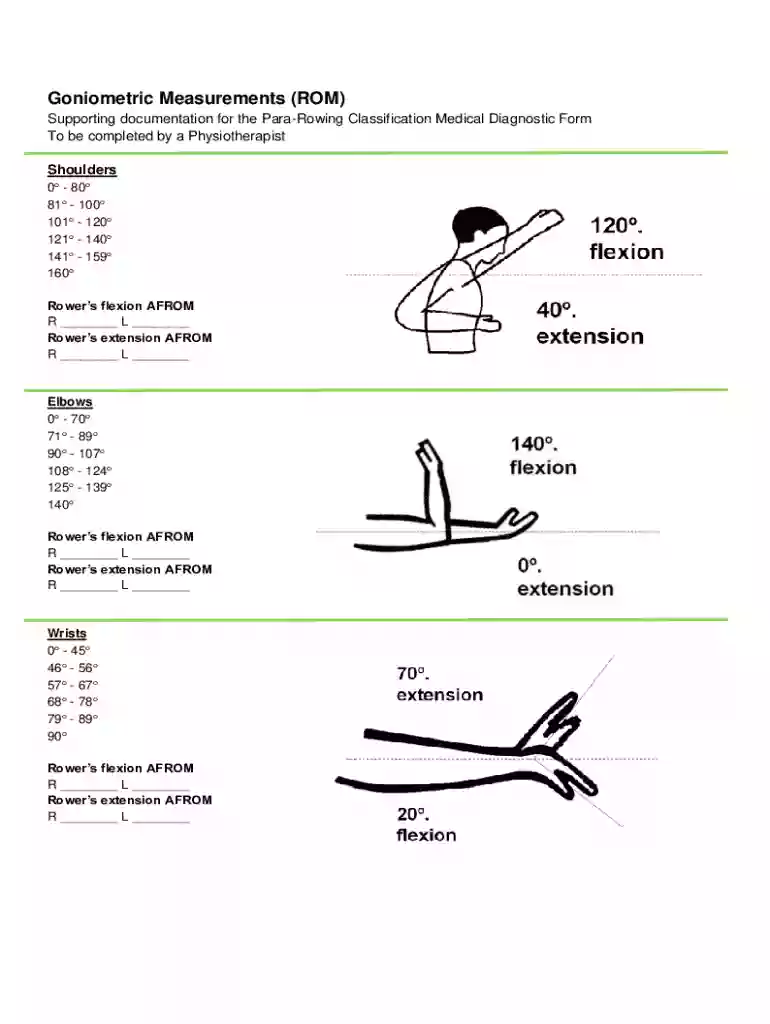
The Goniometric Measurement Form serves as a vital document for evaluating the range of motion (ROM) in various joints. Primarily used by physiotherapists, this form focuses on the assessment of joints in athletes, particularly rowers. It includes evaluations of shoulders, elbows, wrists, fingers, hips, knees, and ankles. By documenting specific ranges for flexion and extension, the form provides essential insights into an individual's joint mobility and highlights areas that may require therapeutic intervention.
When using the Goniometric Measurement Form, the physiotherapist begins by noting the baseline range of motion for each joint in question. The process includes:
Filling out the Goniometric Measurement Form requires precision and attention to detail:
The Goniometric Measurement Form contains several critical sections that ensure comprehensive data collection:
Understanding specific terminology associated with the Goniometric Measurement Form is crucial for correct usage:
The primary users of the Goniometric Measurement Form are healthcare professionals who specialize in movement and joint health:


Real-world scenarios illustrating the form’s application include:
DocHub’s compatibility with various software platforms enhances the ease of using the Goniometric Measurement Form:
In summary, the Goniometric Measurement Form is an essential tool for healthcare professionals in assessing and documenting joint mobility, ensuring that patients receive tailored therapeutic strategies.
At DocHub, your data security is our priority. We follow HIPAA, SOC2, GDPR, and other standards, so you can work on your documents with confidence.


Use a goniometer to measure and record the limits of your partners passive range of motion at the hip, knee, and ankle joints. Explain the procedure and its
Advanced Measurement Guide Contact Angle Goniometer measurement specifications. Angle Range. 5 to 180. Max measurement speed. 33 ms (30 fps). Page 9. 10. 1
This chart evaluates joint motion by indicating limitations by drawing lines or noting degrees. It includes joints like back, neck, hip, knee, shoulder, elbow,


