






Definition and Meaning
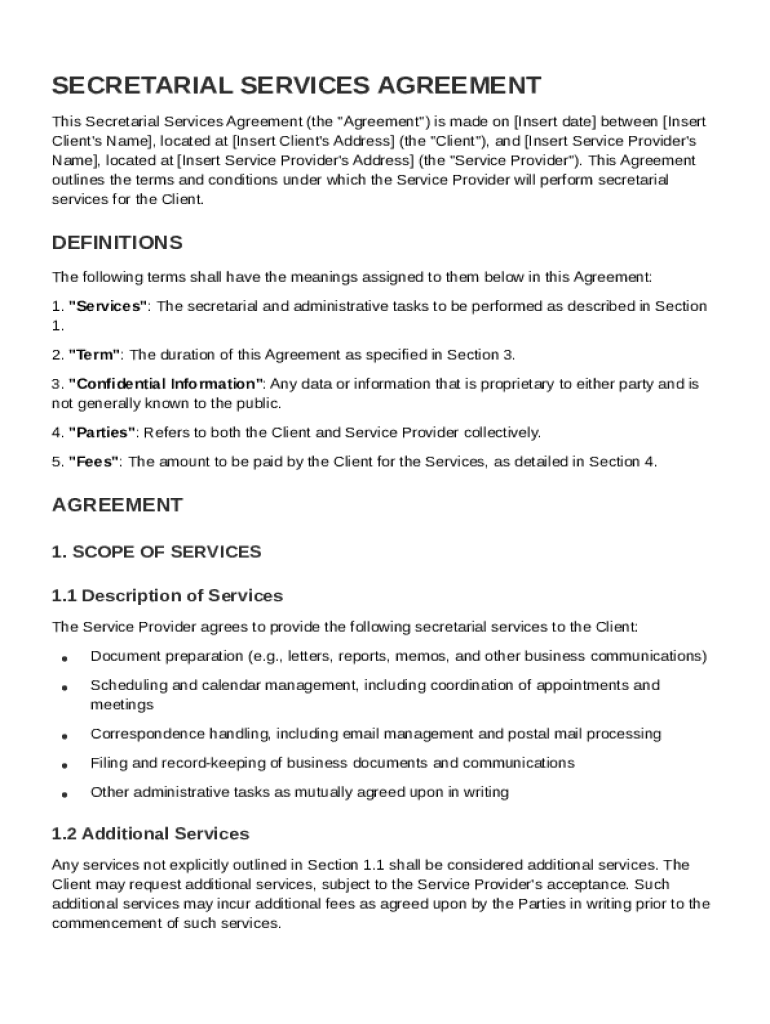
A Secretarial Service Agreement Template is a formal document that outlines the mutual responsibilities and expectations between a client and a service provider offering secretarial and administrative services. This template acts as a contract to ensure both parties are clear on deliverables, timelines, payment terms, and other critical aspects of their professional relationship. By defining these elements upfront, it helps prevent misunderstandings and disputes.
Key Components
-
Scope of Services: Clearly delineates the specific secretarial tasks to be performed, such as scheduling, correspondence, and data entry.
-
Payment Terms: Includes details about the fee structure, payment schedule, and any potential late fees or penalties.
-
Confidentiality Obligations: Ensures that sensitive information is handled securely and not disclosed without permission.
-
Liability Limitations: Sets boundaries on the service provider's liability in various scenarios.
-
Termination Clauses: Explains how either party can terminate the agreement and under what conditions.
-
Governing Law: Identifies which state laws apply in interpreting and enforcing the agreement.
How to Use the Secretarial Service Agreement Template
To effectively utilize the Secretarial Service Agreement Template, follow these structured steps:
-
Download the Template: Obtain the template from a reliable source such as DocHub, ensuring it meets your region's legal requirements.
-
Customize the Template: Modify the template to fit the specific needs of the client-service provider relationship. This includes detailing services, changing payment terms, and adjusting confidentiality clauses as necessary.
-
Review with Legal Counsel: It's advisable for both parties to review the customized agreement with legal advisors to confirm legal compliance and mutual understanding.
-
Negotiate Terms: Discuss any changes or negotiable terms with the other party to ensure both agree with the revisions.
-
Finalize the Document: Once both parties are satisfied, complete any remaining sections and ensure all required details are filled out.
-
Sign and Exchange Copies: Both parties should sign the document, with copies exchanged and securely stored for future reference.
Steps to Complete the Secretarial Service Agreement Template
A step-by-step guide for completing the Secretarial Service Agreement Template:
-
Fill in Party Information: Enter the names and contact details of both the client and service provider at the beginning of the template.
-
Define Service Scope: Specify all services included in the agreement. Be precise to avoid any future disputes.
-
Outline Financial Details: Ensure payment terms, including rates, deadlines, and penalties for late payments, are clearly stated.
-
Establish Confidentiality Rules: Layout any confidentiality or non-disclosure clauses to protect sensitive information.
-
Set Duration and Termination Terms: Decide on the start and end dates for the agreement and describe how either party can terminate the contract.
-
Completion and Signatures: Fill out any additional required information, review the document, and sign.
Important Terms Related to the Secretarial Service Agreement Template
Understanding the terminology used in the Secretarial Service Agreement Template is crucial for clarity and compliance:
-
"Scope of Work": Refers to the tasks and responsibilities agreed upon by both parties.
-
"Consideration": The payment or compensation as outlined in the agreement.
-
"Confidential Information": Any private data that must not be disclosed to unauthorized parties.
-
"Force Majeure": Situations where a party cannot fulfill its obligations due to uncontrollable events such as natural disasters.
-
"Indemnification": A provision requiring one party to compensate the other for any damages or losses incurred.
Legal Use of the Secretarial Service Agreement Template
In the U.S., the Secretarial Service Agreement Template must adhere to legal standards to be enforceable:
-
Compliance with State Laws: Each state may have unique requirements; it's vital to ensure the agreement reflects these laws.
-
Contractual Formalities: Both parties must have the capacity to enter into a contract, and the agreement must not entail illegal activities.
-
Consideration: There must be a valid exchange of value, such as secretarial services for monetary payment, for the contract to be binding.
-
Signature Requirement: Legally binding agreements typically require physical or digital signatures from both parties involved.
Examples of Using the Secretarial Service Agreement Template
Real-world scenarios where a Secretarial Service Agreement Template proves beneficial:
-
Startups Hiring Remote Secretaries: A startup needing administrative assistance without hiring full-time staff can use the agreement to define services and payment for a virtual assistant.
-
Law Firms Outsourcing Clerical Tasks: A law firm seeking to outsource non-legal administrative tasks can use the template to engage a secretarial service provider securely.
-
Corporate Offices Establishing Support Staff Roles: Companies can use the agreement to set clear expectations and terms for in-office administrative assistants.
Key Elements of the Secretarial Service Agreement Template
The template includes several essential sections that need careful attention:
-
Parties Involved: Identifies who is entering the agreement.
-
Service Description: Provides a detailed explanation of the secretarial services offered.
-
Compensation and Invoicing: Specifies the payment structure, including hourly rates or salary, invoicing, and due dates.
-
Intellectual Property: Clarifies ownership rights concerning any creative output generated during the service period.
Business Types That Benefit Most from the Secretarial Service Agreement Template
Several business entities stand to gain from using this template:
-
LLCs and Small Corporations: Often lean on outsourced secretarial services to minimize costs while maintaining efficient operations.
-
Partnerships: Benefit from clearly defined roles and responsibilities when multiple partners rely on a shared secretarial resource.
-
Freelancers and Consultants: Frequently engage secretarial services for project-based administrative tasks, ensuring only essential services are contracted.
By providing a structured, user-friendly approach, the Secretarial Service Agreement Template from DocHub optimizes collaboration while safeguarding the interests of both clients and service providers.