
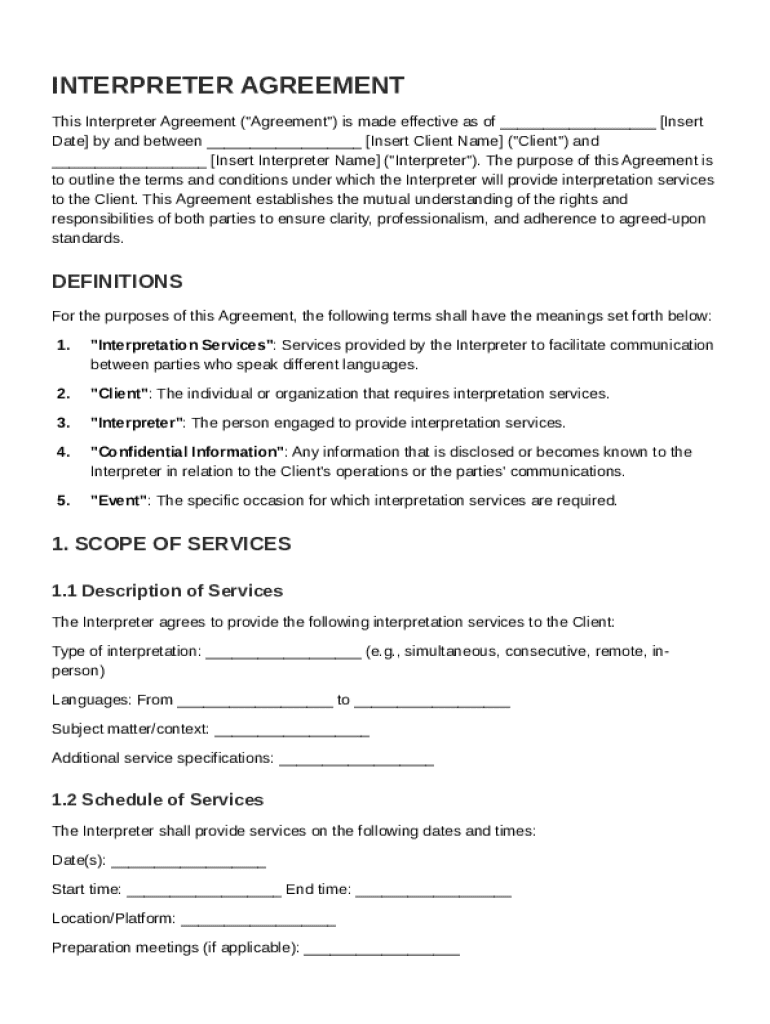







Definition and Meaning of the Interpreter Agreement Template
The Interpreter Agreement Template serves as a comprehensive document outlining the terms and conditions critical for the provision of interpretation services between a client and an interpreter. This legal form includes all essential components necessary to clarify the roles, responsibilities, and expectations of both parties involved in the interpretation process. At its core, the agreement covers key areas such as the scope of services provided, agreed-upon compensation, confidentiality issues, liabilities, and legal obligations. By setting clear boundaries and stipulations, this template aims to promote professional standards and ensure mutual understanding, ultimately helping to prevent misunderstandings or disputes.
How to Use the Interpreter Agreement Template
To effectively use the Interpreter Agreement Template, both clients and interpreters should start by thoroughly reviewing each section to ensure clarity and agreement on all points. Here’s a step-by-step guide on how to proceed:
- Download and Open the Template: Begin by accessing the template through your preferred document handling software platform like DocHub.
- Customize for Specific Needs: Tailor the template to reflect the specific details of your agreement. This includes adding names, dates, and specific terms agreed upon by both parties.
- Review Terms and Conditions: Carefully read through the general terms, services to be offered, and compensation clauses to ensure they accurately represent the mutual agreement.
- Make Revisions as Necessary: If changes are required, edit the form directly to update services, pricing, or other relevant conditions.
- Finalize and Sign: After confirming all details are correct, both parties should sign the document to render it binding.
Key Elements of the Interpreter Agreement Template
A well-structured Interpreter Agreement Template should encompass several key elements that safeguard the interests of both the client and the interpreter:
- Scope of Services: Clearly defines the nature and extent of interpretation work the interpreter is contracted to perform.
- Compensation Details: Outlines the payment structure, including rate, method, and schedule of payments to the interpreter.
- Confidentiality Obligations: Specifies the need for discretion regarding sensitive information encountered during interpretation sessions.
- Responsibilities of Each Party: Assigns roles and obligations to ensure each party fulfills their respective duties under the agreement.
- Termination Clauses: Sets the conditions under which the agreement may be concluded before the completion of the services.
- Liability Limitations: Addresses the extent to which each party is liable for any potential disputes or issues that arise during the contract's duration.
Important Terms Related to the Interpreter Agreement Template
Understanding terms specific to interpretation agreements can enhance comprehension and effectiveness of the document. Here are a few crucial terms often included:
- Client: The party that engages the services of an interpreter for a specified task.
- Interpreter: The professional providing interpretation services as per the agreed terms.
- Non-Disclosure Agreement (NDA): A covenant for maintaining confidentiality of sensitive information shared during interpretation.
- Force Majeure: A clause relieving parties from obligations due to events beyond their control, such as natural disasters.
Legal Use of the Interpreter Agreement Template
The Interpreter Agreement Template is legally enforceable when detailed comprehensively and executed properly. It should:
- Adhere to Applicable Laws: Comply with federal and state laws governing employment and contracts, pertinent especially within the U.S. jurisdiction.
- Include Necessary Signatures: Ensure both parties, client and interpreter, have signed to validate and authenticate the agreement.
- Be Clear and Unambiguous: Avoid vague language to prevent misinterpretations that could jeopardize the legal integrity of the agreement.
- Provide for Amendments: Allow for the possibility of changing terms upon mutual consent in writing.
State-Specific Rules for the Interpreter Agreement Template
Legal requirements for interpreter agreements may vary widely among different states in the U.S. Aspects to consider while drafting include:
- State Contract Laws: Ensure that the form complies with specific local legal standards, such as those related to contract law or employment regulations.
- Certification Requirements: Some states may have specific requirements for interpreter certifications or qualifications that should be noted.
- Tax Implications: Be aware of state-specific tax laws particularly if the interpreter is classified as a freelancer or independent contractor.
Examples of Using the Interpreter Agreement Template
Several real-world scenarios exemplify the need for an Interpreter Agreement Template:
- Legal Proceedings: A court may employ a contract to secure services from a certified interpreter for non-English speaking participants in legal cases.
- Medical Settings: Hospitals and clinics utilize interpreter agreements to facilitate communication between healthcare providers and patients who do not speak the local language.
- Business Conferences: Companies engaging in international business often need professional interpreters for meetings and conferences with foreign delegates.
Digital Versus Paper Version of the Interpreter Agreement Template
The adoption of digital formats for the Interpreter Agreement Template provides several advantages:
- Ease of Access and Editing: Digital versions allow for quick modifications and seamless sharing among parties through platforms like DocHub.
- Environmental Benefits: Reduces paper usage and waste, contributing to environmentally friendly practices.
- Security Features: Offers enhanced security measures like encryption and digital signatures not available with paper formats.
Despite the advantages of digital versions, some contexts might still necessitate hard copies, especially where electronic signatures are not yet widely recognized or accepted. However, the trend continues to favor digital due to its versatility and efficiency in modern document management.




