
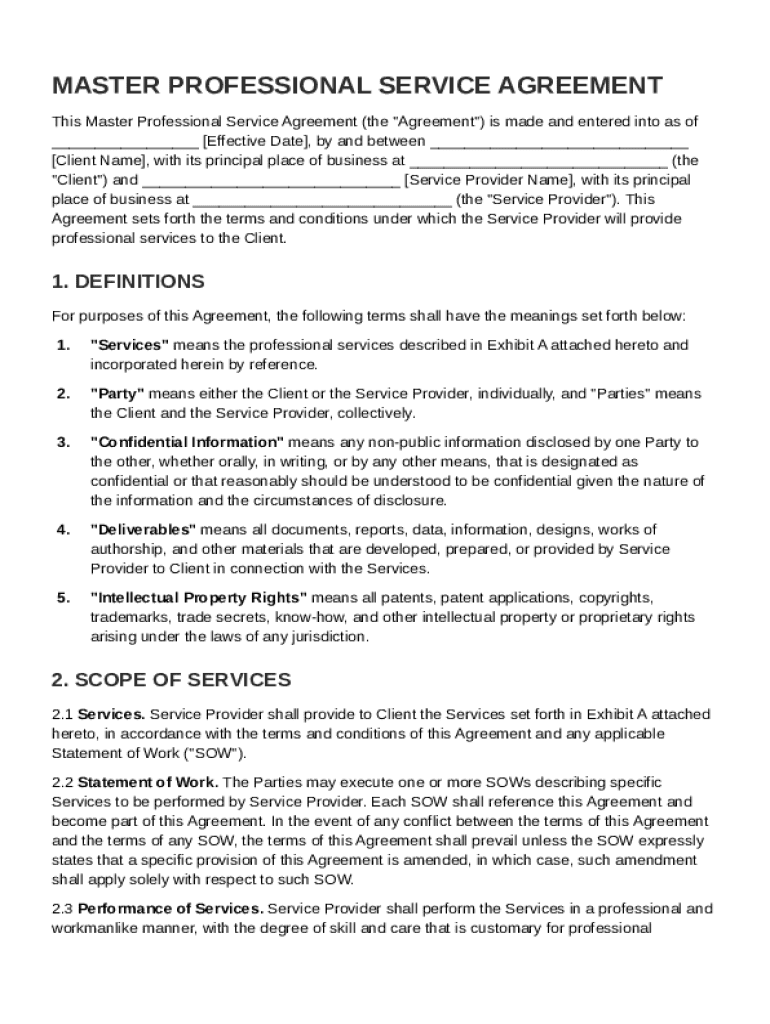







Definition and Purpose of the Master Professional Service Agreement Template
The Master Professional Service Agreement (MPSA) Template is a comprehensive legal document that articulates the terms and conditions of a professional services agreement between two parties, typically a service provider and a client. This agreement framework ensures a mutual understanding of the obligations, rights, and responsibilities each party holds. It defines key elements such as the scope of work, payment terms, confidentiality obligations, and dispute resolution mechanisms. By establishing clear guidelines, the MPSA helps prevent misunderstandings and facilitates a professional relationship founded on trust and clarity.
Steps to Complete the Master Professional Service Agreement Template
- Identify the Parties: Begin by specifying the full legal names of the service provider and the client. Ensure accuracy in identifying both parties to avoid legal issues later.
- Define Scope of Services: Clearly describe the services to be provided. This is critical as it sets expectations and serves as a benchmark for performance evaluation.
- Set Compensation Terms: Detail the payment structure, including amounts, payment schedule, and any conditions tied to payments such as milestones or deliverables.
- Outline Confidentiality Agreements: Include clauses that protect sensitive information shared during the course of the business relationship. This may include trade secrets, client lists, and proprietary methods.
- Specify Dispute Resolution Procedures: Provide a roadmap for dealing with disputes, including methods such as mediation or arbitration. This can help resolve conflicts efficiently without resorting to litigation.
- Include Miscellaneous Provisions: Add any additional terms relevant to the agreement, such as termination conditions, modification procedures, and governing law.
Key Elements of the Master Professional Service Agreement Template
- Scope of Work: Outlines the specific tasks and deliverables that the service provider agrees to complete. This section can include timelines and quality expectations.
- Payment Terms: Details how the client will compensate the service provider. It should cover billing frequency, methods of payment, and any conditions for advance payments or retainers.
- Confidentiality Clauses: Provisions that safeguard the exchange of proprietary information. This ensures that sensitive data remains protected during and after the term of the agreement.
- Intellectual Property Rights: Defines ownership and usage rights for any intellectual property developed or utilized during the partnership. It clarifies who retains rights post-completion of the agreement.
- Indemnification Clauses: Statements that protect each party from liability due to third-party claims related to the service provided.
Important Terms Related to the Master Professional Service Agreement Template
- Independent Contractor Relationship: Establishes that the service provider is not an employee but an independent contractor. This affects tax liabilities and legal responsibilities.
- Force Majeure: A provision that excuses a party from their obligations due to extraordinary events or circumstances beyond their control, such as natural disasters or strikes.
- Governing Law: Indicates which jurisdiction's laws will govern the agreement, crucial in determining how disputes will be interpreted and enforced.
Who Typically Uses the Master Professional Service Agreement Template
The MPSA is commonly utilized by businesses and professionals across various industries that engage independent contractors, consultants, or vendors. These include:
- Technology Firms: For software development and IT services.
- Marketing Agencies: Engaging freelancers for branding and promotional efforts.
- Consulting Firms: Hiring external consultants to provide strategic advice.
- Construction Companies: To outline terms with subcontractors.


State-Specific Rules for the Master Professional Service Agreement Template
While the MPSA serves as a general contract framework, certain state-specific laws can influence its content:
- Employment Laws: Varying definitions of what constitutes an independent contractor versus an employee can impact tax treatment and liability.
- Right to Work States: These states may have unique stipulations on non-compete clauses affecting how the agreement is drafted.
- Governing Law Preference: Certain states prefer that contracts utilize the state's legal system in resolving disputes, which can affect which governing law is applied.
Legal Use of the Master Professional Service Agreement Template
The MPSA must comply with federal and state laws to be enforceable. It is used legally to:
- Ensure Compliance: Align services and compensation terms with legal standards.
- Protect Rights and Limit Liability: Secure parties' intellectual properties and limit liability exposure through indemnification clauses.
- Formalize Business Relationships: Create a formal and binding agreement that legitimizes professional partnerships.
Software Compatibility with the Master Professional Service Agreement Template
To leverage the MPSA effectively, compatibility with document management and editing software is crucial. DocHub enables users to edit and manage the MPSA template directly from cloud storage services such as Google Drive, Dropbox, and OneDrive. It supports a range of file formats including DOC and PDF, allowing for seamless integration into your existing document workflow. For those using Google Workspace, DocHub’s integration facilitates direct importing and exporting of the MPSA, enhancing productivity for teams that leverage Google's suite of tools.




