




01. Edit your form online
Type text, add images, blackout confidential details, add comments, highlights and more.

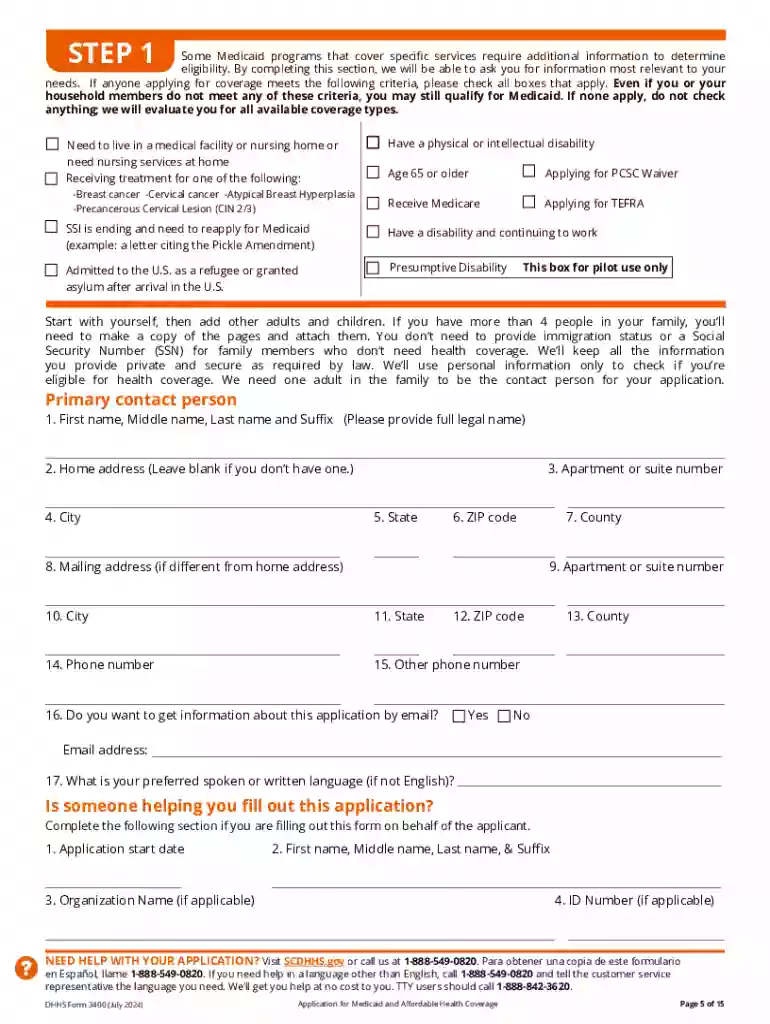
Type text, add images, blackout confidential details, add comments, highlights and more.

Draw your signature, type it, upload its image, or use your mobile device as a signature pad.

Send it via email, link, or fax. You can also download it, export it or print it out.
The "Getting StartedSCDHHS" form is an essential application tool used for obtaining Medicaid and Affordable Health Coverage through the South Carolina Department of Health and Human Services. It provides applicants with a streamlined means to access various healthcare programs, ensuring they meet the necessary criteria to secure benefits. This form not only guides users through the application process but also helps them understand the different types of coverage available, such as Medicaid and private insurance options. Additionally, it outlines assistance programs aimed at easing the financial burden of healthcare for eligible individuals and families.
Utilizing the Getting StartedSCDHHS form requires a systematic approach to ensure all necessary information is accurately provided. Users must carefully review each section of the form, filling out personal and family information, income details, and any other relevant data. It is advisable to gather all required documents, such as income statements and identification, before beginning the application. The form is designed to accommodate both online and physical submissions, allowing applicants flexibility in how they choose to apply. Applicants should thoroughly check their entries for accuracy to avoid delays or the need for resubmission.
The eligibility requirements for the Getting StartedSCDHHS form are crucial in determining whether an applicant qualifies for Medicaid or other health coverage services. Factors include the applicant's income, family size, and any existing health coverage. For example, families with children, pregnant women, and individuals with disabilities often have different eligibility thresholds. Understanding these criteria helps applicants know what documentation to prepare and whether they meet the prerequisites for enrollment in South Carolina's programs.


The legal use of the Getting StartedSCDHHS form is governed by regulations to ensure privacy and security of applicants' information. It adheres to federal and state laws that mandate the protection of personal data during the application process. Compliance ensures that applicants' sensitive information, such as financial and personal data, is securely handled and used solely for determining eligibility for health coverage programs.
Applicants must provide several documents to complete the application, such as proof of identity (like a driver’s license or passport), income verification (pay stubs or tax returns), and proof of residency. Additional documentation may be requested based on specific circumstances, such as medical records for disabled applicants or birth certificates for dependents.
Once submitted, applications are reviewed by the South Carolina Department of Health and Human Services. The approval time can vary based on the completeness of the application and current demand levels. Typically, processing may take several weeks, but applicants can expedite the process by ensuring their forms are correctly filled and all required documents are included. Notifications regarding application status and approval are usually sent via mail or email, depending on the method of submission.
We've got more versions of the Getting StartedSCDHHS form. Select the right Getting StartedSCDHHS version from the list and start editing it straight away!
At DocHub, your data security is our priority. We follow HIPAA, SOC2, GDPR, and other standards, so you can work on your documents with confidence.





South Carolina Department of Health and Human Services (SCDHHS) Medicaid program. The SCBOI is a collaboration of SCDHHS, Getting Started Tips to download
SC Thrive is available to assist you with the Healthy Connections application and can provide an assessment of your households most likely health coverageRead more


