




01. Edit your form online
Type text, add images, blackout confidential details, add comments, highlights and more.

Type text, add images, blackout confidential details, add comments, highlights and more.

Draw your signature, type it, upload its image, or use your mobile device as a signature pad.

Send it via email, link, or fax. You can also download it, export it or print it out.
The "form online" refers to digital documents that can be filled out, submitted, and processed over the internet. These forms replace traditional paper documents and offer advantages such as efficiency, convenience, and accessibility. Common examples include tax forms, applications for services, and registration documents. Online forms can contain various types of input fields, like text boxes and drop-down menus, to collect specific information from users.
To use a form online, start by accessing the relevant website or platform hosting the form, such as DocHub. Follow these essential steps:
Online platforms may offer additional functionality, such as saving progress, allowing multiple sessions to complete complex forms, or providing instructions and help tips.
Obtaining a form online usually involves a straightforward process:
Completing a form online requires attention to detail to ensure accuracy:
Online forms simplify many processes by providing several advantages:
Forms online are popular among a diverse range of users, including:


Essential components of online forms include:
The legitimacy of using online forms is supported by acts such as the ESIGN Act in the United States, which ensures electronic signatures are legally equivalent to handwritten ones. Online forms facilitate compliant transactions for both personal and business purposes, with many platforms adhering to data protection regulations.
The convenience of modern technology supports multiple submission methods:
When choosing between digital and paper versions of forms, consider the following:
Many organizations now prefer or exclusively accept digital forms, recognizing their efficiency and eco-friendliness.
By understanding these aspects of using forms online, users can make informed decisions and enhance their document management processes.
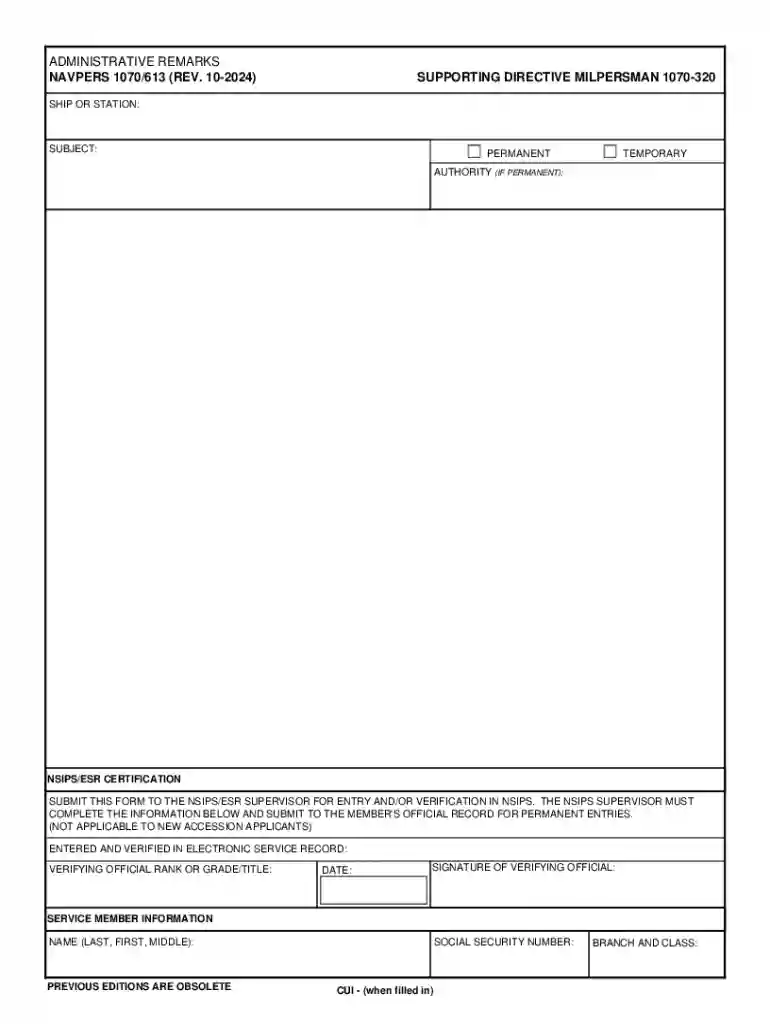
We've got more versions of the NAVPERS 1070 613 Form form. Select the right NAVPERS 1070 613 Form version from the list and start editing it straight away!
At DocHub, your data security is our priority. We follow HIPAA, SOC2, GDPR, and other standards, so you can work on your documents with confidence.




NAVPERS 1070/613 (REV. 08-2012) PREVIOUS EDITIONS ARE OBSOLETE. SUPPORTING DIRECTIVE MILPERSMAN 1070-320. FOR OFFICIAL USE ONLY. PRIVACY SENSITIVE. BRANCH ANDRead more
Jul 13, 2018 The Official Military Personnel File (OMPF) is primarily an administrative record, NAVPERS 1070/613 NAVPERS 1070/615. Temporary, Permanent;


