




01. Edit your form online
Type text, add images, blackout confidential details, add comments, highlights and more.

Type text, add images, blackout confidential details, add comments, highlights and more.

Draw your signature, type it, upload its image, or use your mobile device as a signature pad.

Send it via email, link, or fax. You can also download it, export it or print it out.
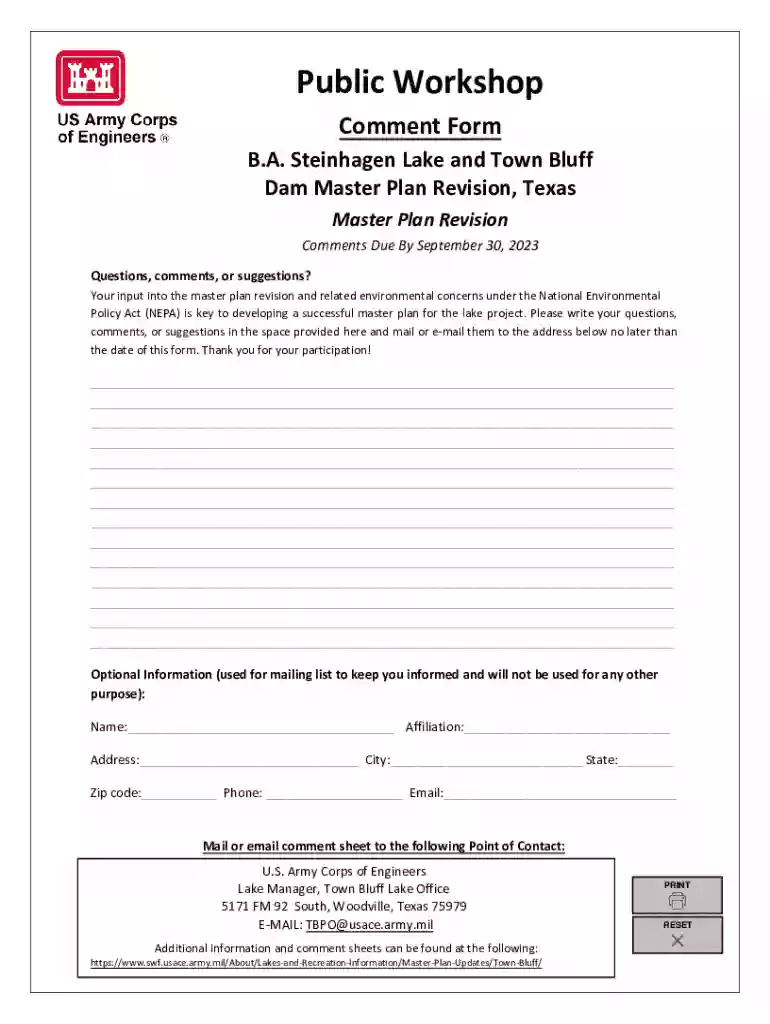
The Comment Form is a crucial tool that facilitates public input on various projects or proposals, such as revisions by the U.S. Army Corps of Engineers. It is used to gather feedback from stakeholders, ensuring a transparent planning process. This form is often employed in projects impacting community resources or shared environments, allowing individuals to express concerns, support, or suggestions.
Using the Comment Form typically involves several straightforward steps. First, ensure you have the relevant project details or documents, as these will inform your feedback. Next, fill in your personal information, such as name and contact details, which are often required fields. Finally, write your comments in the designated area, ensuring they are concise and directly related to the topic at hand. Be specific in your feedback to provide the most value.
To obtain a Comment Form, visit the official website of the sponsoring organization, such as a government agency or community board. Forms can often be downloaded directly or requested via email. Additionally, attending public meetings related to the project may provide opportunities to obtain a physical copy.
A typical Comment Form includes several key components designed to capture detailed feedback:
The Comment Form serves as an official document to collect and record public opinion on proposed actions or projects. Legally, it ensures that a diverse range of voices can be heard during planning stages. Comments submitted through this form may influence decision-making and are often reviewed by project committees or oversight bodies.
Examples of effective use include participating in a public consultation for a new highway development or providing feedback on local school district changes. In these scenarios, individuals use the form to express support, raise concerns, or suggest alternatives.
Comment Forms can be submitted through various channels:
Both digital and paper versions of Comment Forms have their pros and cons. Digital forms offer convenience and faster processing, while paper forms can be ideal for those without reliable internet access. Additionally, digital submissions often provide immediate confirmation, whereas paper submissions may require follow-up to ensure receipt.
We've got more versions of the Comment Form form. Select the right Comment Form version from the list and start editing it straight away!
| Versions | Form popularity | Fillable & printable |
|---|---|---|
| 2023 | 4.5 Satisfied (54 Votes) |
At DocHub, your data security is our priority. We follow HIPAA, SOC2, GDPR, and other standards, so you can work on your documents with confidence.




You can just enter text in the comment box, and either click Send, or press Shift+Enter to send from the keyboard. This will open an Add Comment form:.Read more
Use this form to comment on your utility or transportation companys filing for a rate increase or other action with the commission.
All comments and responses will be posted on the comment wall. We will not post or share email addresses. Solve this simple math problem and enter the result.Read more


