



01. Edit your form online
Type text, add images, blackout confidential details, add comments, highlights and more.

Type text, add images, blackout confidential details, add comments, highlights and more.

Draw your signature, type it, upload its image, or use your mobile device as a signature pad.

Send it via email, link, or fax. You can also download it, export it or print it out.
"Form online" refers to the digital process of filling out, submitting, and managing forms using an internet-based platform. This method streamlines how individuals and businesses handle various forms, from tax documents to application forms, providing an efficient and user-friendly experience.
Completing a form online involves several key steps to ensure accuracy and compliance. Here's a breakdown of the typical process:
Access the Form: Locate the required form on a trusted website. Ensure that the source is official or verified to avoid downloading counterfeit forms.
Review Instructions: Carefully read any accompanying instructions to understand the form's requirements. This step is crucial to avoid common mistakes and omissions.
Fill Out the Form: Enter your information into the fillable fields provided. Online platforms often include text boxes, dropdown menus, and checkboxes to guide input.
Attach Supporting Documents: Upload any necessary documents to supplement your form. Ensure these files are in an acceptable format, such as PDF or DOC.
Verify Information: Double-check all entries for accuracy, especially personal details like Social Security numbers and addresses, as inaccuracies can lead to processing delays.
Submit the Form: Once completed, use the platform’s submission feature. Some forms may require electronic signatures, authenticated through platforms like DocHub.
Confirmation: After submission, you should receive a confirmation receipt or reference number. Keep this for future reference or in case follow-up is needed.
Using forms online provides numerous benefits, making it an attractive option for both individuals and organizations:
Efficiency: Online forms eliminate the need for physical paperwork, reducing time spent on printing, mailing, and manual data entry.
Accessibility: Forms can be filled out from anywhere with an internet connection, making it convenient for remote workers and businesses.
Accuracy: Built-in validation features in online forms minimize errors by guiding users to provide the correct information.
Environmental Impact: Reducing paper usage by filling out forms online contributes to environmental sustainability.
Understanding specific terms helps navigate online form processes more effectively:
Fillable Fields: Sections of the form where information is entered, including text boxes, checkboxes, and radio buttons.
Digital Signature: An electronic form of signature that verifies the signer's identity and intent to sign a document, considered legally binding.
Encryption: A method of protecting data within forms to ensure it is secure during transmission.
Cloud Storage: Online storage solutions where documents can be saved and accessed, often used for backing up digital forms.
Adhering to security and legal standards is critical when dealing with forms online to protect personal data and ensure compliance:
Secure Platforms: Always use platforms with robust security measures, like 256-bit SSL encryption, to protect your data.
Legal Compliance: Online forms, especially those requiring signatures, should comply with acts such as the ESIGN Act, ensuring they are legally recognized.
Data Privacy: Be mindful of personal data shared and ensure consent is given for its use and storage.
Several scenarios exemplify the utility of online forms:
Tax Filings: Use digital forms for tax returns, making use of platforms like TurboTax for ease and accuracy.
Job Applications: Many companies prefer online applications, allowing candidates to apply easily from their devices.
Event Registrations: Organizers use forms to gather participant information and preferences efficiently.
The ease of using forms online is enhanced through compatibility with various software:
Document Editing Tools: Platforms like DocHub support editing directly on the form, allowing for a seamless experience without converting files.
Integration with Cloud Services: Import documents from Google Drive, Dropbox, or OneDrive to streamline the process.
Businesses reap substantial benefits from utilizing forms online:
Cost Savings: Reducing physical paperwork cuts costs associated with printing and storage.
Enhanced Collaboration: Forms allow for shared access and real-time updates, facilitating better teamwork and communication.
Data Collection: Online forms can be designed to gather and analyze customer data efficiently, aiding business strategies.
By using forms online, individuals and businesses can modernize their workflows, ensuring they are more efficient, sustainable, and adaptable to a digital-first world.
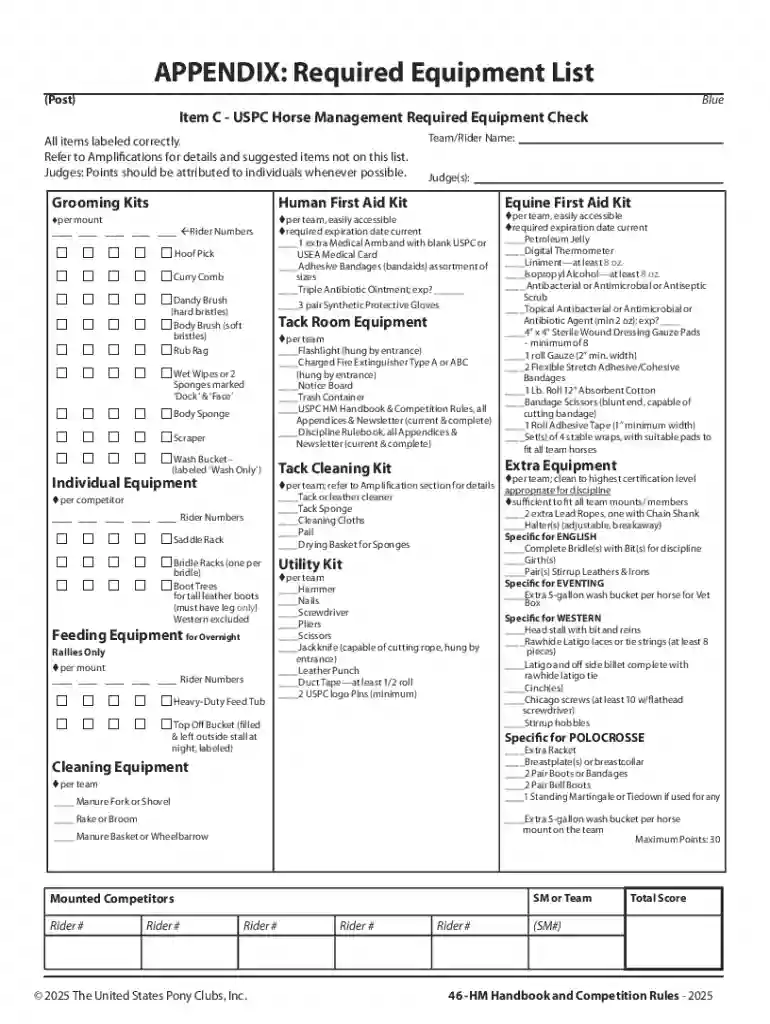
We've got more versions of the USPC Horse Management Required Equipment Check form. Select the right USPC Horse Management Required Equipment Check version from the list and start editing it straight away!
At DocHub, your data security is our priority. We follow HIPAA, SOC2, GDPR, and other standards, so you can work on your documents with confidence.


ASTM/SEI helmets are required for all riders at all USPC functions. American Paint Horse Association A helmet with a harness properly fastened under theRead more
LARGE TOOLS. Fire Extinguishers, need to be checked/recharged annually. Have outside faucets on every building. Check condition of hoses every six months. Use


