Definition and Meaning of "Form Online"
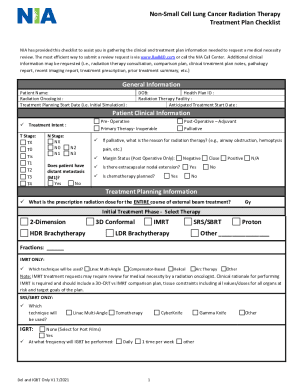
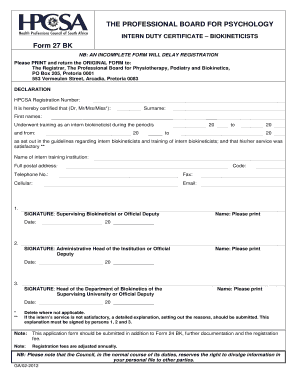
The term "form online" refers to a digital version of a traditional form, which can be accessed, completed, and submitted electronically. These forms are designed to streamline processes and minimize the inefficiencies associated with paper forms. By completing forms online, users can take advantage of features such as drop-down menus, auto-fill text boxes, and real-time validation to ensure accuracy and completeness.
How to Use the Form Online
Using an online form typically follows a straightforward process, involving:
-
Accessing the Form:
- Navigate to the platform or website where the form is hosted.
- Sometimes, forms may require you to log in or create an account.
-
Filling Out the Form:
- Provide the required information in each field. Many forms offer helpful tool-tips or guidance for complex questions.
- Utilize features like checkboxes, radio buttons, and drop-down menus to minimize typing errors.
-
Reviewing the Form:
- Double-check your entries for any mistakes or missing information.
- Some forms may highlight incomplete sections or offer suggestions for corrections.
-
Submitting the Form:
- Click on the submit button to send your form electronically.
- You might receive a confirmation screen or email to indicate successful submission.
How to Obtain the Form Online
To obtain a form online, you need to:
-
Visit the Official Website:
- Start by visiting the official website where the form is hosted.
- Look for a dedicated section labeled as "Forms" or similar.
-
Search for the Specific Form:
- Use the site's search function to locate the form.
- Filter results by form type or purpose (e.g., tax, application, registration).
-
Download or Fill Out:
- Some platforms allow you to either download the form as a PDF for offline completion or fill it out directly on the website.
Steps to Complete the Form Online
Completing an online form generally follows these steps:
-
Gather Necessary Information:
- Before starting, ensure you have all required documents or information, such as identification numbers or financial details.
-
Log in to the Platform:
- Access your account if needed or create one to begin the process.
-
Navigate the Form:
- Follow the on-screen instructions to proceed through each section.
-
Save Progress Frequently:
- Many systems allow you to save your progress and return later, preventing data loss due to session timeouts or other interruptions.
-
Submit for Processing:
- Once complete, confirm that all entries are correct and submit the form.
Key Elements of the Form Online
Online forms generally include:
-
User Information:
- Fields for personal or business details, such as names, addresses, and contact information.
-
Form-Specific Sections:
- Targeted fields or sections related to the purpose of the form, such as financial data for tax forms.
-
Validation Tools:
- Automated checks or prompts that ensure data correctness and completeness.
-
Submission Confirmation:
- A receipt or confirmation acknowledging form submission, often including a reference number for future inquiries.
Examples of Using the Form Online
Examples of online form usage include:
-
Government Forms:
- Tax filings, such as the W-9 form for freelance workers.
-
Business Applications:
- Applications for licenses or permits, like a business registration form.
-
Educational Enrollments:
- Forms used for school admissions or exam registrations.
Required Documents for Form Completion
Certain forms may necessitate additional documentation, which can include:
-
Identification Documents:
- Passports, driver’s licenses, or social security cards.
-
Financial Records:
- Bank statements or tax returns for income verification.
-
Supportive Documents:
- Additional paperwork, like letters of recommendation or proof of residence, depending on the form’s purpose.
Form Submission Methods
Typically, online forms offer several modes of submission:
-
Direct Online Submission:
- The fastest and most common method, allowing users to submit directly via the host website.
-
Email Submission:
- Rarely, some forms may be filled out online and then sent via email to the responsible entity.
-
Hybrid Methods:
- Some forms/start as electronic but require a final signature in person or via mail.
Online forms represent a modern, efficient way of handling various administrative tasks, offering speed, convenience, and error reduction compared to traditional paper-based processes.