01. Edit your form online
Type text, add images, blackout confidential details, add comments, highlights and more.

Type text, add images, blackout confidential details, add comments, highlights and more.

Draw your signature, type it, upload its image, or use your mobile device as a signature pad.

Send it via email, link, or fax. You can also download it, export it or print it out.
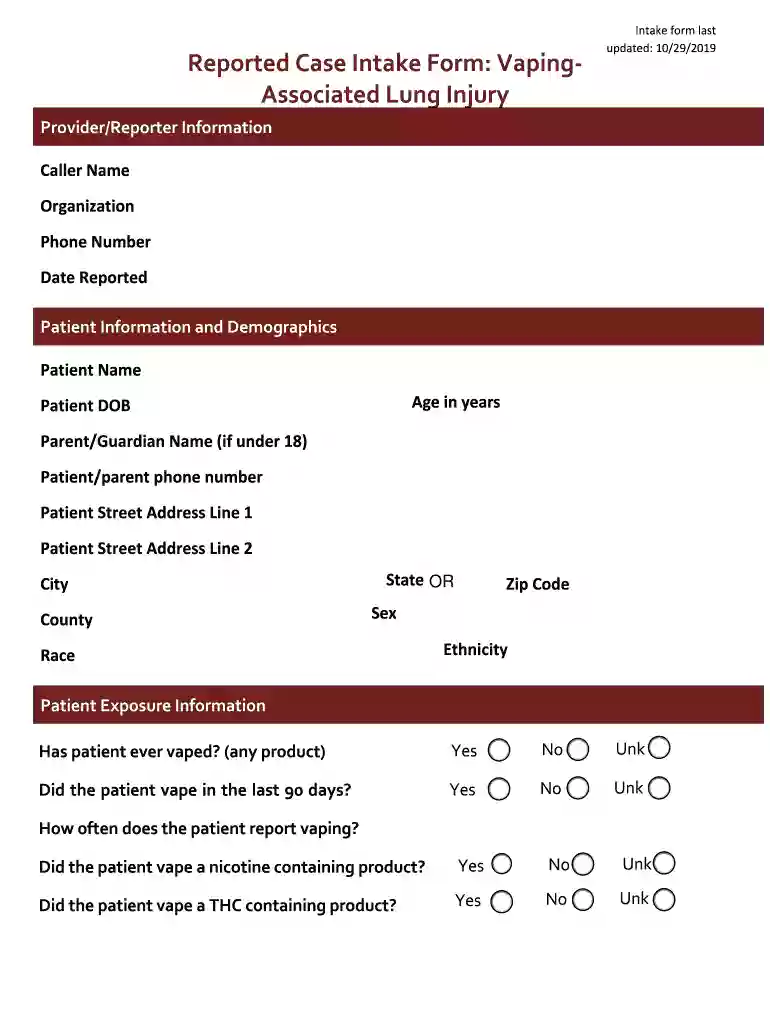
The VALI Intake Form-Fillable is designed to gather detailed information on cases related to Vaping-Associated Lung Injury (VALI). It captures comprehensive data, including patient demographics, vaping habits, clinical symptoms, radiographic findings, and laboratory test results. This form aims to standardize reporting to health authorities under specific medical criteria, ensuring accurate data collection for effective public health monitoring.
Prepare Necessary Information: Before filling out the form, gather all pertinent data such as patient identification, medical history, and details of vaping exposure.
Access the Form: Obtain the form via authorized channels. It can be filled digitally using platforms like DocHub for efficiency and accessibility.
Complete Demographics Section: Enter patient details including name, age, gender, and contact information.
Document Vaping History: Specify the patient's vaping products, duration of use, frequency, and any changes in products or usage patterns.
Record Clinical Symptoms: Detail respiratory symptoms, systemic signs, and any interventions already undertaken.
Attach Radiographic and Laboratory Tests: Include imaging results and laboratory findings that support the diagnostic assessment of VALI.
Finalize and Submit: Review the completed form for accuracy, ensure all required fields are filled, and submit through the designated method, whether electronically or physically.
Demographics and Personal Information: Begin by filling out the patient's full name, address, contact information, and emergency contact details.
Vaping Exposure Details: Accurately record the type of products used, duration of vaping, frequency, and any recent changes in products or brands.
Clinical Symptom Documentation: Provide a detailed account of the patient's symptoms, onset timing, and any treatments received prior to the form completion.
Imaging and Test Results: Upload or attach supporting documents such as X-rays or CT scans, along with lab results that might indicate lung injury or related complications.
Case Determination Criteria: Follow the specific criteria provided on the form to determine the likelihood of the case being VALI-related, using checkboxes or dropdown options provided.
Field Validation: Ensure all required fields are completed to avoid submission errors. Double-check accuracy and legibility if handwriting is used.
Consent and Authorization: Obtain necessary consents from the patient for information sharing and tick the corresponding section.
Patient Identification: Each form mandates detailed patient data to ensure accurate tracking and reporting.
Vaping Habits: This section captures specifics on the use of e-cigarettes, vaping liquids, and any nicotine or THC-containing products.
Symptom Analysis: Requires documentation of both respiratory and systemic symptoms, with fields for severity and duration.
Medical Imaging: Includes spaces for uploading or linking digital copies of radiological imaging, which are critical for diagnosing lung injuries.
Laboratory Data: Essential lab results should be detailed to support clinical assessments, aiding in the case determination process.
Case Study 1: A 29-year-old male presents with acute respiratory distress. The form is used to capture relevant history and test results, leading to the determination of a likely VALI case, allowing for timely interventions.
Case Study 2: A health department utilizes the form to track emerging trends in lung injuries related to a new vaping trend, facilitating data-driven public health responses.
Health Practitioners: Medical professionals documenting suspected VALI cases in hospitals and clinics.
Public Health Officials: Using the form to compile data for surveillance and trend analysis.
Research Scientists: Analyzing compiled data for studies on vaping health impacts, enhancing scientific understanding and policy recommendations.


The use of the form aligns with HIPAA requirements for patient data protection, ensuring that sensitive information is handled with confidentiality. Legal adherence facilitates seamless reporting to public health entities, enabling accurate epidemiological mapping and regulatory compliance.
The VALI Intake Form-Fillable is accessible via browsers compatible with DocHub, ensuring compatibility on both Mac and Windows systems. This form can be integrated into existing workflows using cloud storage services such as Google Drive and Dropbox, enhancing its utility for digital health records management.
We've got more versions of the VALI Intake Form-Fillable form. Select the right VALI Intake Form-Fillable version from the list and start editing it straight away!
| Versions | Form popularity | Fillable & printable |
|---|---|---|
| 2019 | 4.8 Satisfied (107 Votes) |
At DocHub, your data security is our priority. We follow HIPAA, SOC2, GDPR, and other standards, so you can work on your documents with confidence.