






Definition & Meaning of "Form Online"
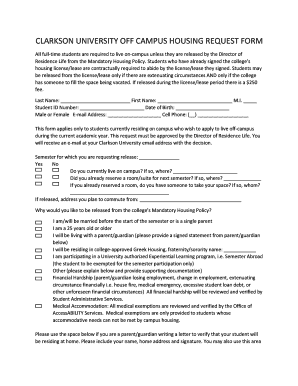
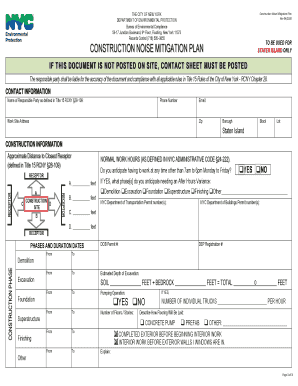
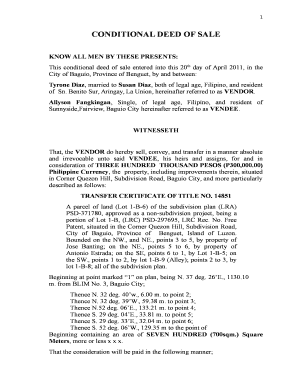
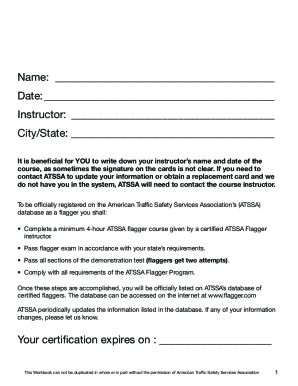
The term "form online" refers to the electronic version of traditional paper forms that can be accessed, completed, and submitted through internet-connected devices. These forms are designed to facilitate various transactions, from personal applications to business processes, by providing a digital interface that is accessible from anywhere. Utilizing online forms streamlines the workflow, reduces paperwork, and enhances the overall efficiency of data collection and processing.
Forms online are commonly used across different sectors, including government, healthcare, education, and business. They cater to a myriad of functions, such as tax filings, job applications, feedback submissions, and registration processes. The transition from paper to digital forms helps organizations save time and resources, enabling both parties—form issuers and users—to manage information more effectively.
How to Use the Form Online
Using a form online typically involves several straightforward steps that ensure an effortless experience for the user. First, the user accesses the form through a designated platform or website. This can be facilitated through direct links, email invitations, or embedded forms on web pages.
- Access the Form: Navigate to the relevant webpage or platform where the form is hosted. This may involve logging in to an account or accessing a public link.
- Fill In Required Information: Enter the necessary information according to the form's fields. This usually includes text entries, dropdown selections, checkbox tickings, or uploading required documents.
- Review and Edit: It's crucial to review the filled-out form for accuracy and completeness before submission. This step often involves double-checking spelling, numbers, and the attachment of any necessary files.
- Submit the Form: Once satisfied, submit the form by pressing the designated button. Some platforms provide options to save or print a copy for personal records.
- Receive Confirmation: After submission, users typically receive confirmation via email or a notification on the platform, verifying that their form has been successfully received.
Steps to Complete the Form Online
Completing an online form involves detailed actions ensuring all required data is correctly entered. These sequential steps help mitigate errors and ensure compliance with form-specific requirements.
- Read Instructions Carefully: Before beginning, read all instructions associated with the form to understand specific requirements or associated processes.
- Gather Required Documents: Compile any documents or information needed, such as identification numbers, financial statements, or supporting documents that the form requests.
- Enter Personal Information: Fill out sections related to personal or business details, ensuring accuracy to avoid processing delays.
- Answer Specific Questions: Respond to form-specific questions, which may require selecting options or providing detailed written responses.
- Attach Supporting Documents: Where applicable, attach digital copies of necessary supporting documents, ensuring they meet any specified format or size limitations.
- Verify Information: Carefully review all entries to ascertain every piece of information is accurately represented before proceeding to submission.
- Submit the Form: Use the interface to formally submit the form. Look for any prompts or notifications that confirm successful submission.
Why Should You Form Online
Opting to use forms online over traditional paperwork offers numerous advantages that streamline both time and resource management. Here are several compelling reasons:
- Accessibility: Online forms can be completed from any location on supported devices, offering unmatched convenience for busy individuals.
- Efficiency: Automated processes reduce the need for manual data entry and handling, thus minimizing errors and speeding up the processing time.
- Cost-Effective: Utilizing digital forms significantly reduces the costs associated with printing, storing, and mailing physical documents.
- Environmentally Friendly: Online forms contribute to sustainability efforts by reducing paper wastage and the ecological footprint associated with traditional form handling.
- Data Security: Digitally processed forms benefit from enhanced security measures, such as encryption and secure access logs, to protect sensitive information.
Who Typically Uses the Form Online
Various user groups find online forms beneficial due to their versatility and convenience. Below are examples of common users:
- Government Agencies: Utilize online forms for public services, including census data collection, social security applications, and immigration processes.
- Educational Institutions: Employ forms for student enrollment, submitting assignments, and collecting feedback.
- Businesses: Use online forms for customer feedback, internal employee evaluations, and management of business operations like inventory and order processing.
- Healthcare Providers: Adopt forms for patient intake processes, medical history updates, and billing transactions.


Key Elements of the Form Online
Every form online comprises essential elements that facilitate efficient data collection and usability. These are strategically designed to ensure clarity and ease of use for the form filler, including:
- Form Fields: Various types such as text boxes, radio buttons, checkboxes, dropdown menus, and date pickers allow users to input relevant information.
- Instructions and Labeling: Clear, concise labels and supplementary instructions guide users through each section, minimizing confusion and errors.
- Validation Checks: Real-time validation notifies users of errors or incomplete fields, ensuring forms are correctly filled before submission.
- Privacy Notices: Inform users of how their data will be used and protected, building trust and encouraging compliance.
Software Compatibility for Online Forms
Compatibility with various types of software enhances user experience and broadens accessibility to the form online. Platforms like DocHub provide seamless integration with tools such as:
- Google Workspace: Import and export documents directly, allowing for easy transitions from email or cloud storage services.
- Adobe Acrobat: Forms can be created, edited, and saved as PDFs, ensuring broad compatibility.
- Accounting Software: Platforms like QuickBooks or TurboTax offer easy data extraction and form completion relevant for financial documents.
Advantages of Digital vs. Paper Forms
Digital forms offer significant advantages over traditional paper forms, profoundly impacting accessibility, accuracy, and efficiency:
- Speed: The ability to fill and submit forms instantly shortens the process time compared to mailing or hand-delivering paper forms.
- Accuracy: Built-in checks and validations in digital forms reduce user error, ensuring higher data accuracy.
- Data Management: Digital data is easily stored, organized, and retrieved, unlike physical storage methods prone to misplacement or damage.
- Scalability: Easier to distribute and manage on a large scale without incurring additional costs related to printing and shipping paper forms.
These elements make online forms an integral part of modern operations across various sectors, providing the versatility and functionality needed to meet today's dynamic user demands.