Definition & Meaning
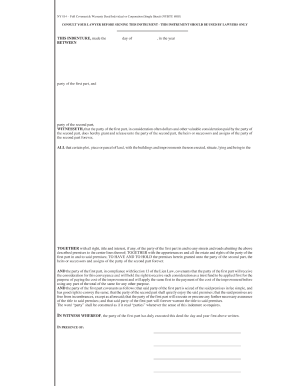
The Houston Community College System (HCCS) Employee Waiver Form, also known as W007, is a formal document primarily utilized within the educational sector. This form serves to facilitate tuition waivers and educational benefits for eligible HCCS employees and their dependents. The waiver applies to both full-time and part-time staff. By completing this form, employees may receive tuition reductions or audit courses without incurring standard educational expenses, thus supporting personal and professional development.
How to Use the Houston Community College System Employee Waiver Form
To effectively use the HCCS Employee Waiver Form, employees must first assess their eligibility based on the criteria outlined by HCCS. Once determined eligible, the form should be accurately filled with pertinent details such as personal information, employment status, and specific courses or programs intended for tuition waiver. After completing the form, it's essential to obtain approval from a direct supervisor to ensure organizational alignment and authorization for the educational benefits requested.
Steps to Complete the Houston Community College System Employee Waiver Form
- Review Eligibility Criteria: Before filling out the form, confirm that you meet the eligibility conditions for tuition waivers or audits.
- Provide Employee Information: Enter your full name, employee ID, department, and contact information in the designated fields.
- Specify Course Details: Clearly list the courses or programs for which you seek a waiver, including course numbers and titles.
- Obtain Supervisor Approval: Secure your supervisor’s signature to validate the request.
- Submit Form: Turn in the completed form to the HCCS administrative office or appropriate department handling waivers.
Who Typically Uses the Houston Community College System Employee Waiver Form
The HCCS Employee Waiver Form is primarily utilized by employees of the Houston Community College System. This includes both full-time and part-time staff who are interested in furthering their education or skills through courses offered by HCCS. In addition, dependents of eligible employees, such as spouses and children, may benefit from this form if they meet the waiver requirements outlined by HCCS.


Key Elements of the Houston Community College System Employee Waiver Form
- Personal Information Section: Includes fields for the employee’s personal and contact details.
- Course Enrollment Information: Requires details about the courses or programs for which a waiver is requested.
- Eligibility Declaration: Certifies that the applicant meets all criteria necessary for waiver consideration.
- Supervisor Approval Section: Mandatory signature area for supervisor endorsement.
- Submission Instructions: Guidelines on how and where to submit the form once complete.
Eligibility Criteria
Eligibility for the HCCS Employee Waiver Form is dependent on several factors:
- Employment status (full-time or part-time)
- Confirmation of good standing within the organization
- Limitation to a certain number of courses per term
- Dependent eligibility criteria, if applicable

Legal Use of the Houston Community College System Employee Waiver Form
The legal utilization of the HCCS Employee Waiver Form aligns with the institution’s policies on providing educational assistance to employees and their dependents. By using this form, the institution satisfies regulatory requirements surrounding educational benefits and ensures that such perks are distributed fairly and transparently. Employees must adhere to any stipulations regarding the accurate reporting of relevant data and ensure compliance with organizational protocols.
Form Submission Methods (Online / Mail / In-Person)
HCCS provides several ways to submit the Employee Waiver Form, enhancing convenience for employees:
- Online Submission: Some departments may offer electronic submission through an HCCS portal.
- Mail Submission: Employees can mail completed forms to the administrative office.
- In-Person Submission: Direct drop-off at relevant department offices is also an option if employees prefer face-to-face interactions.
Required Documents
When submitting the HCCS Employee Waiver Form, include the following documents:
- Proof of employment (such as a current pay stub)
- Any documentation supporting dependent eligibility if applicable
- Prior approval from a supervisor or department head