Usaa Insurance Card Template - Fill Online, Printable 2026

Get Form
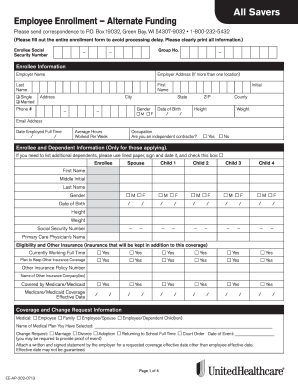
Usaa Insurance Card Template - Fill Online, Printable Preview on Page 1

Here's how it works

01. Edit your form online
Type text, add images, blackout confidential details, add comments, highlights and more.

02. Sign it in a few clicks
Draw your signature, type it, upload its image, or use your mobile device as a signature pad.

03. Share your form with others
Send it via email, link, or fax. You can also download it, export it or print it out.

Definition & Meaning

The "USAA Insurance Card Template - Fill Online, Printable" refers to a digital document designed to replicate the authentic insurance card provided by the USAA. This template enables users to fill out specific fields online and print the completed form, maintaining the convenience and accessibility needed in modern documentation processes. USAA, or United Services Automobile Association, specializes in offering insurance and financial services to military members and their families. This template aids in efficiently meeting legal and administrative requirements linked to insurance documentation.

How to Use the Usaa Insurance Card Template - Fill Online, Printable

To utilize the USAA Insurance Card Template effectively, users should start by accessing the template through an online document management platform like DocHub. The step-by-step process includes:

  1. Download or Access Online: Navigate to the template online, ensuring you have the latest version.
  2. Fill in Required Fields: Use the platform's tools to enter personal and policy details, such as the policy number and the insured person's name.
  3. Review Entries: Double-check all input information for accuracy, as errors might result in issues with verification.
  4. Print or Save: Choose to print the completed card for physical use or save it digitally for easy access.

This process streamlines the task of having a valid insurance document ready for situations requiring proof of coverage.

Steps to Complete the Usaa Insurance Card Template - Fill Online, Printable

Completing the USAA Insurance Card Template can be broken into a few straightforward steps:

  1. Access the Template: Log into a platform like DocHub to find and open the template.
  2. Enter Policy Details: Include the policy number, expediency, effective dates, and other relevant insurance details.
  3. Input Personal Information: Provide the insured's name, address, and contact details.
  4. Verification of Data: Check all information for accuracy to prevent future mishaps.
  5. Save the Document: Ensure the filled template is saved both in the cloud and locally on a secure device.
  6. Print If Necessary: For instances requiring physical evidence, print the card on durable paper.

This assures streamlined completion and access to your insurance documentation when needed.

Why Use the Usaa Insurance Card Template - Fill Online, Printable

Using the USAA Insurance Card Template offers various advantages:

  • Accessibility: Provides a digital option to fill and access your insurance card, which is especially beneficial for frequent travelers and the military community.
  • Convenience: Speeds up the process of obtaining a necessary insurance document without visiting a physical office.
  • Accuracy: Automated tools reduce manual errors typically associated with handwritten entries.
  • Legal Compliance: Ensures you have a proper proof-of-insurance card ready for any legal or insurance-related requirements.

These benefits underscore the practicality of opting for an online template.

Key Elements of the Usaa Insurance Card Template - Fill Online, Printable

The template includes certain critical fields that should be addressed accurately:

  • Policy Number: Essential for unique identification of coverage.
  • Insured's Information: Comprising full name, contact details, and address.
  • Insurance Provider Details: Including USAA's contact and policy issuance information.
  • Effective Dates: Indicating the start and end dates of the insurance coverage.
  • Vehicle Information: Includes make, model, and license plate number if applicable.

These elements ensure the template effectively captures all required data for validation and compliance purposes.

Legal Use of the Usaa Insurance Card Template - Fill Online, Printable

Legal considerations are inherent in using the USAA Insurance Card Template. Users must:

  • Ensure that all details are correct and correspond to their actual insurance policy to be legally valid.
  • Understand that while the template facilitates documentation, it's critical to have a legally binding insurance policy in place.
  • Recognize that the filled template serves as proof of insurance and should be treated as a legal document during traffic stops or vehicle incidents.

These legal aspects are crucial for maintaining the card's legitimacy.

Who Typically Uses the Usaa Insurance Card Template - Fill Online, Printable

The primary users include:

  • Active Military Personnel: Due to frequent relocations and the need for rapid access to documentation.
  • USAA Members: Those insured by USAA seeking a convenient solution for managing insurance details.
  • Families of Military Members: Who may require easy access to joint insurance documents across different locations.
  • US Citizens: Generally, anyone insured by USAA can use this template for simplified paperwork.

These groups find the template particularly beneficial due to their specific documentation needs and frequent geographical changes.


decoration image ratings of Dochub

Important Terms Related to Usaa Insurance Card Template - Fill Online, Printable

Understanding relevant terms enhances effective use:

  • Policyholder: The individual in whose name the insurance policy is issued.
  • Effective Date: The date upon which the insurance coverage begins.
  • Expiration Date: The end date of the current insurance coverage period.
  • Premium: The amount paid for the insurance policy coverage, although not directly part of the card.
  • Coverage: Describes what is insured and any limits or exclusions.

These terms are key to navigating and understanding the intricacies associated with insurance templates.

be ready to get more

Complete this form in 5 minutes or less

Get form

Got questions?

We have answers to the most popular questions from our customers. If you can't find an answer to your question, please contact us.
Contact us
To contact USAA via email, contact customer service resources team at executivecommunications@usaa.com.
You can find your insurance cards on usaa.com or in the mobile app on your policy page.
Please provide a copy of an acceptable military document and government-issued ID. Examples of acceptable military documents include DD214(long version), Discharge Certificate, Leave Earnings Statement or military orders if youre actively serving. If you are in a Delayed Entry Program please provide your DD Form 4.
You can submit documents quickly and easily: On usaa.com or the USAA Mobile App, by going to our claims center. By emailing your adjuster. By faxing us at 800-531-8669. Include your name and member number on the top of all fax pages.
Mobile: To upload the documents on the USAA mobile app, follow these steps: Tap the circle in the upper left-hand corner containing your initials (iPhone) or go to Inbox (Android). Select Send documents to USAA and tap Upload new documents (iPhone) or Upload other documents (Android).

Security and compliance

At DocHub, your data security is our priority. We follow HIPAA, SOC2, GDPR, and other standards, so you can work on your documents with confidence.
Learn more
ccpa2
pci-dss
gdpr-compliance
hipaa
soc-compliance

People also ask

If you dont have your Online ID: Go to Recover your Online ID. Enter your Social Security number, tax ID or phone number. Select Text Online ID. Youll get your ID sent to the phone number on file.
Verify Identity To complete the verification process, were going to ask you for several pieces of personal information that may include uploading images of a government issued ID. Protecting your privacy and account security is our top priority. Learn about the. Learn about the Link, USAA Privacy Promise.
Issues. Compliance: USAA has been fined for failing to keep pace with its compliance program as its customer base and revenue grew. Money laundering: USAA has been fined for weak protections against money laundering. Customer service: USAA has been fined for customer-related violations.

Related links