







Definition & Meaning
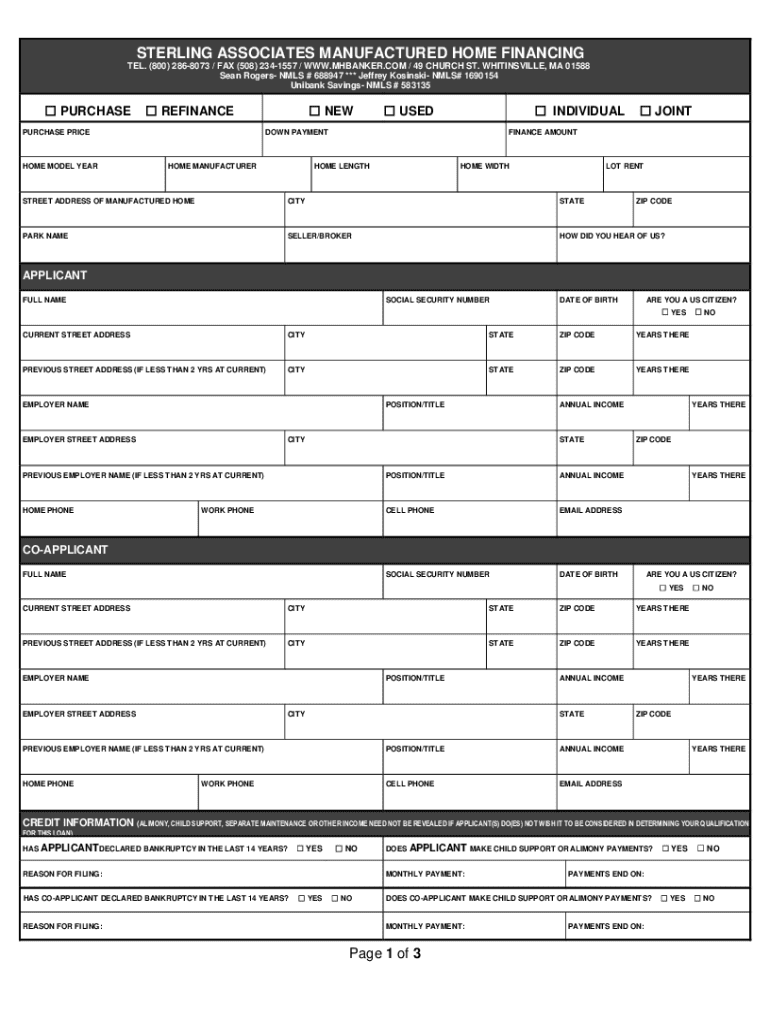
The term "form online" refers to digital versions of documents that individuals or businesses can fill out and submit electronically. These forms replicate the format and functionality of traditional paper forms but offer enhanced convenience and efficiency. Online forms can include a wide range of document types, such as applications, tax forms, surveys, and registration documents. They provide an accessible way to gather and process information without the need for physical paperwork. Their digital nature also allows for easy storage, retrieval, and modification, making the process of managing forms significantly more streamlined.
How to Use the Form Online
Using a form online typically involves accessing the document through a designated platform or website. Here are common steps:
- Access the Form: Locate the form on a relevant website, either by direct URL or through a search engine within the site.
- Open the Form: Click on the form link to open it in your browser or compatible application.
- Fill Out Required Fields: Enter the necessary information in the provided fields. Many platforms offer options such as dropdown menus or checkboxes to simplify input.
- Review and Confirm: Before submission, review all entered information for accuracy. Many online forms allow for reviewing and editing before final submission.
- Submit the Form: After ensuring all information is correct, submit the form through the platform's submission button.
- Receive Confirmation: Post submission, a confirmation message or email is usually sent to verify receipt of the form.
Steps to Complete the Form Online
Completing an online form typically follows these detailed steps:
- Start by Gathering Information: Collect all necessary data and documentation prior to starting the form. This includes identification, addresses, financial information, and any other specific details required.
- Access the Form Platform: Open the respective platform hosting the form online. This could be a government website, corporate service page, or another reliable source.
- Navigating the Form Page: Familiarize yourself with the layout, instructions, and any guidance sections that offer support as you fill out the form.
- Compulsory Fields Completion: Make sure to fill out all mandatory fields marked with asterisks or highlighted sections. These are crucial for form acceptance.
- Optional Information (If Applicable): Optionally fill out other sections to provide additional relevant information.
- Ensure Complete and Accurate Input: Before submission, double-check each section to ensure all required fields are accurately and thoroughly filled.
- Submission Protocols: Follow the specific submission instructions, such as uploading additional documents if required or clicking on the 'Submit' button.
- Save a Copy: Most systems offer an option to print or save a digital copy for your records.
Why Should You Form Online
Opting to fill out and submit forms online offers numerous advantages:
- Convenience: Complete forms from anywhere, at any time, reducing the need for travel or mailing.
- Efficiency: Faster processing times compared to manual submissions.
- Error Reduction: Built-in validation checks help minimize input errors, guiding users towards accurate completion.
- Cost-Effective: Minimizes printing and postage costs, contributing to a more paperless ecosystem.
- Eco-Friendly: Supports sustainability by reducing paper waste.
- Secure Storage: Online platforms often provide secure storage and retrieval of submitted forms.
Legal Use of the Form Online
Online forms are legally recognized and widely utilized in various legal contexts, provided they adhere to relevant regulations:
- Compliance with Digital Signature Laws: Many online forms incorporate electronic signature capabilities compliant with laws such as the ESIGN Act or UETA in the U.S.
- Verifiable Submission: Electronic timestamps and confirmations provide proof of submission, protecting against legal disputes.
- Data Privacy Standards: Compliance with privacy protection standards like GDPR or CCPA ensures forms protect user data.
Examples of Using the Form Online
Online forms see varied applications, including:
- Government Forms: Tax filings, census submissions, voter registration.
- Educational Enrollment: Student admissions, course registrations, and scholarship applications.
- Business Transactions: Vendor registration, order forms, and employment applications.
- Healthcare: Insurance claims processing, patient intake forms, and appointment scheduling.
- Surveys and Feedback: Collection of customer feedback and market research data.
Required Documents
When completing a form online, having the appropriate documents on hand is essential:
- Identification Proofs: Such as a driver's license or passport.
- Financial Records: Bank statements, pay stubs, or W-2 forms.
- Supporting Documents: Specific to the purpose of the form (e.g., job applications may require resumes or letters of recommendation).
Software Compatibility
Digital forms often require compatibility with common software tools:
- Browsers: Ensure compatibility with browsers like Chrome, Firefox, Safari, or Edge.
- PDF Readers: Tools like Adobe Acrobat Reader may be needed to view or fill PDF-based forms.
- Cloud Services: Integration with Google Drive, Dropbox, or similar services facilitates easy form sharing and submission.
Understanding these elements ensures a seamless experience when completing and submitting forms online, tapping into the full potential of digital document management.




