Form obstructions general online 2026

Get Form
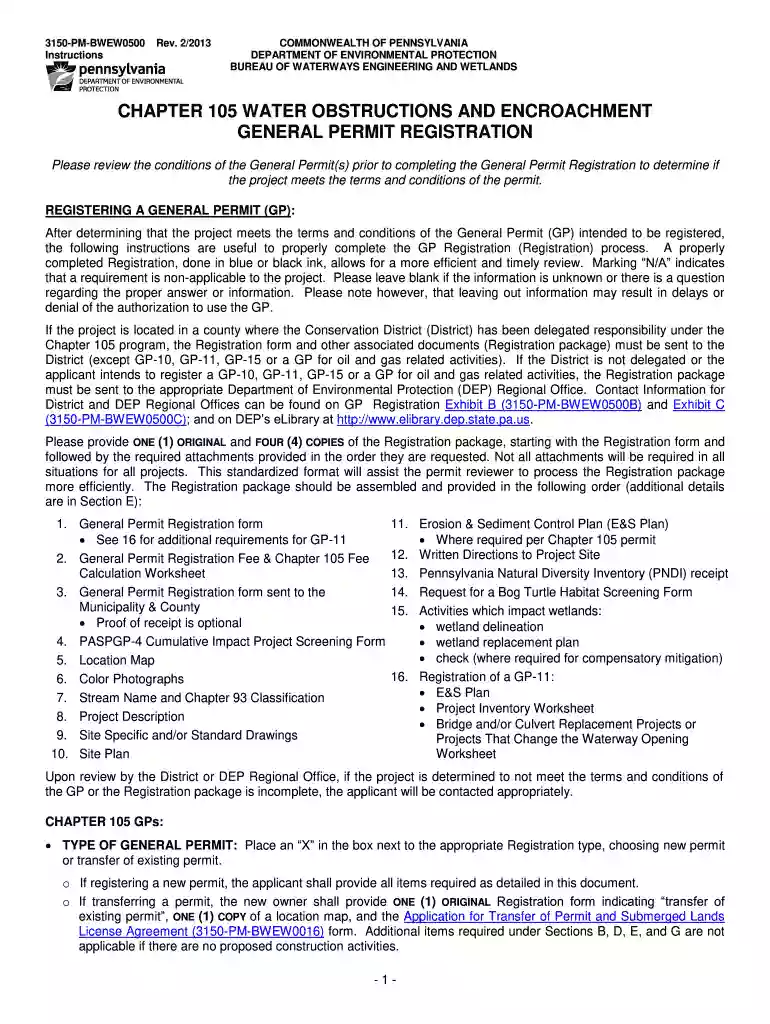
form obstructions general online Preview on Page 1

Here's how it works

01. Edit your form online
Type text, add images, blackout confidential details, add comments, highlights and more.

02. Sign it in a few clicks
Draw your signature, type it, upload its image, or use your mobile device as a signature pad.

03. Share your form with others
Send it via email, link, or fax. You can also download it, export it or print it out.

How to use or fill out form obstructions general online with our platform

Form edit decoration
9.5
Ease of Setup
DocHub User Ratings on G2
9.0
Ease of Use
DocHub User Ratings on G2
  1. Click ‘Get Form’ to open the General Permit Registration in the editor.
  2. Begin by selecting the type of General Permit you are applying for: either a new permit or a transfer of an existing permit. Mark the appropriate box.
  3. Fill out Section A with your applicant information, including your name, contact details, and DEP Client ID if known.
  4. In Section B, provide consultant information if applicable. If not, mark ‘N/A’.
  5. Complete Section C with project information, including site name and location. Ensure to include latitude and longitude coordinates.
  6. Proceed to Section D to identify any resources present at the project site by marking the relevant boxes.
  7. In Section E, check off each item on the registration checklist to ensure all required documents are included in your submission.
  8. Finally, sign and date in Section H to certify that all provided information is accurate before submitting your registration package.

Start using our platform today for free to streamline your document editing and form completion!

See more form obstructions general online versions

We've got more versions of the form obstructions general online form. Select the right form obstructions general online version from the list and start editing it straight away!
Versions Form popularity Fillable & printable
2013 4.8 Satisfied (101 Votes)
be ready to get more

Complete this form in 5 minutes or less

Get form

Got questions?

We have answers to the most popular questions from our customers. If you can't find an answer to your question, please contact us.
Contact us
There are no penalties for ``late flight reviews. Youre fine. Go get a good flight review from a CFI you like/trust.
Obstruction evaluation refers to aeronautical studies conducted by the Federal Aviation Administration ( FAA ) for any object that may affect the national airspace, air navigation facilities, or airport capacity.
Contact the Federal Communications Commissions Public Safety Support Center or call 202-418-1122 to report tower lighting outages.
(1) Barrier Analysis Review. BAR is the assessment of safety data to determine systemic risk. Additionally, the review captures aggravating, mitigating, and observed factors, and includes an evaluation of the resiliency of available safety barriers.
Federal Aviation Administration. Notice of Proposed Construction - Form 7460. DOT. Construction/alteration of structures 200 ft or near airports, depending on distinction and length of nearby runway; siting within radar line-of-sight of air surveillance or communications facility.

People also ask

It defines obstructions as objects that interfere with aircraft movement and lists different types of imaginary surfaces like approach, takeoff, horizontal, and conical surfaces established around airports and runways.

Related links