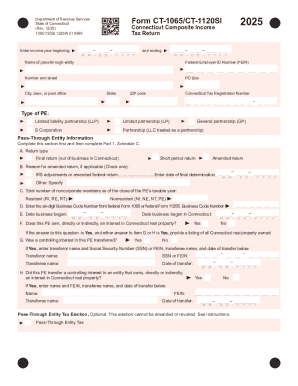
01. Edit your form online
Type text, add images, blackout confidential details, add comments, highlights and more.

Type text, add images, blackout confidential details, add comments, highlights and more.

Draw your signature, type it, upload its image, or use your mobile device as a signature pad.

Send it via email, link, or fax. You can also download it, export it or print it out.
The "Group Benefits Vision Care Claim Form - LiUNA" is a structured document utilized by members of the Laborers' International Union of North America (L.I.U.N.A.) to submit claims for vision care benefits. This form facilitates the processing of benefits related to vision care, ensuring that members can efficiently claim reimbursements for eligible optical services and products. It is an essential document that ensures the proper capture of necessary information about both the plan member and the patient receiving vision care services.
Obtain the Form: Members can typically access the form through their benefits administrator or directly from the organization's portal.
Complete Personal Information Sections: Begin by filling in sections pertaining to the plan member, such as name, address, and membership number. Include details for the patient if different from the plan member.
Detail Vision Care Services: Provide comprehensive details about the vision care services received. This includes the type of services, the service provider's information, and the dates services were rendered.
Submit Receipts: Attach original receipts from the optometrist or ophthalmologist, which are required to substantiate the claim and verify the expenses incurred.
Authorization and Signature: The plan member must authorize the release and use of personal information by signing the document. This is crucial for the processing of the claim by Manulife Financial, which manages the benefits.
Documentation Submission: Send the completed form, along with required documents, to the specified address or through an approved submission method.
Gather Necessary Information: Collect all required information, including receipts and details about any additional insurance coverage.
Fill Out the Form: Use clear handwriting or type directly into the form, ensuring all sections are accurately completed to avoid delays in processing.
Review for Completeness: Double-check all entries for accuracy, ensuring no required fields are left blank or incorrect.
Submit the Form: Depending on guidelines, submit the form and supplementary documents electronically or via mail as directed in the instructions. Keep a copy of the submission for your records.
Utilizing this form is essential for L.I.U.N.A. members who wish to claim reimbursement for valid vision care expenses. It standardizes the claim process, ensuring consistent data capture and processing. By systematically organizing claim-related information, it minimizes errors and speeds up reimbursement.
This form complies with privacy laws protecting individuals’ personal information, requiring member consent for data use. It's crucial for members to understand this aspect to maintain compliance and ensure their rights are respected during the claim process.
By adhering to these detailed guidelines, L.I.U.N.A. members can successfully navigate the complexities of the Group Benefits Vision Care Claim Form, ensuring prompt and accurate benefit reimbursements.
We've got more versions of the Group Benefits Vision Care Claim Form - LiUNA form. Select the right Group Benefits Vision Care Claim Form - LiUNA version from the list and start editing it straight away!
| Versions | Form popularity | Fillable & printable |
|---|---|---|
| 2011 | 4.6 Satisfied (22 Votes) |
At DocHub, your data security is our priority. We follow HIPAA, SOC2, GDPR, and other standards, so you can work on your documents with confidence.