




01. Edit your form online
Type text, add images, blackout confidential details, add comments, highlights and more.

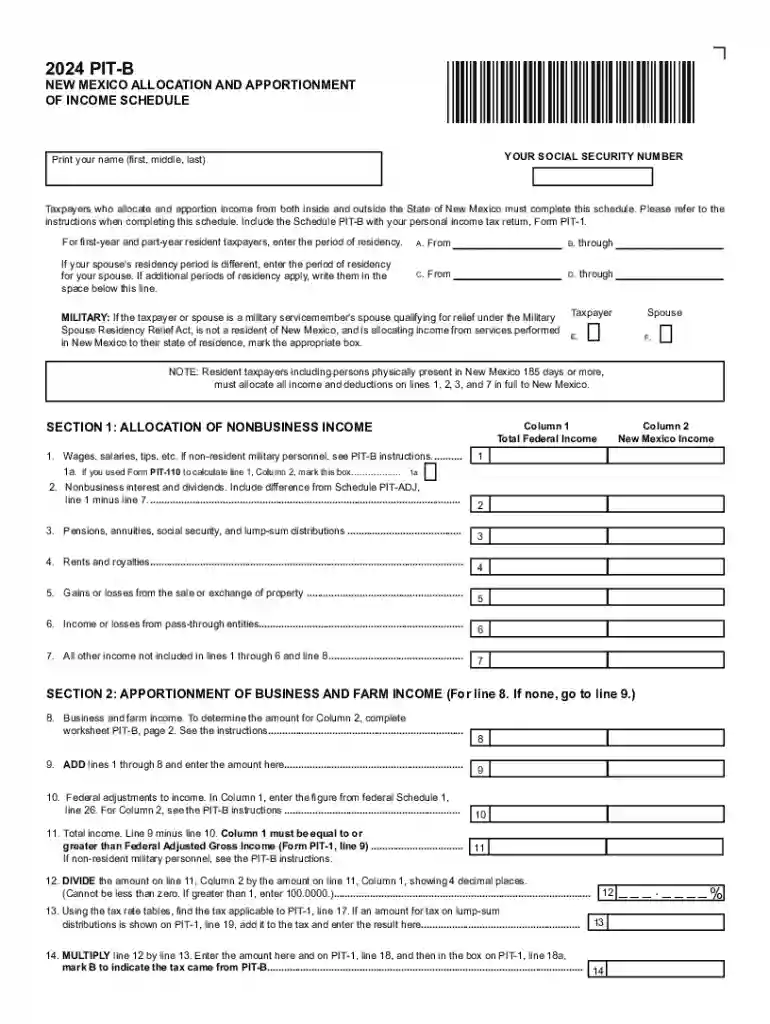
Type text, add images, blackout confidential details, add comments, highlights and more.

Draw your signature, type it, upload its image, or use your mobile device as a signature pad.

Send it via email, link, or fax. You can also download it, export it or print it out.
Forms online refer to digital versions of documents traditionally completed on paper. These electronic documents streamline data collection and workflow management across various industries. By leveraging online forms, users can efficiently gather information, signatures, and approvals without the hassle of physical paperwork. Forms can range from basic surveys to complex government applications, offering diverse fields such as text boxes, dropdown menus, and checkboxes to capture specific data types.
Access the Form: Begin by accessing the form from a reputable online platform like DocHub, which offers seamless integration with various cloud services.
Understand the Instructions: Before filling out the form, carefully read the included instructions to ensure accurate completion.
Enter Personal Details: Populate the form with your personal and relevant information, such as your name, address, and contact details.
Fill Required Fields: Ensure all mandatory fields are completed. Fields often marked with an asterisk (*) are typically required.
Attach Additional Documents: If needed, append supporting documents directly to the form using the platform's file attachment capabilities.
Review for Accuracy: Double-check all entries for accuracy and completeness to avoid submission errors.
Submit the Form: Once finalized, submit the form electronically for processing through the same platform.
Obtaining forms online is a straightforward process. Most organizations host forms on their official websites or partner platforms like DocHub. Begin by searching for the required form using the site's search function or through general internet search engines. Download the form directly to your device or open it using the platform's editor for immediate completion. Ensure the source is credible and aligns with your needs, particularly when dealing with official documents.
These elements ensure the form serves its primary purpose and aids both the user and the receiving entity in achieving a streamlined data collection process.
The legal use of online forms, particularly those that require signature verification, is governed by acts such as the ESIGN Act in the United States. This legislation ensures that electronically signed documents hold the same legal weight as their handwritten counterparts. Legal compliance is crucial, and platforms like DocHub adhere strictly to these regulations, offering secure signature collection and audit trails to verify document integrity.
Understanding specific terminology is vital to efficient form completion:
These terms underscore the importance of security and ease of use when dealing with online forms.
Submitting a form online may require additional documentation, depending on the form's nature:
Gather these documents in advance to ensure swift completion and submission.
Online forms cater to a broad audience:
The versatility of online forms across sectors highlights their significance in modern administrative processes.


We've got more versions of the New Mexico PIT-B 2024 form. Select the right New Mexico PIT-B 2024 version from the list and start editing it straight away!
At DocHub, your data security is our priority. We follow HIPAA, SOC2, GDPR, and other standards, so you can work on your documents with confidence.



The 2023-24 college basketball season started on November 6, 2023, and ended on April 8, 2024, with the national championship game in Glendale, Arizona.Read more
Everyone who is required to file a New Mexico personal income tax return must complete and file a form PIT-1, New Mexico Personal Income Tax Return.Read more
February 2024 March 2024. All documents above are in PDF format. is an engine for economic and community development in New Mexico, through research, academic


