01. Edit your form online
Type text, add images, blackout confidential details, add comments, highlights and more.

Type text, add images, blackout confidential details, add comments, highlights and more.

Draw your signature, type it, upload its image, or use your mobile device as a signature pad.

Send it via email, link, or fax. You can also download it, export it or print it out.
A form online refers to a digital version of a traditional paper form that users can complete and submit via the internet. Unlike physical forms, online forms are easily accessible on different devices, such as computers, tablets, and smartphones, offering convenience and efficiency to users. They serve various purposes across multiple sectors, including legal, tax, business, and personal documentation. By utilizing online forms, individuals and businesses can expedite processes such as data collection, signature solicitation, and information dissemination.
Online forms often incorporate interactive elements like drop-down menus, checkboxes, and text fields, which enhance user experience by guiding them through the required steps. This digital approach helps minimize errors commonly associated with manual input, as digital forms can include automatic validations and real-time error prompts. Security measures, such as encryption and authentication, protect the data collected through these forms.
Using a form online typically involves several straightforward steps:
Access the Form: Users can find forms online via direct links, websites offering the specific forms, or embedded forms on a site. Once located, the form is usually accessible with a simple click.
Filling Out the Form: Users complete the form by inputting required information into designated fields. Many online forms feature interactive elements to prevent errors like format-mismatches or incomplete sections.
Review and Edit: After entering the necessary details, it's crucial to review the form to ensure accuracy. Most online forms allow users to edit any part of the form before submission, minimizing the chance of errors.
Submit the Form: The final step involves submitting the form with a simple click. Confirmation of submission and, often, an option to download or receive a copy via email ensures users that their form has been correctly processed.
Additionally, many platforms provide guidance or help sections to assist users in navigating, completing, and troubleshooting forms as necessary.
Completing an online form is a sequential process that can typically be followed as:
Begin with an Overview: Start by reading through the entire form to understand the information required and sections that must be filled.
Gather Required Information: Before filling out the form, gather all necessary documentation and details to avoid disruption during form completion.
Entry Field by Field: Address each field systematically, entering the requested information. Some sections may be optional while others are mandatory, clearly indicated with symbols or notes.
Validation Check: As you fill out the form, use any available validation tools that check for missing or misformatted entries. These tools are often automatic.
Finalize Entries: Once all fields are complete and validated, take a moment to review and make any final adjustments if necessary.
Submit and Confirm: After verifying all the information for completeness and accuracy, submit the form and confirm its successful submission via the provided receipt or follow-up email.
Online forms are composed of various key elements that facilitate effective data collection:
Interactive Fields: These include text boxes, drop-down menus, checkboxes, date pickers, and signature areas that allow users to input or select their responses easily.
Input Validations: Programming ensures that data entered meets specified criteria, reducing errors like invalid dates or improperly formatted data.
Submission Button: A clear, conspicuous button allows for instant form submission once completed.
Progress Indicators: For longer forms, progress bars or section counters help users monitor their completion status, giving a clear indication of how much of the form remains.
Embedded Instructions: Tooltips or inline help text guide users in providing the correct information.
Confirmation and Record: After submission, users often receive on-screen confirmation and an option to download or email a copy of the submitted form for personal records.
Online forms can be applied in numerous scenarios:
Registration Forms: Used for event sign-ups, courses, or memberships, wherein users provide personal details and preferences through a digital interface.
Survey Forms: Organizations deploy surveys to collect feedback from customers, employees, or the public, leveraging online forms for broad reach and easy analysis.
Application Forms: Whether applying for loans, schools, jobs, or other opportunities, online forms streamline the process by allowing candidates to submit information from anywhere.
Legal Forms: Documents such as wills, contracts, or affidavits are often filled and signed electronically, facilitating legal processes without the need for physical exchanges.
These examples highlight how online forms adapt to diverse needs, offering flexibility and convenience across various industries and personal tasks.
When dealing with formal documentation, it's essential to account for state-specific regulations that could influence how a form is completed and processed online.
Varying Legal Requirements: Each state may have distinct legal criteria for the execution and submission of forms, especially those relating to real estate, taxation, or any legally binding agreement.
Standardized Templates: Some states provide standardized templates for specific forms to ensure compliance with local laws, thus their formats and required data fields may vary.
Notarization and Witnesses: Certain forms may require notarization or witness signatures, which can have different provisions in the context of online processing depending on the state.
Staying informed about state-specific rules ensures that forms are completed in compliance with all applicable laws, preventing delays or legal issues.
The legal use of online forms demands adherence to regulatory standards to maintain their legitimacy:
ESIGN Act Compliance: Forms that involve electronic signatures should comply with the Electronic Signatures in Global and National Commerce Act, ensuring that e-signatures can be recognized as valid and equivalent to handwritten signatures.
Data Security: Protecting the data input into online forms is crucial. Implementing encryption, secure access protocols, and regular security audits ensures the form's integrity and confidentiality.
Terms and Conditions: Most legal forms provide terms and conditions that outline the form's usage agreement and legal implications, requiring user agreement as part of the submission process.
These legal aspects are foundational in ensuring online forms are securely executed and recognized under the law.
Transitioning from paper to digital forms offers numerous advantages but also presents some trade-offs:
Convenience and Efficiency: Digital forms can be completed, submitted, and processed more rapidly than paper forms, significantly reducing the time required for tasks like data entry and filing.
Cost-Efficiency: By eliminating the need for printing and physical storage, online forms cut costs associated with paper handling.
Environmentally Friendly: Consuming fewer physical resources makes digital forms a more sustainable choice.
While digital forms excel in flexibility and scalability, paper forms may still be preferred in situations where digital access is limited or where physical copies are required by certain authorities or institutions.
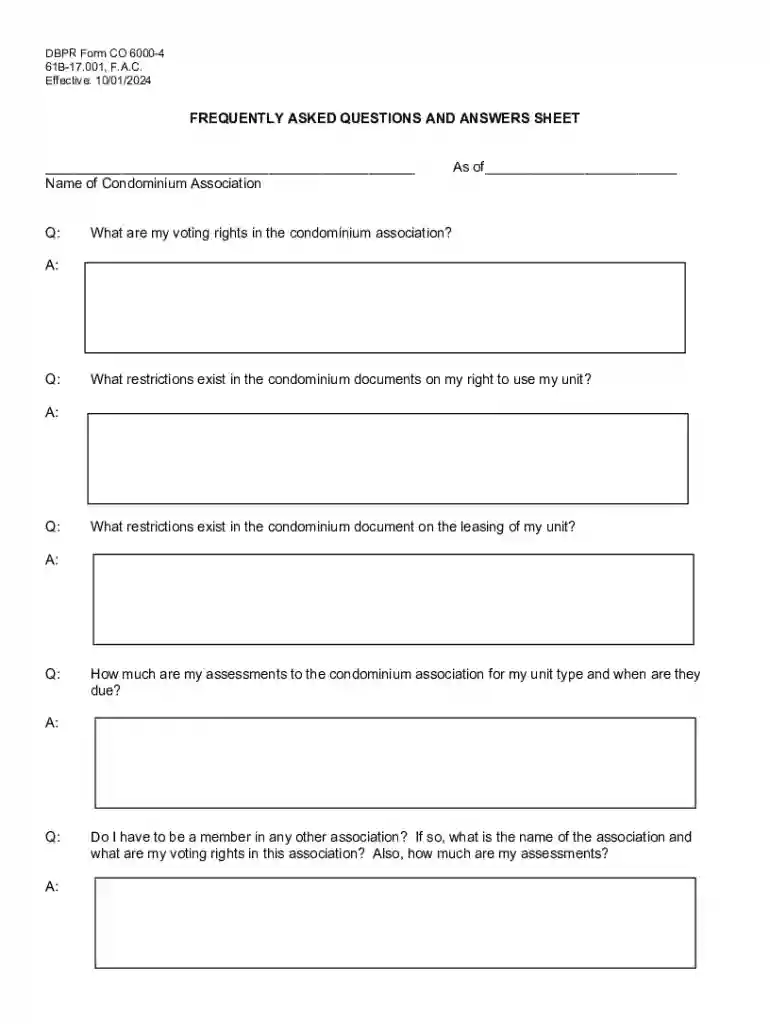
We've got more versions of the DBPR Form CO 6000-4 form. Select the right DBPR Form CO 6000-4 version from the list and start editing it straight away!
At DocHub, your data security is our priority. We follow HIPAA, SOC2, GDPR, and other standards, so you can work on your documents with confidence.