




01. Edit your form online
Type text, add images, blackout confidential details, add comments, highlights and more.

Type text, add images, blackout confidential details, add comments, highlights and more.

Draw your signature, type it, upload its image, or use your mobile device as a signature pad.

Send it via email, link, or fax. You can also download it, export it or print it out.

Start using our platform today to fill out your DD22 form easily and for free!
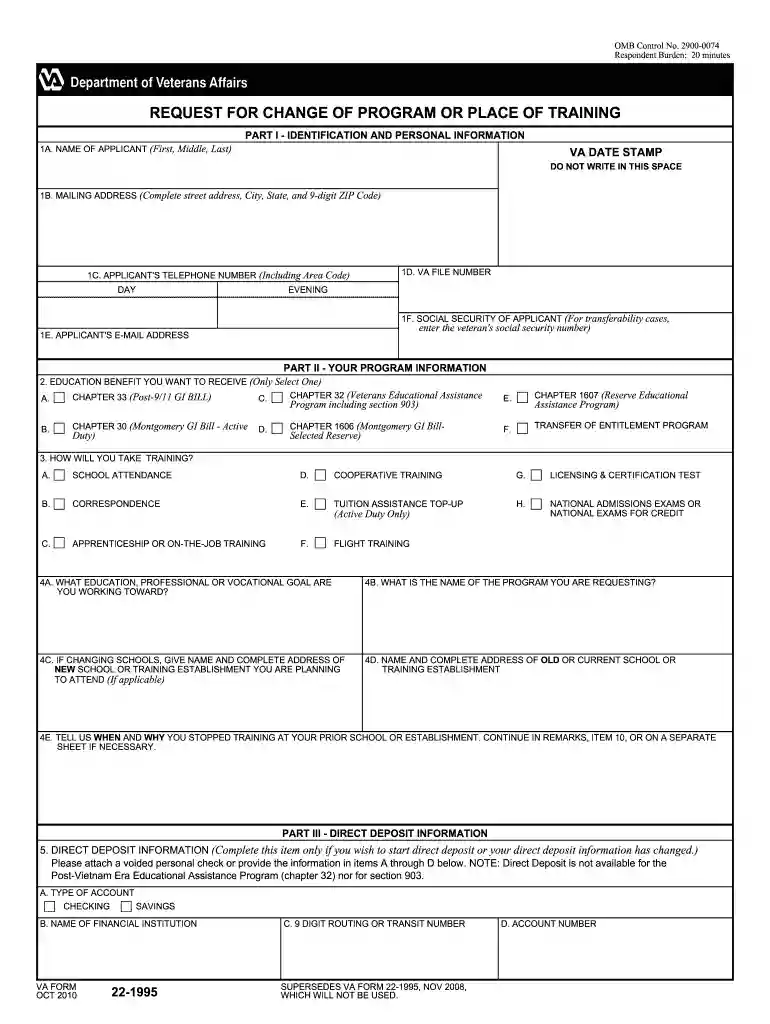
We've got more versions of the what does dd22 form look like 2010 form. Select the right what does dd22 form look like 2010 version from the list and start editing it straight away!
| Versions | Form popularity | Fillable & printable |
|---|---|---|
| 2024 | 4.7 Satisfied (32 Votes) | |
| 2021 | 4.8 Satisfied (152 Votes) | |
| 2020 | 3.9 Satisfied (29 Votes) | |
| 2018 | 4.4 Satisfied (124 Votes) | |
| 2016 | 4.1 Satisfied (63 Votes) | |
| 2015 | 4.4 Satisfied (81 Votes) | |
| 2014 | 4 Satisfied (43 Votes) | |
| 2012 | 4.2 Satisfied (65 Votes) | |
| 2010 | 4 Satisfied (39 Votes) | |
| 2002 | 4 Satisfied (28 Votes) |
Log in to your DocHub account and import your what does dd22 form look like 2010 to our editor using one of its upload options - from your device, cloud storage, protected URL, or your DocHub folders if you have already managed your form before. Open our editor, click the Sign key in the top toolbar, and decide on your signing method. You can use an image of your handwritten signature, draw it, type in your name, or use a QR code as an alternative.
When you edit your what does dd22 form look like 2010 with DocHub, you will not need to look for other applications or solutions to sign it. An electronic signature is a component of DocHub’s extensive editing toolset, which enables you to implement changes in your form without switching between websites. Just complete your form, double-check the correctness of the data and put your electronic signature at the end to make it submission-ready in minutes.
At DocHub, your data security is our priority. We follow HIPAA, SOC2, GDPR, and other standards, so you can work on your documents with confidence.
You can use one or more sets of outputs:1) BYPASS - direct -coupled before tone controls, filters, etc. for the most direct path to your power amplifierRead more
DECLARATION. I declare under penalty of perjury the information I have provided on this application is true and correct to the best of my knowledge and beliefRead more
by YS Dela Cruz 2014 The DSPs role is essential and focuses on clients with DD across their life span. The patient care services of DSPs must be provided correctly and competentlyRead more


