2021-2025 Form WI DoT MV3001 Fill Online, Printable-2026

Get Form
wisconsin dmv form mv3001 Preview on Page 1

Here's how it works

01. Edit your wisconsin dmv form mv3001 online
Type text, add images, blackout confidential details, add comments, highlights and more.

02. Sign it in a few clicks
Draw your signature, type it, upload its image, or use your mobile device as a signature pad.

03. Share your form with others
Send mv3001 via email, link, or fax. You can also download it, export it or print it out.

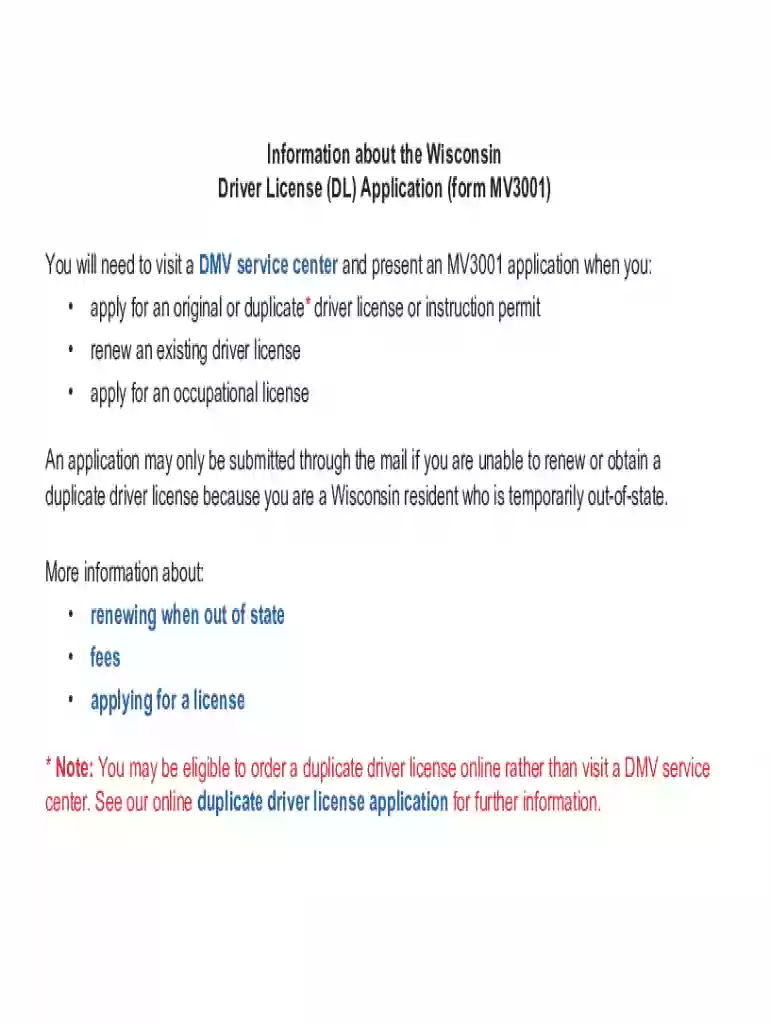
Definition and Purpose of the 2 Form WI DoT MV3001

The 2 Form WI DoT MV3001, also known as the Wisconsin Driver License Application, is a key document utilized by individuals in Wisconsin to apply for original, duplicate, or renewal of a driver's license. This form also serves those needing an occupational license or upgrading to a commercial driver’s license. As a legal document, it outlines the necessary information and procedures required to establish eligibility and identity for obtaining a valid driver's license in Wisconsin.

How to Use the 2 Form WI DoT MV3001

Using the WI DoT MV3001 Form involves several critical steps:

  1. Collect Required Information: Gather personal details, including full name, date of birth, and social security number. Additional information may be required for specific licenses.
  2. Select License Type: Identify whether the application is for an original license, renewal, duplicate, occupational, or commercial license.
  3. Provide Supporting Documents: Ensure availability of necessary documents such as proof of residence, identity, and insurance where applicable.
  4. Complete Form Sections: Fill out each relevant section carefully, including parts related to organ donation and legal declarations.

How to Obtain the 2 Form WI DoT MV3001

There are multiple methods for accessing this form:

  • Online Download: Obtain a digital copy from the Wisconsin Department of Transportation’s official website.
  • In-person at DMV Offices: Visit any local DMV office in Wisconsin to receive a physical copy.
  • Third-party Platforms: Services like DocHub offer an alternative to fill out and print the form online.

Steps to Complete the 2 Form WI DoT MV3001

Follow these steps to effectively complete the form:

  1. Personal Information Section: Fill in accurate personal details including contact information.
  2. License Specification: Indicate the type of service required such as renewal or new application.
  3. Signature and Date: Validate the application with your signature, confirming the accuracy of information.
  4. Submission: Submit the form along with supporting documents either online or at a DMV location.

Importance of the 2 Form WI DoT MV3001

This form facilitates the legal approval process for individuals seeking to operate vehicles legally in Wisconsin. Importantly, it serves as evidence of compliance with state laws regarding driver’s licenses and contributes to maintaining public safety on roads by ensuring drivers meet necessary qualifications.

Who Typically Uses the 2 Form WI DoT MV3001

The primary users of the MV3001 form include:

  • First-time Drivers: Residents applying for their first driver license.
  • License Renewals: Individuals renewing their existing licenses.
  • Occupational License Applicants: Those requiring special permission to drive under specific conditions.
  • Commercial Drivers: Applicants pursuing a commercial driver’s license for professional operations.
decoration image ratings of Dochub

Key Elements of the 2 Form WI DoT MV3001

The form comprises essential sections such as:

  • Applicant Information: Basic personal and contact data.
  • License Preferences: Specification of the type of license required.
  • Documentation Requirements: Checklist for necessary documentation.
  • Declarations and Legal Notices: Sections addressing legal terms and conditions, including responsibilities and consequences of providing false information.

State-Specific Rules for the 2 Form WI DoT MV3001

Wisconsin's specific regulations mandating the completion of this form include:

  • Age Restrictions: Different protocols for minors and adults.
  • Documentation Requirements: Proof of residency and identity must be tailored to state-specific guidelines.
  • Occupational License Requirements: Unique conditions applicable to those needing a restricted license for work purposes.

Examples of Using the 2 Form WI DoT MV3001

Consider scenarios such as:

  • A 17-year-old obtaining their first driver’s license by completing the youth sections and providing parental consent.
  • A commercial truck driver needing a CDL completes additional sections specifying commercial qualifications.

Submission Methods for the 2 Form WI DoT MV3001

Whether online, by mail, or in person, applicants should ensure:

  • All fields are completed accurately.
  • Supporting documents are included where required.
  • Electronic signatures if submitted digitally, are valid.

This guide provides a comprehensive overview of the 2 Form WI DoT MV3001, emphasizing its significance in the application process for different types of driver's licenses within Wisconsin.

be ready to get more

Complete this form in 5 minutes or less

Get form

Got questions?

We have answers to the most popular questions from our customers. If you can't find an answer to your question, please contact us.
Contact us
Learn more about the rules on Wisconsins website, or search for a local organization to ask for help. If you do not have any kind of immigration status, unfortunately you are not eligible for a drivers license in Wisconsin.
Perhaps the most common of all DMV forms is the Wisconsin Driver License Application (Form MV3001). You will need to present this form whenever you apply for an original license, occupational license or instruction permit, and also when you want to renew your license. Applying for duplicate licenses can be done online.
The form MV2115 Reassignment Supplement to Certificate of Title is used only by Wisconsin licensed dealers, wholesalers, auction dealers or salvage dealers to reassign ownership to another licensed dealer, wholesaler or salvage dealer.
You can apply to get a Real ID online or through a local branch of the Wisconsin DMV. Using the DMVs interactive driver licensing guide, you can start an application online, print out a checklist of required documents and schedule an appointment.
This eliminates the need for a DMV visit and provides important identification. Wisconsin allows drivers to renew their license online up to 12 months before expiration and up to one year after, although late fees apply after expiration. Like regular renewals, driver licenses renewed online are valid for eight years.

Security and compliance

At DocHub, your data security is our priority. We follow HIPAA, SOC2, GDPR, and other standards, so you can work on your documents with confidence.
Learn more
ccpa2
pci-dss
gdpr-compliance
hipaa
soc-compliance
be ready to get more

Complete this form in 5 minutes or less

Get form

People also ask

How to apply for an Occupational License Check your eligibility. Complete the Application for Occupational Operator License form MV3027. Complete the Wisconsin Driver License application form MV3001. Complete any required tests, including vision screening. Provide proof of your identity.
To reinstate in-person: Complete the application online and make an appointment for your visit. If you visit a DMV customer service center without an appointment, you will need to complete a Wisconsin Driver License Application MV3001 to reinstate.
Road tests once again mandatory for Wisconsin drivers under 18. The Wisconsin Department of Transportation D.M.V. started the Road Test Waiver Pilot Program in 2020 at the beginning of the COVID-19 pandemic. The program ended on December 31, 2023.