




01. Edit your form expenses printable online
Type text, add images, blackout confidential details, add comments, highlights and more.

Type text, add images, blackout confidential details, add comments, highlights and more.

Draw your signature, type it, upload its image, or use your mobile device as a signature pad.

Send form 2106 via email, link, or fax. You can also download it, export it or print it out.
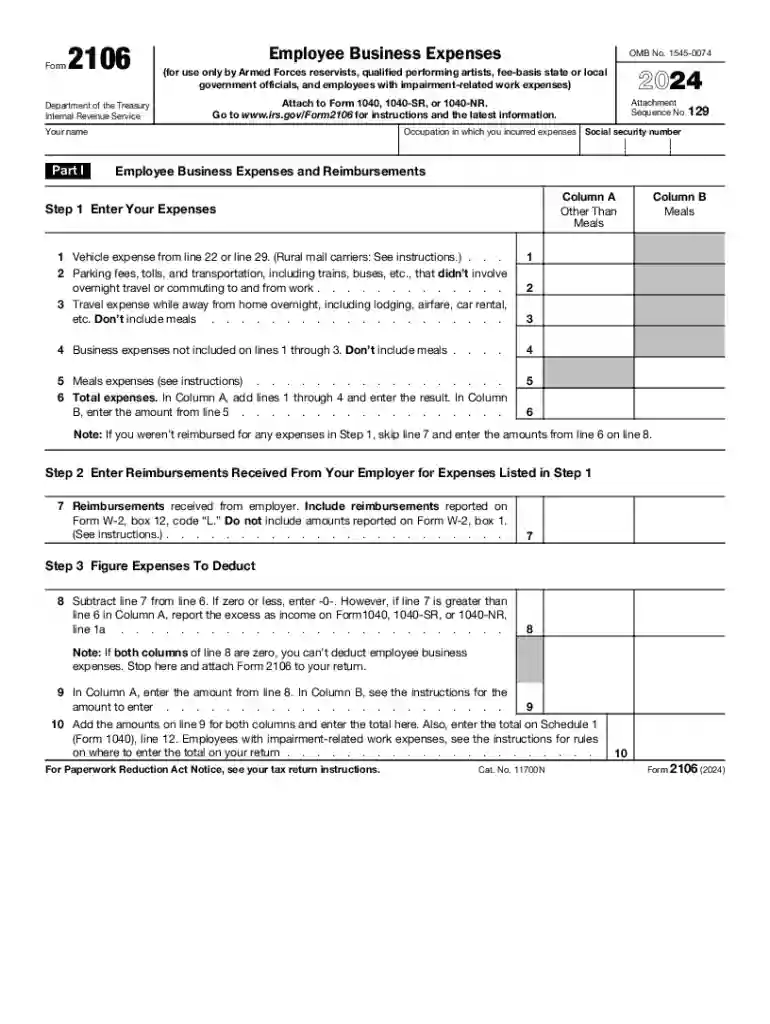
The 2024 Form 2106 is a tax document used by specific employees to report expenses that they incur in the course of their employment. These expenses typically include costs associated with the use of vehicles, travel, and other business-related activities. The form is crucial for employees who wish to deduct allowable business expenses from their taxable income, thereby potentially reducing their tax liability. Users include employees in categories like Armed Forces reservists, qualified performing artists, and fee-based state or local government officials.
To effectively use the 2024 Form 2106, employees must detail various expenses related to their professional duties. The form consists of sections for entering information about vehicle expenses, travel costs like lodging and meals, and other miscellaneous expenses directly tied to job responsibilities.
Filling out the 2024 Form 2106 requires accuracy and thoroughness to ensure compliance with IRS guidelines. Here are the steps to complete the form:
The form is typically used by employees who are not reimbursed by their employers for work-related expenses. Specific groups who might utilize this form include:


Key elements of the form that need attention include:
The IRS guidelines for using Form 2106 distinguish between ordinary and necessary expenses incurred as part of an employee’s job. Here are some critical points:
Being mindful of filing deadlines ensures compliance and avoids penalties:
To complete the 2024 Form 2106, having specific documents on hand will streamline the process:
Understanding use through practical examples can clarify requirements:
Filing the 2024 Form 2106 can be accomplished both digitally and on paper:
Failure to file accurately can lead to penalties:
Eligibility for completing the 2024 Form 2106 depends on specific criteria:

Understanding the lingo is critical to preventing errors in form completion:
Use of compatible software can aid in completing Form 2106:
We've got more versions of the form expenses printable form. Select the right form expenses printable version from the list and start editing it straight away!
| Versions | Form popularity | Fillable & printable |
|---|---|---|
| 2025 | 4.8 Satisfied (24 Votes) | |
| 2024 | 4.6 Satisfied (47 Votes) | |
| 2023 | 4.8 Satisfied (24 Votes) | |
| 2022 | 4.2 Satisfied (20 Votes) | |
| 2021 | 4.8 Satisfied (72 Votes) | |
| 2020 | 4.3 Satisfied (139 Votes) | |
| 2019 | 4.3 Satisfied (140 Votes) | |
| 2018 | 4.3 Satisfied (103 Votes) | |
| 2017 | 4.4 Satisfied (136 Votes) | |
| 2016 | 4.4 Satisfied (1231 Votes) | |
| 2013 | 4.3 Satisfied (68 Votes) |
At DocHub, your data security is our priority. We follow HIPAA, SOC2, GDPR, and other standards, so you can work on your documents with confidence.


Feb 14, 2025 The deduction is up to $300 for unreimbursed qualified expenses. Qualified expenses include professional development, equipment and teachingRead more
Instructions for Form 2106 Employee Business Expenses. 2025 2106 Employee Business Expense 2024 2106 Employee Business Expense (PDF, 1.15 MB).Read more


