




01. Edit your form online
Type text, add images, blackout confidential details, add comments, highlights and more.

Type text, add images, blackout confidential details, add comments, highlights and more.

Draw your signature, type it, upload its image, or use your mobile device as a signature pad.

Send it via email, link, or fax. You can also download it, export it or print it out.
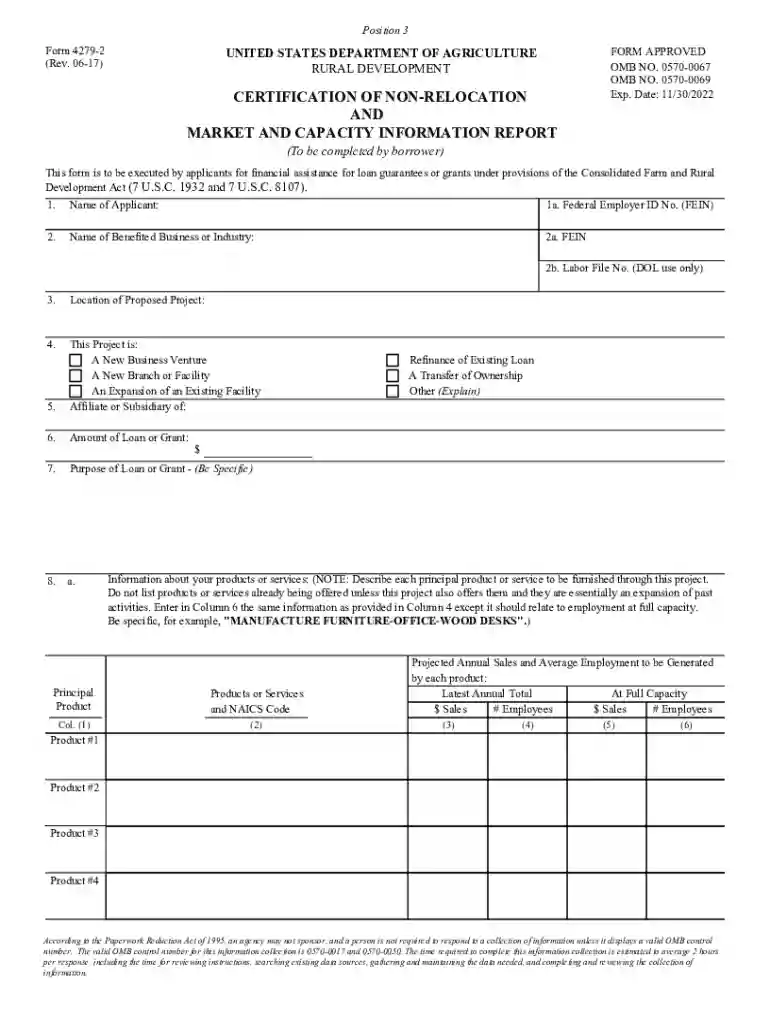
The "Certification of Non-Relocation and Economic Development Objectives" is a critical document required by the United States Department of Agriculture, Rural Development, particularly under the Consolidated Farm and Rural Development Act. This form certifies that the applicant's business activities or proposed projects will not result in the relocation of jobs that could negatively impact community employment levels in the applicant's current area. The certification serves as an assurance against detrimental effects on local economies due to potential job shifts, and it aligns with broader economic development goals by verifying that projects contribute positively to designated economic objectives without adverse relocation repercussions.
This form is primarily used by businesses and organizations seeking financial assistance through loan guarantees or grants offered under U.S. Department of Agriculture programs. Applicants are typically involved in projects aimed at rural development, such as agricultural production, renewable energy projects, or community facility improvements. The certification is crucial for applicants to demonstrate their compliance with non-relocation policies and to assure authorities that their proposed projects will support community stability and economic growth.


Access the Form: Obtain the form from the relevant U.S. Department of Agriculture office or their official website. Ensure you have the correct version to meet current application requirements.
Provide Applicant Information: Enter detailed information about your organization, including its name, address, and federal identification number. Verification of the applicant’s legal status as a business entity may also be required.
Project Description: Clearly describe the proposed project. Include details like project location, scope, and expected outcomes. Articulate how the project aligns with rural development objectives without necessitating significant workforce relocation.
Non-Relocation Assurance: Certify that the project will not result in job relocations detrimental to the community. This assurance must address any potential shifts in employment that might transfer jobs away from the current business location.
Market and Capacity Data: Supply comprehensive market analysis and capacity data for your business activities related to the proposed project. This information should support your claim that relocation is unnecessary and that the project will enhance current economic capacities.
Competitor Analysis: Conduct a competitor analysis to demonstrate that the project will not negatively impact other businesses in the area. Showing cooperation or mutual benefits with local entities can strengthen the application.
Submit the Form: After completing all sections, submit the form through the designated submission method, which may include online submission, mail, or in-person delivery. Verify completion deadlines to ensure timely submission.
Different states might have specific regulations affecting how the certification form needs to be completed and submitted. It's vital to be cognizant of:
Failure to accurately certify non-relocation can have severe repercussions, which may include:
Applicants have the option to complete the form either digitally or using a traditional paper format. Each method has distinct advantages:
We've got more versions of the CERTIFICATION OF NON-RELOCATION AND form. Select the right CERTIFICATION OF NON-RELOCATION AND version from the list and start editing it straight away!
At DocHub, your data security is our priority. We follow HIPAA, SOC2, GDPR, and other standards, so you can work on your documents with confidence.





without field review. Certification of Non-Relocation; without further review, within 10 working days. DocHub within 10 working days after receipt. current or
This form is to be executed by applicants for financial assistance for loan guarantees or grants under provisions of the Consolidated Farm and Rural


