




01. Edit your supplemental siv chief of mission application online
Type text, add images, blackout confidential details, add comments, highlights and more.

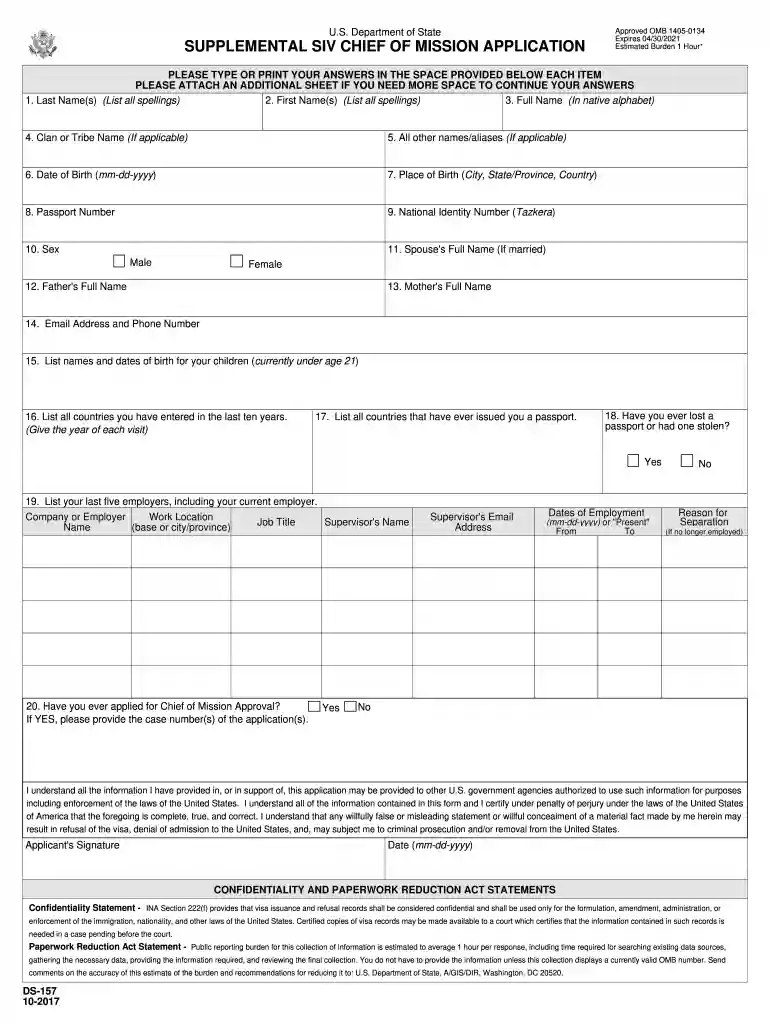
Type text, add images, blackout confidential details, add comments, highlights and more.

Draw your signature, type it, upload its image, or use your mobile device as a signature pad.

Send form ds 157 via email, link, or fax. You can also download it, export it or print it out.

Start filling out your ds 157 form today using our platform for free!
We've got more versions of the supplemental siv chief of mission application form. Select the right supplemental siv chief of mission application version from the list and start editing it straight away!
At DocHub, your data security is our priority. We follow HIPAA, SOC2, GDPR, and other standards, so you can work on your documents with confidence.





This petition is required of all applicants for a special immigrant visa (SIV) under the AAPA. You must file this petition together with the documentsRead more
DS-157. 10-2017. 1. Last Name(s) (List all spellings). 2. First Name(s) (List all spellings). 3. Full Name (In native alphabet). 20. Have you ever applied forRead more
The attached package contains background information prepared by the Food and Drug. Administration (FDA) for the panel members of the advisory committee.Read more


