ADR-106 Petition To Confirm, Correct, Or Vacate Contractual Arbitration Award (Alternative Dispute R 2026

Get Form
adr 106 Preview on Page 1

Here's how it works

01. Edit your adr 106 online
Type text, add images, blackout confidential details, add comments, highlights and more.

02. Sign it in a few clicks
Draw your signature, type it, upload its image, or use your mobile device as a signature pad.

03. Share your form with others
Send it via email, link, or fax. You can also download it, export it or print it out.

How to use or fill out ADR-106 Petition To Confirm, Correct, Or Vacate Contractual Arbitration Award (Alternative Dispute R with Our Platform

Form edit decoration
9.5
Ease of Setup
DocHub User Ratings on G2
9.0
Ease of Use
DocHub User Ratings on G2
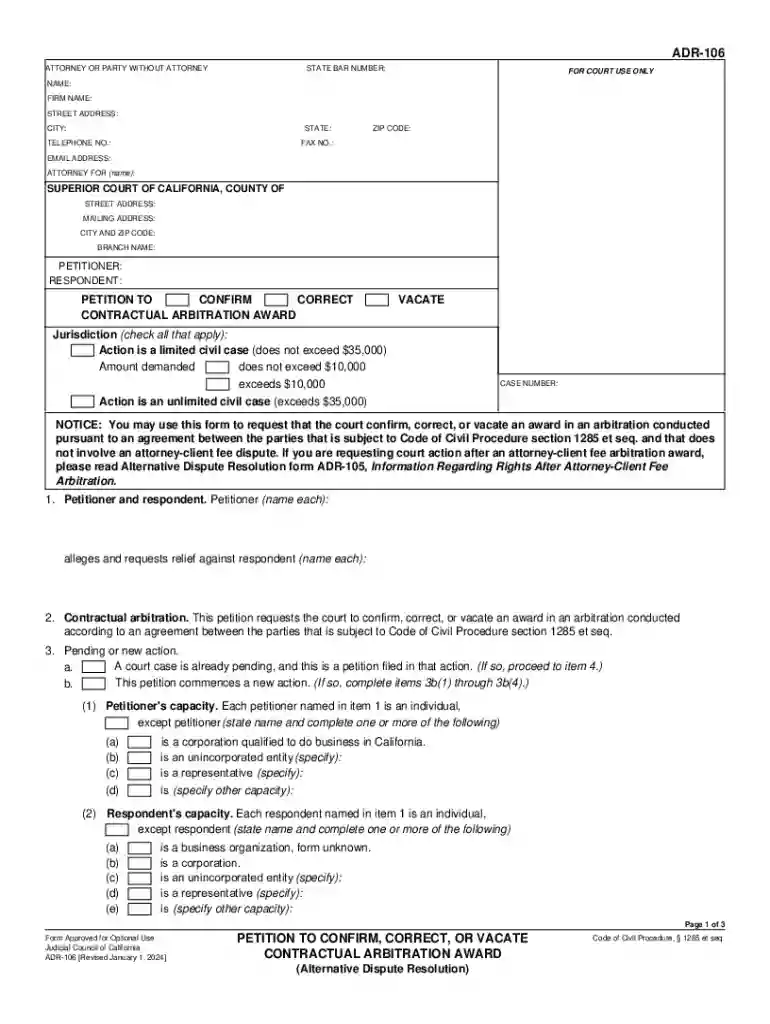
  1. Click ‘Get Form’ to open the ADR-106 in our editor.
  2. Begin by filling in your details as the petitioner or respondent. Include your name, address, and contact information in the designated fields.
  3. Indicate the jurisdiction by checking the appropriate boxes that apply to your case regarding civil action limits.
  4. In section 1, list each petitioner and respondent involved in the arbitration. Ensure all names are accurately entered.
  5. Complete section 3 if this petition is part of an ongoing case or if it initiates a new action. Provide necessary details about each party's capacity.
  6. Detail the arbitration agreement in section 4, including its date and any relevant provisions that pertain to your dispute.
  7. Summarize the dispute in section 5 and provide information about the arbitrator and hearing dates in sections 6 and 7 respectively.
  8. In section 10, specify whether you seek to confirm, correct, or vacate the award. Clearly outline your reasons for each request.
  9. Review all entries for accuracy before saving or printing your completed form using our platform’s features.

Start using our platform today to easily complete your ADR-106 form online for free!

See more ADR-106 Petition To Confirm, Correct, Or Vacate Contractual Arbitration Award (Alternative Dispute R versions

We've got more versions of the ADR-106 Petition To Confirm, Correct, Or Vacate Contractual Arbitration Award (Alternative Dispute R form. Select the right ADR-106 Petition To Confirm, Correct, Or Vacate Contractual Arbitration Award (Alternative Dispute R version from the list and start editing it straight away!
Versions Form popularity Fillable & printable
2024 4.6 Satisfied (27 Votes)
2004 4.9 Satisfied (507 Votes)
be ready to get more

Complete this form in 5 minutes or less

Get form

Got questions?

We have answers to the most popular questions from our customers. If you can't find an answer to your question, please contact us.
Contact us
Notice of a motion to vacate, modify, or correct an award must be served upon the adverse party or his attorney within three months after the award is filed or delivered.
The Circuit Clerk will mail the Award of Arbitrators and a Notice of Award to all parties. The Notice of Award will provide the next court date for the case. On that status date, if no rejection is filed, a party must move for entry of judgment on the award or enter a dismissal order.
Ask the court to approve (confirm) or correct an arbitrators decision (award) in an arbitration done under an agreement between the parties and to make the award a court decision (judgment) or ask the court to cancel (vacate) the arbitrators award.

Security and compliance

At DocHub, your data security is our priority. We follow HIPAA, SOC2, GDPR, and other standards, so you can work on your documents with confidence.

Learn more
ccpa2
pci-dss
gdpr-compliance
hipaa
soc-compliance