




01. Edit your power durable online
Type text, add images, blackout confidential details, add comments, highlights and more.

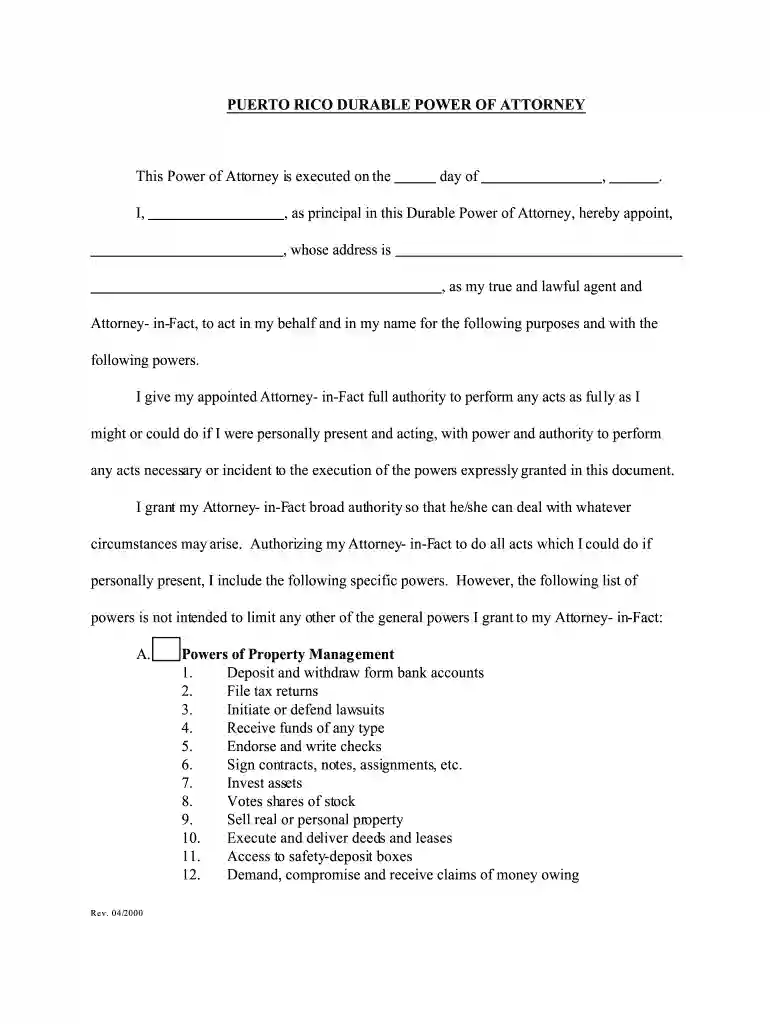
Type text, add images, blackout confidential details, add comments, highlights and more.

Draw your signature, type it, upload its image, or use your mobile device as a signature pad.

Send attorney durable via email, link, or fax. You can also download it, export it or print it out.

Start using our platform today to easily complete your pr power attorney form online for free!
We've got more versions of the power durable form. Select the right power durable version from the list and start editing it straight away!
| Versions | Form popularity | Fillable & printable |
|---|---|---|
| 2000 | 4.8 Satisfied (220 Votes) |
At DocHub, your data security is our priority. We follow HIPAA, SOC2, GDPR, and other standards, so you can work on your documents with confidence.


May 16, 1988 These rules are published in accordance with the provisions of Rhode. Island General Law 36-3-5, entitled Powers and Duties of. AdministratorRead more
Power of Attorneys; Deeds. The original document or certificate must be original. In the case of public deeds, you must present the certified copy duly issuedRead more
This durable power of attorney must be dated and must be acknowledged before a notary public or signed by two witnesses. If it is signed by two witnessesRead more


