Type text, add images, blackout confidential details, add comments, highlights and more.
02. Sign it in a few clicks
Draw your signature, type it, upload its image, or use your mobile device as a signature pad.
03. Share your form with others
Send form uia 1301 pdf via email, link, or fax. You can also download it, export it or print it out.
How to use or fill out form uia 1718 with our platform
Ease of Setup
DocHub User Ratings on G2
Ease of Use
DocHub User Ratings on G2
Click ‘Get Form’ to open it in the editor.
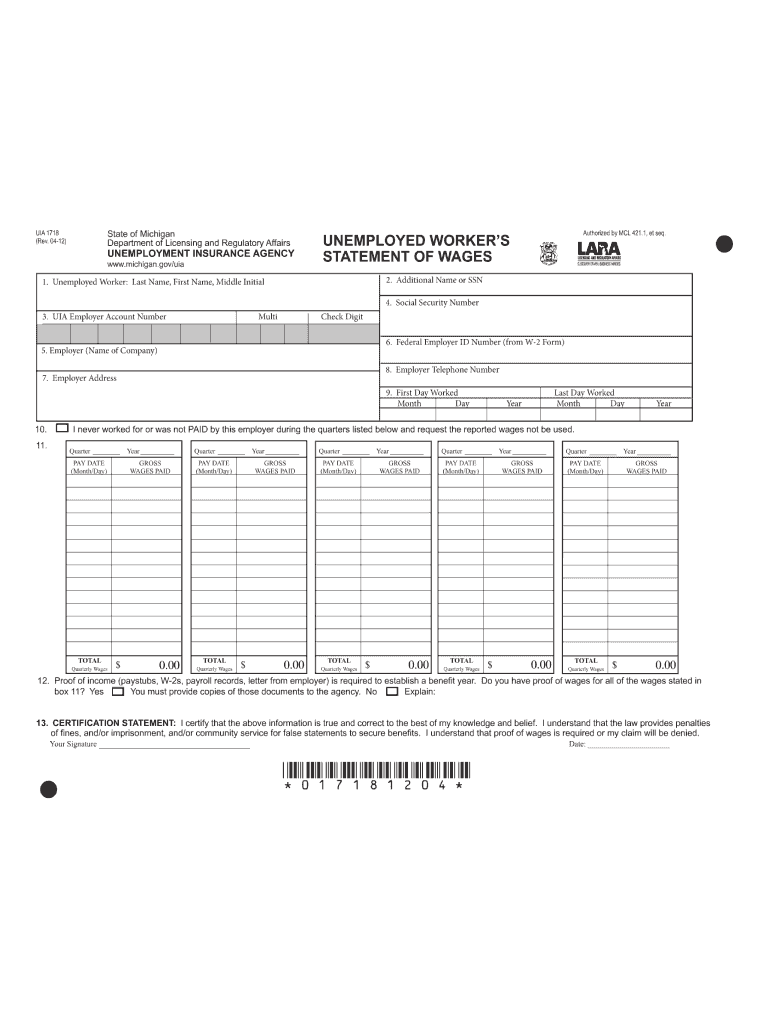
Begin by entering your last name, first name, and middle initial in the designated fields. If you have worked under a different name or Social Security number, provide that information in the additional section.
Input your UIA Employer Account Number and Social Security Number accurately. Ensure there are no dashes when entering your SSN.
Fill in the employer's name, Federal Employer ID Number (from your W-2), complete address, and telephone number.
Record the first and last day you worked for this employer. If you never worked for them, check the appropriate box.
For each quarter listed, report your gross wages paid. You can enter pay dates and amounts if needed to calculate total quarterly wages.
Attach proof of income such as pay stubs or W-2s. Indicate whether you have this documentation and explain if not.
Finally, read the certification statement carefully before signing and dating the form to confirm accuracy.
Start filling out your form uia 1718 today using our platform for free!
I never received form UIA 6347Michigan UIA formsUIA form 6347 Request for identity VerificationUIA 6347 pdfUIA form 1395UIA form 1541Michigan UIA 6347 form downloadUia form 1729
Security and compliance
At DocHub, your data security is our priority. We follow HIPAA, SOC2, GDPR, and other standards, so you can work on your documents with confidence.
by VM Fokina 1950 Cited by 575 1718 the change of the surface tension, the driving force of clus-. 1719 ter which can exist in a macroscopic form, at least, in a meta-. 2255 stableRead more
Cookie consent notice
This site uses cookies to enhance site navigation and personalize your experience.
By using this site you agree to our use of cookies as described in our Privacy Notice.
You can modify your selections by visiting our Cookie and Advertising Notice.