




01. Edit your form online
Type text, add images, blackout confidential details, add comments, highlights and more.

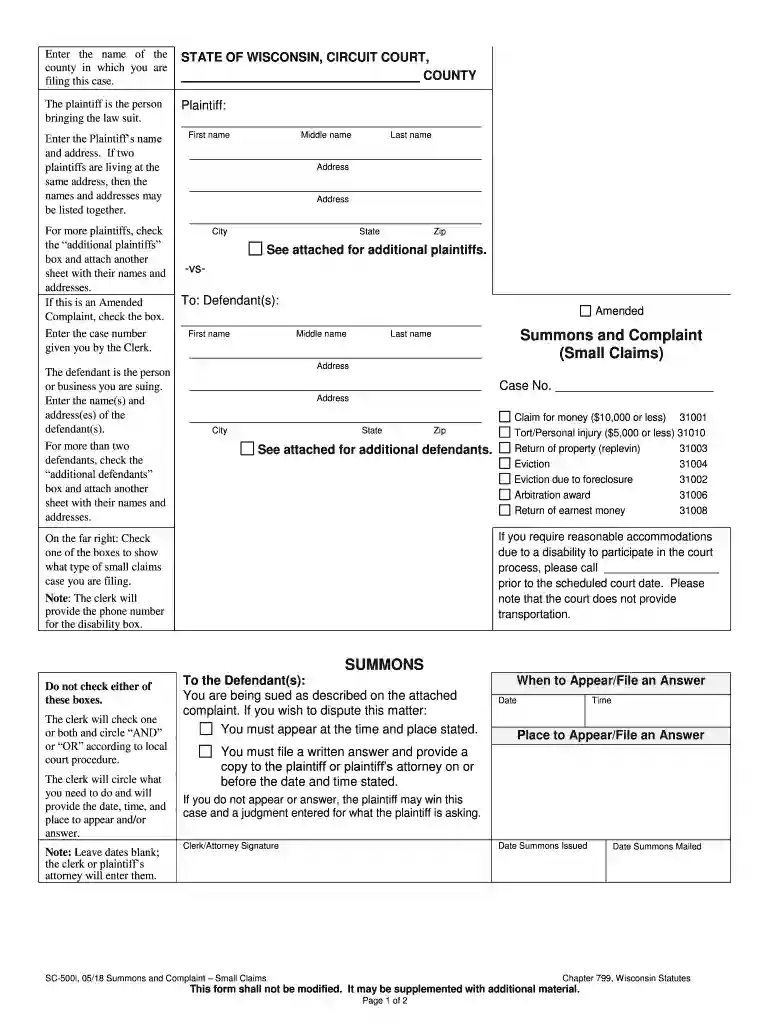
Type text, add images, blackout confidential details, add comments, highlights and more.

Draw your signature, type it, upload its image, or use your mobile device as a signature pad.

Send it via email, link, or fax. You can also download it, export it or print it out.

Start using our platform today to easily complete your Wisconsin Complaint Circuit Court form online for free!
We've got more versions of the wisconsin complaint circuit court form. Select the right wisconsin complaint circuit court version from the list and start editing it straight away!
At DocHub, your data security is our priority. We follow HIPAA, SOC2, GDPR, and other standards, so you can work on your documents with confidence.
Wisconsins congressional districts, within five days of this Complaints filing, the clerk of this Court shall notify the clerk of the supreme court of.
Dec 8, 2023 The following information and forms are intended for use in filing a complaint or grievance against an attorney, a circuit court commissioner, a judge, or anRead more
Feb 28, 2026 the Federal Circuit affirmed the District Courts summary judgment ruling. On June 18, 2020, Oyster dismissed its case against us based onRead more


