01. Edit your dmv medical evaluation form pdf online
Type text, add images, blackout confidential details, add comments, highlights and more.
02. Sign it in a few clicks
Draw your signature, type it, upload its image, or use your mobile device as a signature pad.
03. Share your form with others
Send dmv medical evaluation form via email, link, or fax. You can also download it, export it or print it out.
How to use or fill out dmv ca gov ds326 with our platform
Ease of Setup
DocHub User Ratings on G2
Ease of Use
DocHub User Ratings on G2
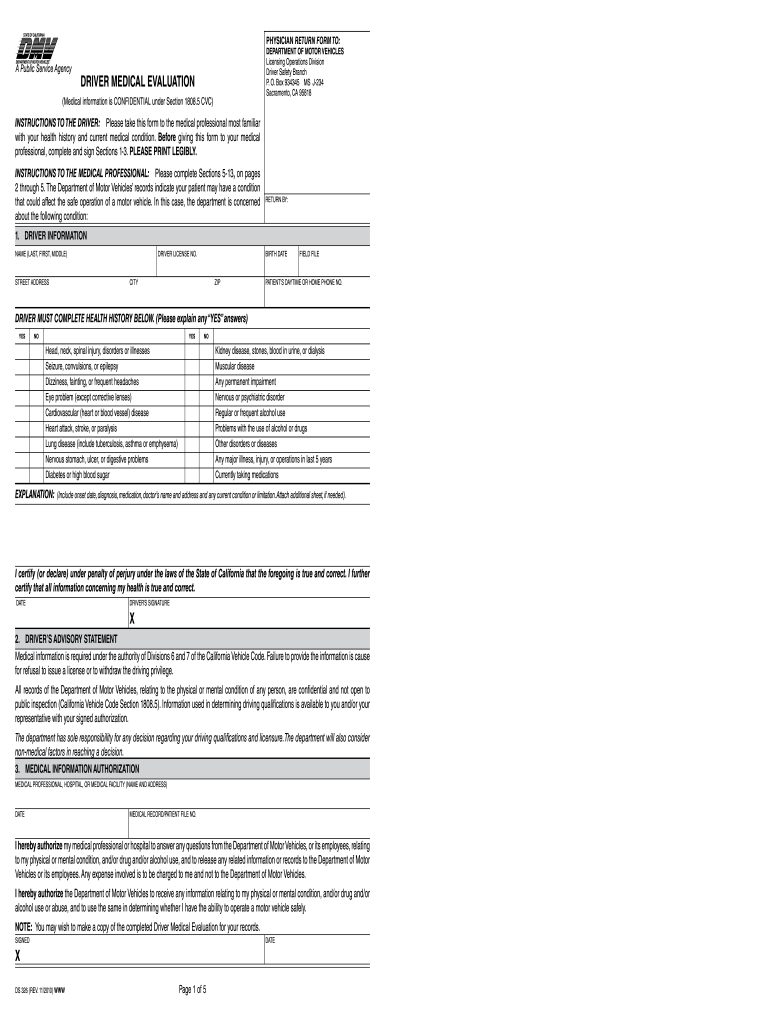
Click ‘Get Form’ to open the DMV CA GOV DS326 in the editor.
Begin by filling out Section 1, which includes your personal information such as name, address, and driver license number. Ensure all details are printed legibly.
In Section 1, answer the health history questions honestly. If you answer 'YES' to any question, provide a detailed explanation in the space provided.
Sign and date the form at the bottom of Section 1 to certify that your information is accurate.
Once completed, proceed to Sections 5-13 for your medical professional to fill out. Make sure they have all necessary information regarding your health condition.
After your medical professional completes their sections, review everything for accuracy before submission.
Start using our platform today for free to streamline your DMV form completion!
DMV physician reporting form californiaDMV Medical Evaluation form PDFMedical Examination Report DMV CaliforniaCalifornia dmv medical evaluation form pdfCalifornia DMV medical suspension formWhere do I send my DS 326 formDS 326 driver medical evaluationCalifornia DMV window tint exemption
Security and compliance
At DocHub, your data security is our priority. We follow HIPAA, SOC2, GDPR, and other standards, so you can work on your documents with confidence.
Screening and Management of Age and Medically Related
The DMV can monitor at-risk drivers and impose licensing restrictions to prolong driving. WHY SCREEN. Most older drivers will outlive their driving ability byRead more
INSTRUCTIONS TO THE DRIVER: Please take this form to the medical professional most familiar with your health history and current medical condition.Read more
Cookie consent notice
This site uses cookies to enhance site navigation and personalize your experience.
By using this site you agree to our use of cookies as described in our Privacy Notice.
You can modify your selections by visiting our Cookie and Advertising Notice.