




Here's how it works

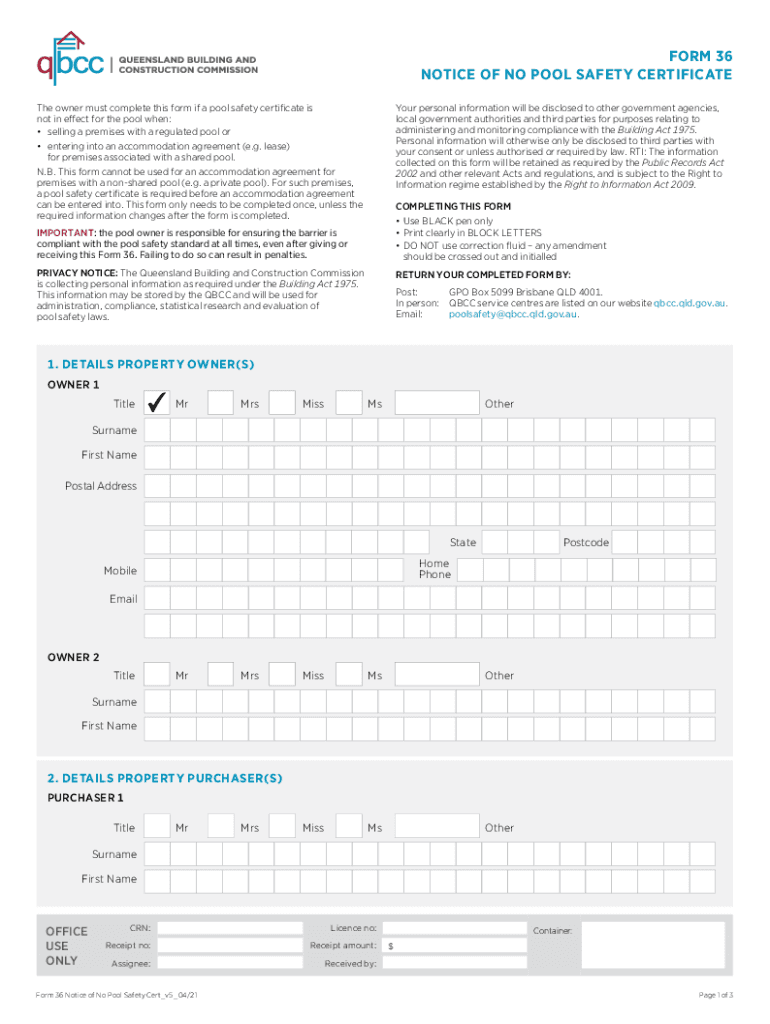
01. Edit your form 36 no pool safety certificate online
Type text, add images, blackout confidential details, add comments, highlights and more.

02. Sign it in a few clicks
Draw your signature, type it, upload its image, or use your mobile device as a signature pad.

03. Share your form with others
Send form 36 no pool certificate via email, link, or fax. You can also download it, export it or print it out.
How to use or fill out notice no pool safety certificate with our platform

- Click ‘Get Form’ to open the notice no pool safety certificate in the editor.
- Begin by filling in the details of the property owner(s) in Section 1. Use black pen and print clearly in block letters. Include titles, surnames, first names, postal addresses, and contact information.
- Proceed to Section 2 to provide information about the property purchaser(s). Again, ensure all fields are completed accurately with clear printing.
- In Section 3, specify the location of the swimming pool by entering the street address and local government area.
- Indicate whether the pool is shared or non-shared in Section 4. This will determine which subsequent sections you need to complete.
- If applicable, fill out Sections 5 or 6 based on your selection from Section 4. These sections outline obligations regarding pool safety compliance.
- Complete Section 7 with the proposed date of settlement or accommodation agreement. Amend if necessary and initial any changes.
- Finally, sign and date the property owner's statement in Section 8, confirming that all information is accurate and that you will distribute this form as required.
Start using our platform today for free to easily complete your notice no pool safety certificate!
Fill out notice no pool safety certificate online
It's free
It's free
See more notice no pool safety certificate versions
We've got more versions of the notice no pool safety certificate form. Select the right notice no pool safety certificate version from the list and start editing it straight away!
Security and compliance
At DocHub, your data security is our priority. We follow HIPAA, SOC2, GDPR, and other standards, so you can work on your documents with confidence.
Learn more


Related forms
45-Day Nursing Assessment Form
The document is a 45-day nursing assessment form designed to evaluate the health and well-being of a resident in a care ...

Puerto Rico Firearm License Application
The document outlines various applications and forms related to firearm licensing in Puerto Rico, including requests for ...

Cervical Cancer Diagnostic Evaluation Form
The document is a Cervical Cancer Diagnostic Evaluation & Data Collection Form used in clinics to record patient informa ...
Bank of Bhutan Customer Information Updation Form
The document is a Customer Information Updation Form for Bank of Bhutan Limited, designed to collect personal and accoun ...

California Resident Income Tax Return 2005
The document is a California Resident Income Tax Return form for the year 2005, which includes sections for personal inf ...

Philadelphia Lead Safe Certificate
The document provides instructions for landlords in Philadelphia on how to issue a Lead Safe Certificate after confirmin ...

Pharmacy Technician Application
The Pharmacy Technician Application Packet provides comprehensive instructions and forms necessary for individuals seeki ...

Form I-765, Application For Employment Authorization
The document is the Form I-765, Application for Employment Authorization, issued by the U.S. Citizenship and Immigration ...