




Here's how it works

01. Edit your form online
Type text, add images, blackout confidential details, add comments, highlights and more.

02. Sign it in a few clicks
Draw your signature, type it, upload its image, or use your mobile device as a signature pad.

03. Share your form with others
Send it via email, link, or fax. You can also download it, export it or print it out.
How to use or fill out notice no pool safety certificate with our platform

- Click ‘Get Form’ to open the notice no pool safety certificate in the editor.
- Begin by filling in the details of the property owner(s) in Section 1. Select the appropriate title and provide your surname and first name(s). Ensure you complete this for both Owner 1 and Owner 2.
- Next, enter your contact details, including postal address and phone number, ensuring accuracy for effective communication.
- Proceed to Section 2 to specify the location of the swimming pool. Fill in the street address and postcode accurately.
- In Section 3, indicate whether the pool is shared or non-shared. This will determine which subsequent sections you need to complete.
- If applicable, complete Section 4 or Section 5 based on your selection in Step 5. These sections contain important notices regarding compliance with pool safety laws.
- Fill in the proposed date of settlement or accommodation agreement in Section 6. Remember that this can be amended if necessary.
- Finally, review and sign the Property Owner’s Statement in Section 7, confirming that all information is accurate before submitting it through our platform.
Start using our platform today for free to streamline your document editing and ensure compliance effortlessly!
Fill out notice no pool safety certificate online
It's free
It's free
See more notice no pool safety certificate versions
We've got more versions of the notice no pool safety certificate form. Select the right notice no pool safety certificate version from the list and start editing it straight away!
Security and compliance
At DocHub, your data security is our priority. We follow HIPAA, SOC2, GDPR, and other standards, so you can work on your documents with confidence.
Learn more


Related forms
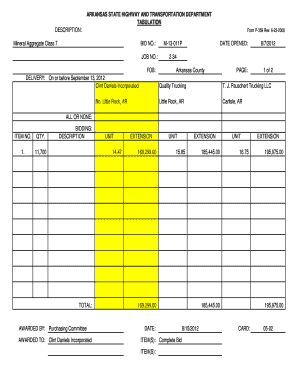
School transportation bid tabulation form
The document is a bid tabulation from the Arkansas State Highway and Transportation Department for Mineral Aggregate Cla ...

Reasonable Cause Regulations and Requirements for
La publicación 1586 del IRS proporciona directrices sobre las normas relacionadas con la causa razonable y los requisito ...

2024 Schedule 1 (Form 1040) (sp) Additional Income and Adjustments to Income (Spanish Version)
2024 Schedule 1 (Form 1040) (sp) Additional Income and Adjustments to Income (Spanish Version)
The document is the 2024 Schedule 1 (Form 1040) from the Internal Revenue Service, detailing additional income and adjus ...
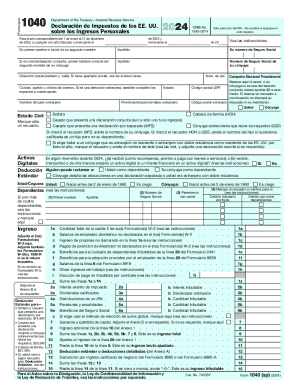
2024 Form 1040 (SP) U S Individual Income Tax Return (Spanish Version)
The document is the 2024 U.S. Individual Income Tax Return Form 1040, which provides a structured format for taxpayers t ...

Form 8862 (sp) (Rev October2024) Information To Claim Earned Income Credit After Disallowance (Spani
Form 8862 (sp) (Rev October2024) Information To Claim Earned Income Credit After Disallowance (Spani
El Formulario 8862 es un documento del Servicio de Impuestos Internos (IRS) que permite a los contribuyentes reclamar ci ...

Tax Clinic Client Intake Form Fill-in - SPANISH
El documento es un formulario del IRS (Formulario 13844) que permite a los contribuyentes de bajos ingresos solicitar un ...