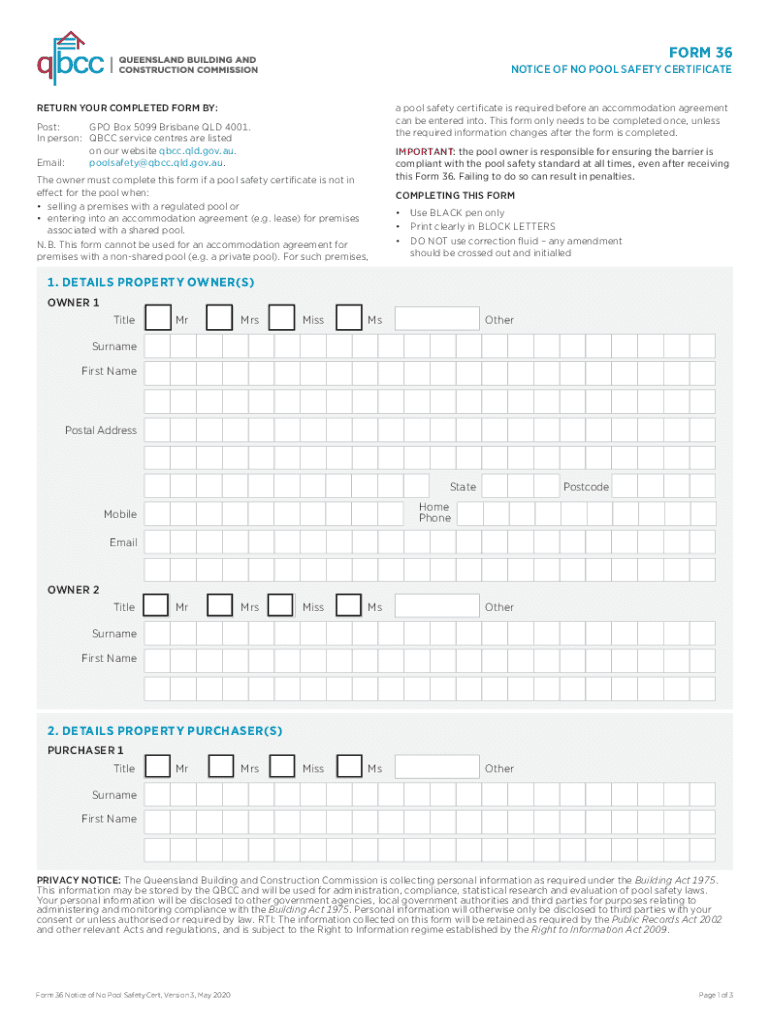
01. Edit your notice of no pool safety certificate online
Type text, add images, blackout confidential details, add comments, highlights and more.
02. Sign it in a few clicks
Draw your signature, type it, upload its image, or use your mobile device as a signature pad.
03. Share your form with others
Send pool safety certificate via email, link, or fax. You can also download it, export it or print it out.
How to use or fill out no pool certificate with our platform
Ease of Setup
DocHub User Ratings on G2
Ease of Use
DocHub User Ratings on G2
Click ‘Get Form’ to open the no pool certificate in the editor.
Begin by filling in the details of the property owner(s) in Section 1. Use a black pen and print clearly in block letters. Include titles, surnames, first names, postal addresses, and contact information.
Proceed to Section 2 to provide details of the property purchaser(s). Ensure all required fields are completed accurately.
In Section 3, enter the location of the swimming pool, including street address and local government area.
Indicate whether the pool is shared or non-shared in Section 4. Follow the prompts based on your selection.
Complete Sections 5 or 6 as applicable, noting any important compliance information regarding pool safety standards.
Fill out the proposed date of settlement or accommodation agreement in Section 7. Amend if necessary and initial changes.
Finally, sign and date the property owner’s statement in Section 8 to confirm that all information is accurate and complete.
Start using our platform today for free to streamline your document editing process!
We've got more versions of the no pool certificate form. Select the right no pool certificate version from the list and start editing it straight away!
No pool certificate floridaNo pool certificate templateNo pool certificate requirementsNo pool certificate pdfSwimming pool rules and regulations for HOASwimming pool contractor license floridaDo I need a license to clean pools in FloridaPools near me
Security and compliance
At DocHub, your data security is our priority. We follow HIPAA, SOC2, GDPR, and other standards, so you can work on your documents with confidence.
The Health Departments Pool Technician certificate DOES NOT. ALLOW a service person to do repairs or operate an independent pool service business. OnlineRead more
13 CFR 120.640 - Administration of the Pool and Individual
The FTA has the responsibility to administer each Pool or Individual Certificate. It shall maintain a registry of Registered Holders and other informationRead more
Cookie consent notice
This site uses cookies to enhance site navigation and personalize your experience.
By using this site you agree to our use of cookies as described in our Privacy Notice.
You can modify your selections by visiting our Cookie and Advertising Notice.