






Definition and Purpose of the 2020 AU CASA 027-02
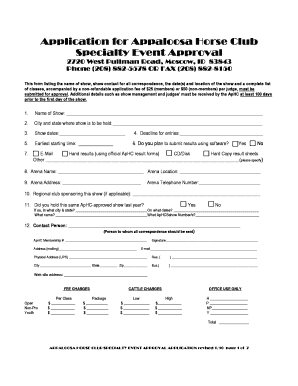
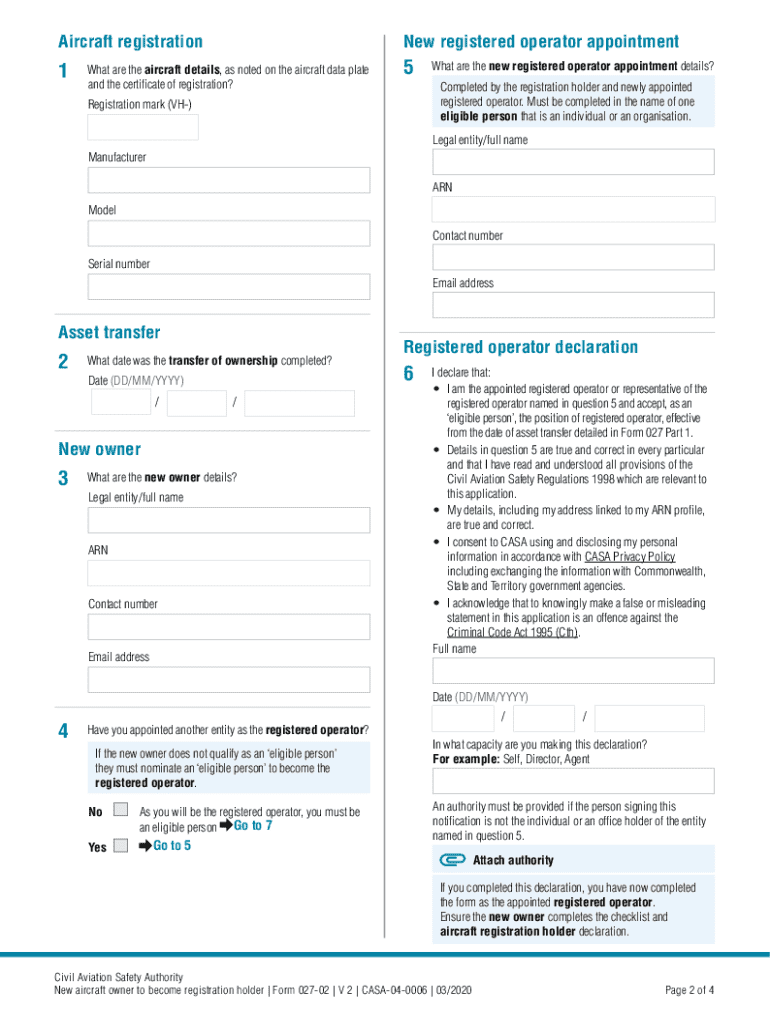
The "2020 AU CASA 027-02" form is designed specifically for new aircraft owners in Australia to officially register their ownership with the Civil Aviation Safety Authority (CASA). This application form serves as a critical document to establish and verify legal ownership following the transfer of an aircraft. Intended for new registration holders, the form captures essential information necessary for legal documentation and compliance with aviation protocols. By formalizing ownership, the form ensures that aircraft operations adhere to established standards and guidelines.
How to Use the 2020 AU CASA 027-02
Using the 2020 AU CASA 027-02 form involves multiple steps to ensure accurate completion and submission. Upon acquiring a new aircraft, the new owner must fill out the form meticulously, providing all requested details, such as personal information, aircraft specifics, and ownership details. Careful attention is required to ensure accuracy and compliance with aviation laws. After completion, the form must be submitted to CASA within 28 days of the ownership transfer. The submission could be executed through various channels, including online platforms, by mail, or through in-person visits to CASA offices.
Steps to Complete the 2020 AU CASA 027-02
-
Gather Necessary Information: Collect all pertinent details about the aircraft, including the make, model, registration number, and seller information.
-
Complete Personal Details: Provide accurate personal details, such as full name, contact information, and any relevant identification numbers.
-
Fill Out Ownership Details: Input comprehensive details regarding the transfer of ownership, including date of acquisition and terms of the purchase.
-
Review Privacy Declarations: Acknowledge and comprehend privacy declarations related to personal data, understanding how information will be used and protected.
-
Submit Documentation: Attach any required documents, including proof of ownership or bill of sale.
-
Finalize and Submit: Ensure all fields are complete, sign the form, and submit it to CASA within the assigned timeframe.
Key Elements of the 2020 AU CASA 027-02
- Aircraft Information: Essential details about the aircraft, including prior registration and current status.
- Owner Information: Comprehensive information on the new owner, covering identity and contact details.
- Declaration and Signature: A section dedicated to owner declarations concerning the accuracy of the data and agreeing to legal stipulations.
- Privacy Statement: A segment asserting the privacy policy and how personal information will be handled by CASA.
Who Typically Uses the 2020 AU CASA 027-02
The primary users of the 2020 AU CASA 027-02 form are individuals and entities involved in acquiring new or used aircraft within Australia. These users include:
- Private Owners: Individuals purchasing aircraft for personal use.
- Commercial Entities: Businesses acquiring aircraft for commercial operations.
- Leasing Companies: Firms dealing in leasing aircraft to others, ensuring that proper registration is maintained for legal compliance.


Legal Use of the 2020 AU CASA 027-02
The form is a legally binding document that confirms the transfer of aircraft ownership and its registration with CASA. It must be completed accurately to reflect true and current information. Incorrect or fraudulent entries could result in legal penalties or revocation of registration. Additionally, compliance with the submission timeframe is crucial to avoid potential fines or operational disruptions.
Submission Methods for the 2020 AU CASA 027-02
- Online Submission: Convenient for quick processing; may involve uploading scanned documents alongside the form.
- Postal Mail: Traditional mail submission is also available, though it may involve longer processing times.
- In-Person Submission: Delivery directly to a CASA office provides assurance of direct receipt and verification.
Penalties for Non-Compliance
Failure to submit the 2020 AU CASA 027-02 form within the stipulated 28 days could lead to several repercussions:
- Fines and Penalties: Monetary penalties may be imposed for late submission or inaccurate information.
- Registration Delays: Delays in processing can disrupt ownership verification, affecting operational capabilities.
- Legal Repercussions: Persistent non-compliance could lead to legal challenges or restrictions on aircraft operations.