



Here's how it works



How to use or fill out adpt 004 citation re abandonment with our platform

- Click ‘Get Form’ to open the adpt 004 citation re abandonment in the editor.
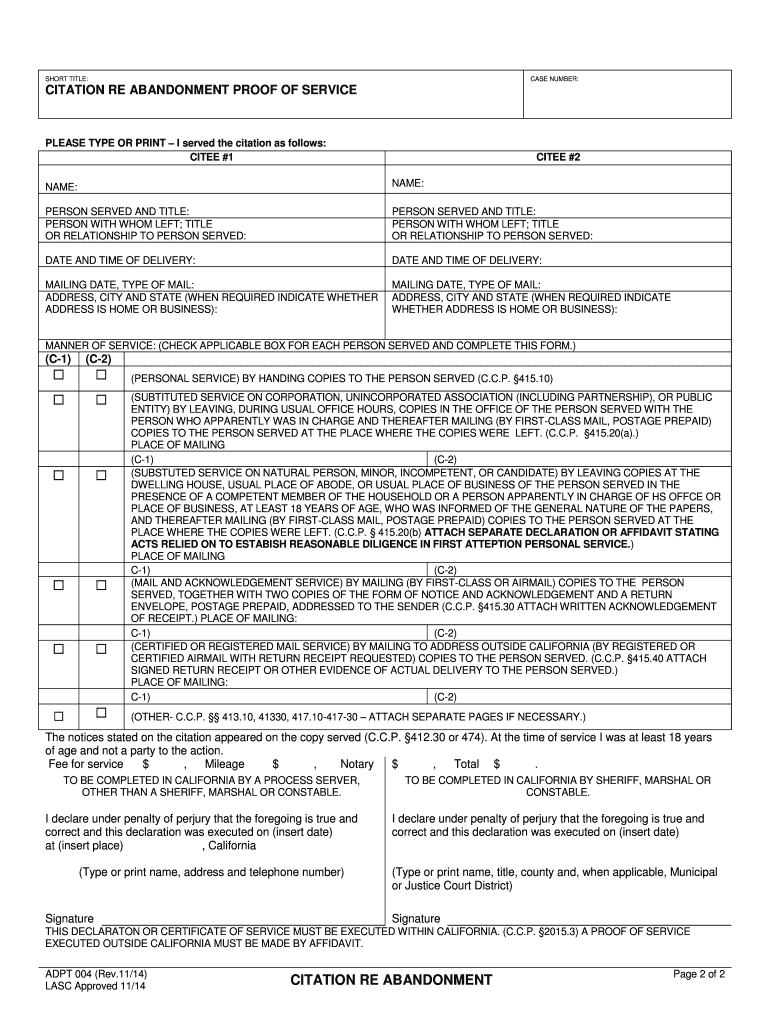
- Begin by entering the SHORT TITLE and CASE NUMBER at the top of the form. This information is crucial for identifying your case.
- In the CITEE sections, provide the names of individuals being served. Ensure accuracy as this affects service validity.
- Fill in the PERSON SERVED AND TITLE fields, along with details about who received the documents if applicable. This includes their title or relationship to the person served.
- Record the DATE AND TIME OF DELIVERY for each citation served. This establishes a timeline for your records.
- Complete the MAILING DATE and TYPE OF MAIL sections, including addresses and whether they are home or business locations.
- Select the MANNER OF SERVICE by checking applicable boxes and providing any necessary additional information as required by law.
- Finally, ensure all declarations are signed and dated correctly before saving your completed form.
Start using our platform today to fill out your adpt 004 citation re abandonment easily and for free!
It's free
See more adpt 004 citation re abandonment versions
Got questions?
How can I eSign my adpt 004 citation re abandonment in Word?
Microsoft Word doesn’t have signing tools to create legitimate eSignatures and enforceable paperwork. Luckily, DocHub is an online eSignature-compliant editor that supports different document formats, such as .doc files. Log in to your account and upload the Word edition of your adpt 004 citation re abandonment from your device and cloud, or URL - our editor will automatically transform it into an editable PDF. Make all necessary modifications in your document and click Sign to create your own legally-binding eSignature. You will find four signing methods from which to choose.
How do you edit adpt 004 citation re abandonment online?
With DocHub, you have several convenient methods to edit your adpt 004 citation re abandonment online. You can drag and drop the form and modify it straight at the DocHub site or use our browser extension to fill out your form right away. On top of that, you can modify your PDF on your smartphone, as DocHub is compatible with all the available mobile platforms.
Security and compliance
At DocHub, your data security is our priority. We follow HIPAA, SOC2, GDPR, and other standards, so you can work on your documents with confidence.
Learn more