




Here's how it works



How to use or fill out Untitled - California Department of Justice - CA.gov with our platform

- Click ‘Get Form’ to open it in the editor.
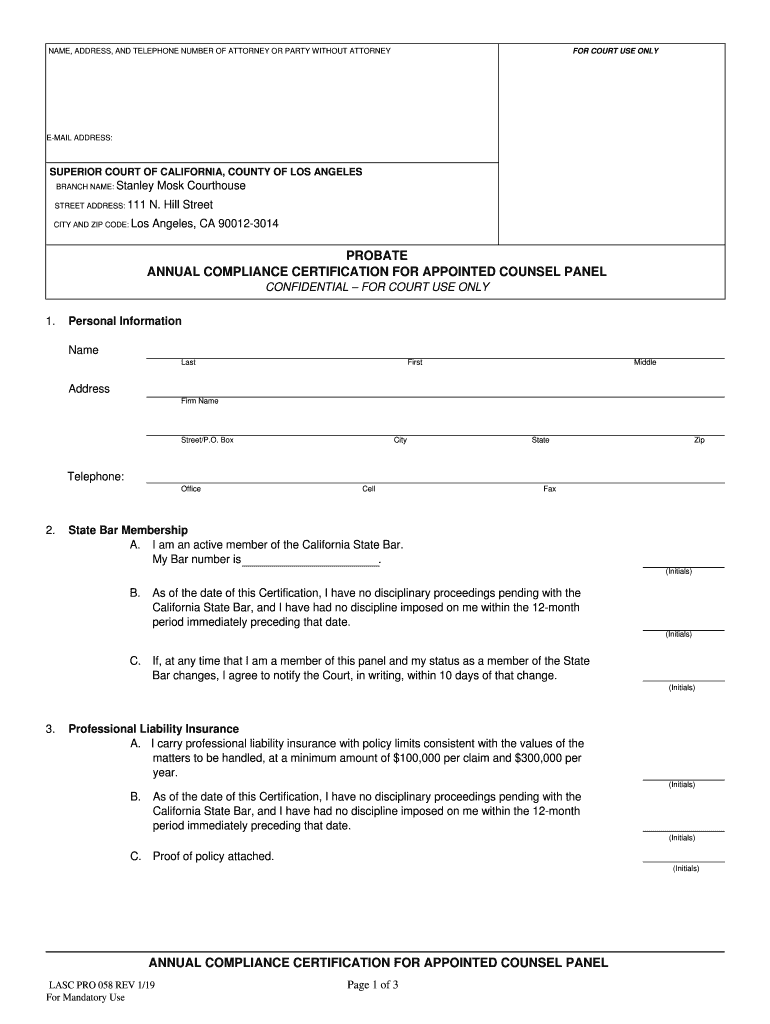
- Begin by entering your personal information in the designated fields. Fill in your name, address, and contact details accurately.
- In the State Bar Membership section, indicate your status as an active member and provide your Bar number. Initial each statement confirming your compliance.
- For Professional Liability Insurance, confirm that you carry the required insurance and attach proof if necessary. Initial to verify each statement.
- Complete the California Rules of Court section by indicating your qualifications for appointments. Ensure you initial each relevant statement.
- In the District Appointments section, select which Los Angeles Superior Court districts you are willing to accept appointments for.
- Finally, review all entries for accuracy before signing and dating the form at the bottom.
Start using our platform today to streamline your document editing and form completion process for free!
It's free
See more Untitled - California Department of Justice - CA.gov versions
Got questions?
Can I type my electronic signature on my Untitled - California Department of Justice - CA.gov?
Yes, a typed name is accepted as a valid electronic signature when you add it to your document utilizing a compliant solution like DocHub. Simply import your Untitled - California Department of Justice - CA.gov to our editor, click Sign in the top tool pane → Create your signature → Type your name in the appropriate tab, and decide how it will look on your document.
How do you fill out Untitled - California Department of Justice - CA.gov online?
You may find and modify your Untitled - California Department of Justice - CA.gov online with the help of DocHub. Its simple yet feature-rich design allows you to begin productive work immediately after you register your account. Create your account and add your document, then our user interface will guide you through our stress-free form completion experience.
Security and compliance
At DocHub, your data security is our priority. We follow HIPAA, SOC2, GDPR, and other standards, so you can work on your documents with confidence.
Learn more


Related forms




