




01. Edit your form online
Type text, add images, blackout confidential details, add comments, highlights and more.

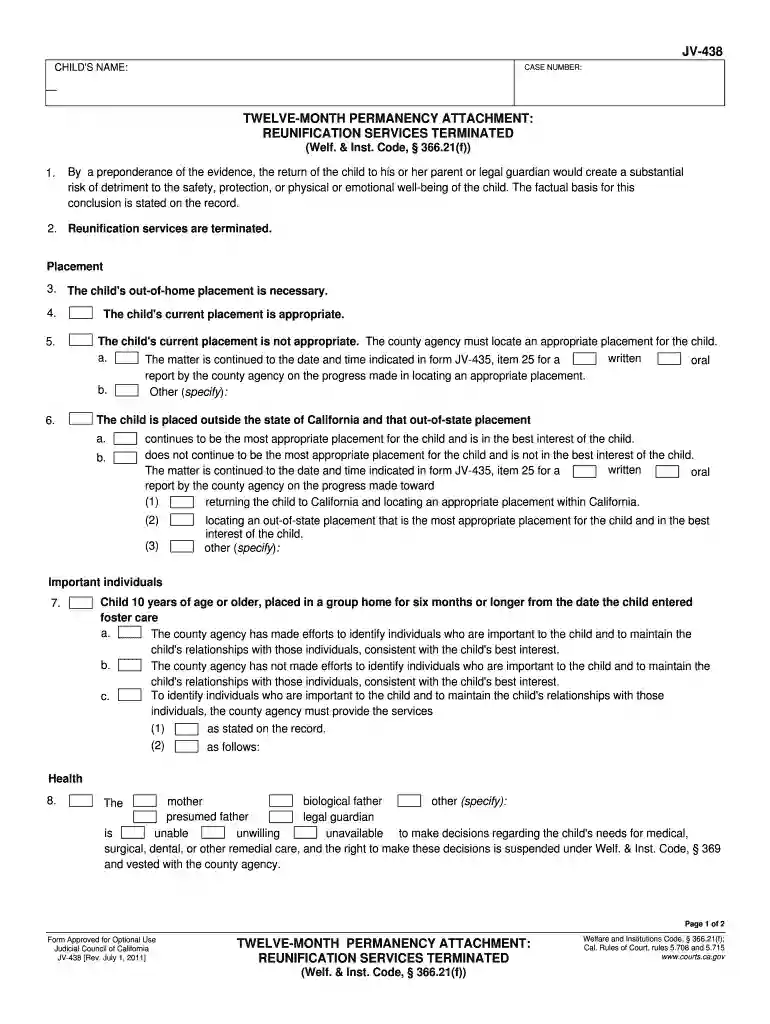
Type text, add images, blackout confidential details, add comments, highlights and more.

Draw your signature, type it, upload its image, or use your mobile device as a signature pad.

Send it via email, link, or fax. You can also download it, export it or print it out.

Start using our platform today to fill out your JV-438 form online for free!
We've got more versions of the JV-438 Twelve-Month Permanency Attachment. Judicial Council forms - courts ca form. Select the right JV-438 Twelve-Month Permanency Attachment. Judicial Council forms - courts ca version from the list and start editing it straight away!
Sure, you’ll find numerous apps for this on the web. However, if you need to eSign your JV-438 Twelve-Month Permanency Attachment. Judicial Council forms - courts ca without installing additional software, DocHub is the optimum choice you can make. This robust editor works on mobile devices just as on desktops. Open our editor in your preferred internet browser, register or sign in to your account, and start processing your forms.
When you edit your JV-438 Twelve-Month Permanency Attachment. Judicial Council forms - courts ca with DocHub, you simply will not need to look for other software or services to eSign it. An electronic signature is a component of DocHub’s comprehensive editing toolset, which enables you to implement changes in your form without jumping between platforms. Simply complete your form, double-check the correctness of the data and place your electronic signature at the end to make it submission-ready quickly.
At DocHub, your data security is our priority. We follow HIPAA, SOC2, GDPR, and other standards, so you can work on your documents with confidence.
National Research Council 2001. A Risk-Management Strategy for PCB-Contaminated. Sediments. Washington, DC: The National Academies Press. more
For a child placed in a short-term residential therapeutic program or community treatment facility, the court has considered the evidence andRead more
by GK Lamon 2025 A speedy path to permanency with nonrelative foster parents should not be pursued when family preservation via reunification is possible. Foster parentRead more


