




Here's how it works

01. Edit your dochub com fillable form online
Type text, add images, blackout confidential details, add comments, highlights and more.

02. Sign it in a few clicks
Draw your signature, type it, upload its image, or use your mobile device as a signature pad.

03. Share your form with others
Send restraining order template via email, link, or fax. You can also download it, export it or print it out.
How to use or fill out restraining order form 2012 with our platform

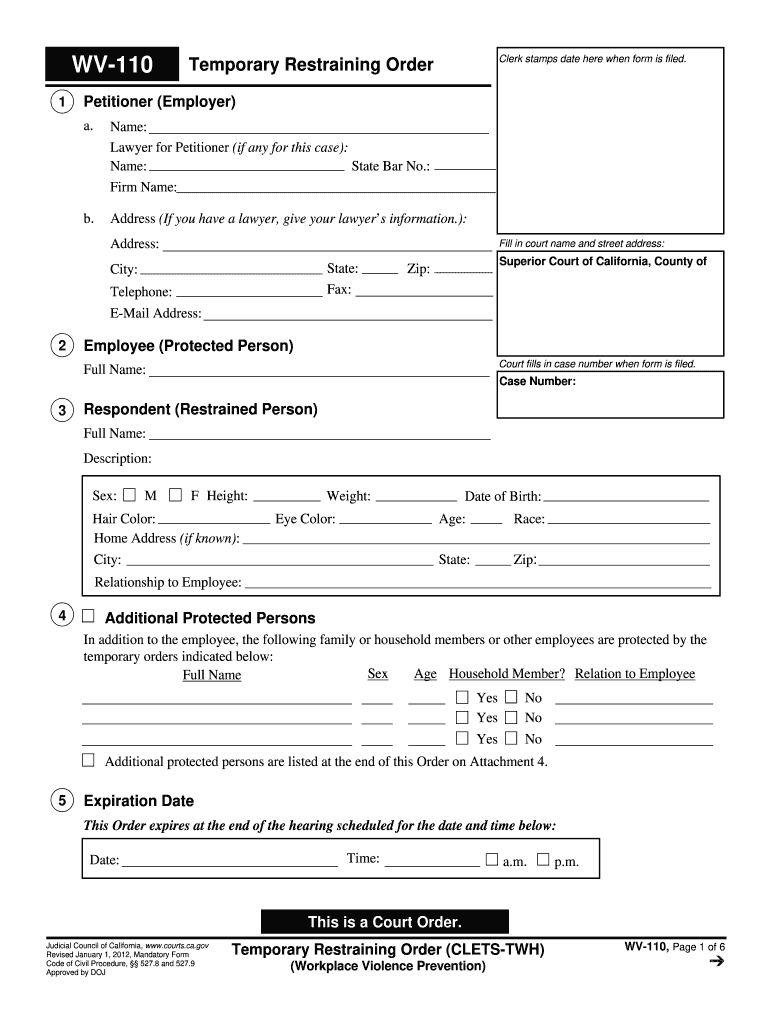
- Click ‘Get Form’ to open the restraining order form 2012 in the editor.
- Begin by filling in the Petitioner section with your name and contact information. If you have a lawyer, include their details as well.
- In the Employee section, provide the full name of the protected person. This is crucial for identifying who is being protected under this order.
- Next, complete the Respondent section with all relevant details about the restrained person, including their full name, physical description, and relationship to the employee.
- If there are additional protected persons, list them in the Additional Protected Persons section along with their relationship to the employee.
- Specify any personal conduct orders and stay-away orders that apply. Clearly indicate what actions are prohibited.
- Finally, review all entries for accuracy before saving or printing your completed form. Ensure that you understand each section's implications.
Start using our platform today to fill out your restraining order form quickly and efficiently!
Fill out restraining order form 2012 online
It's free
It's free
See more restraining order form 2012 versions
We've got more versions of the restraining order form 2012 form. Select the right restraining order form 2012 version from the list and start editing it straight away!
Security and compliance
At DocHub, your data security is our priority. We follow HIPAA, SOC2, GDPR, and other standards, so you can work on your documents with confidence.
Learn more


Related forms

An Introduction to Radar and the
The document provides an introduction to the Super Dual Auroral Radar Network (SuperDARN), focusing on its purpose, func ...

Request for review of additional accredited institution - University of
The document is a request form for undergraduate course transfers into the University of Alaska Anchorage (UAA) from the ...

Recursive Search with Backtracking
The document presents a lecture on Recursive Search with Backtracking, focusing on solving problems like the n-Queens Pr ...

UAF looks at linking fisheries with schools: AP Alaska Alaska news
The University of Alaska Fairbanks is conducting a study to connect fisheries and processors with rural schools in the Y ...

The Benefits of College Athletic Success: An
The document analyzes the causal effects of college football success on various outcomes such as donations, applications ...

QE Application--Orals
The document is an application form for the Qualifying Exam, which must be submitted to the Graduate Assistant at least ...

Bric housing
The Housing Assistance Referral Form is designed for support services with a Partnership Agreement with bric Housing to ...

Format daftar susunan pemain sepak bola doc
The document outlines the registration process and requirements for participants in the UGM Futsal Cup 2006, organized b ...