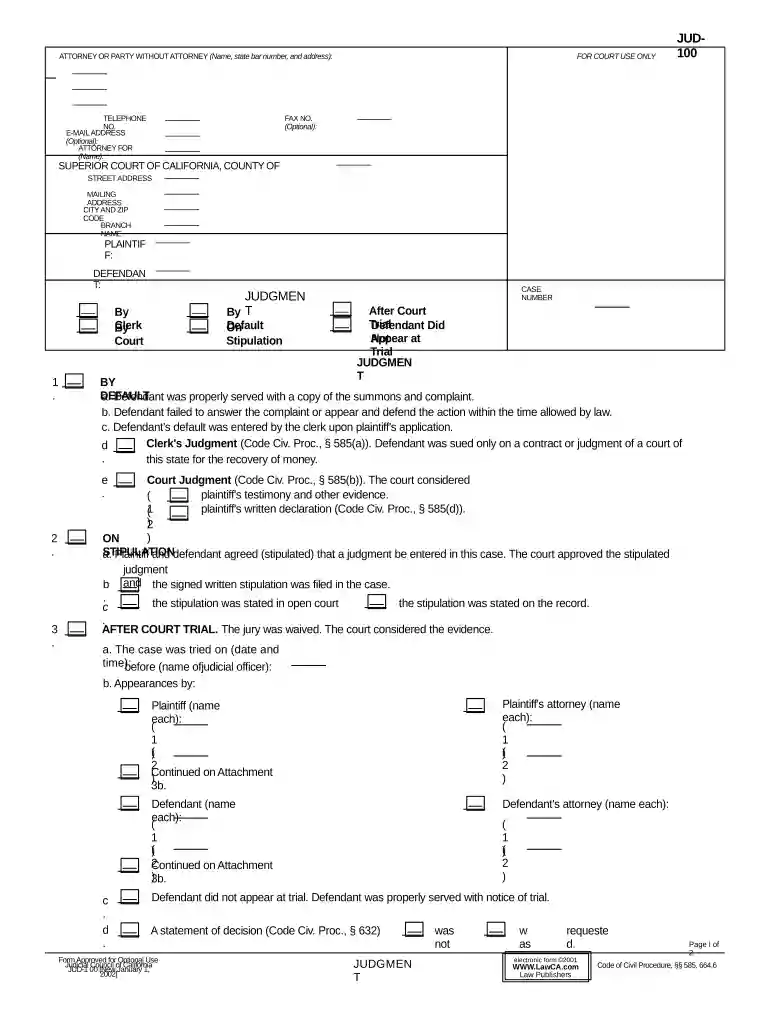
ca judgment Preview on Page 1

Ca judgment 2026

Here's how it works

  • 01. Edit your form online

    Type text, add images, blackout confidential details, add comments, highlights and more.

  • 02. Sign it in a few clicks

    Draw your signature, type it, upload its image, or use your mobile device as a signature pad.

  • 03. Share your form with others

    Send it via email, link, or fax. You can also download it, export it or print it out.

How to use or fill out ca judgment with our platform

Form edit decoration
9.5
Ease of Setup
DocHub User Ratings on G2
9.0
Ease of Use
DocHub User Ratings on G2
  1. Click ‘Get Form’ to open the ca judgment document in the editor.
  2. Begin by entering your name, state bar number, and address in the 'Attorney or Party Without Attorney' section. This information is crucial for identifying the parties involved.
  3. Fill in the 'Telephone No.' and 'E-mail Address' fields. While optional, providing this contact information can facilitate communication.
  4. In the 'Plaintiff' and 'Defendant' sections, clearly state the names of both parties involved in the case. Ensure accuracy to avoid any legal complications.
  5. Complete the 'Case Number' field with the relevant case identifier assigned by the court.
  6. Proceed to fill out details regarding judgments, including whether it’s a default judgment or after a court trial. Follow prompts for specific conditions related to each type of judgment.
  7. Finally, review all entries for accuracy before saving or exporting your completed form. Utilize our platform's features to ensure everything is correct and ready for submission.

Start using our platform today to effortlessly complete your ca judgment form online for free!

See more ca judgment versions

We've got more versions of the ca judgment form. Select the right ca judgment version from the list and start editing it straight away!

VersionsForm popularityFillable & printable
20024.8 Satisfied (46 Votes)

be ready to get more

Complete this form in 5 minutes or less

Security and compliance

At DocHub, your data security is our priority. We follow HIPAA, SOC2, GDPR, and other standards, so you can work on your documents with confidence.
be ready to get more

Complete this form in 5 minutes or less

Related links

State of California et al. v. Kennedy et al.

Apr 13, 2026 The plaintiffs, a coalition of states, allege that a Trump Administration regulation limiting enrollment opportunities, raising consumerRead more

Learn more
Opinion by Judge Gould

Apr 25, 2014 The panel affirmed the district courts denial of a motion for judgment of acquittal in a case in which the defendant was convicted of illegalRead more

Learn more
Judgment (JUD-100)

Judgment (JUD-100). States the final decision of the court in a limited or unlimited civil case. Get form JUD-100. Effective: January 1Read more

Learn more
If you believe that this page should be taken down, please follow our DMCA take down process here