



Here's how it works



How to use or fill out visa pakistan with our platform

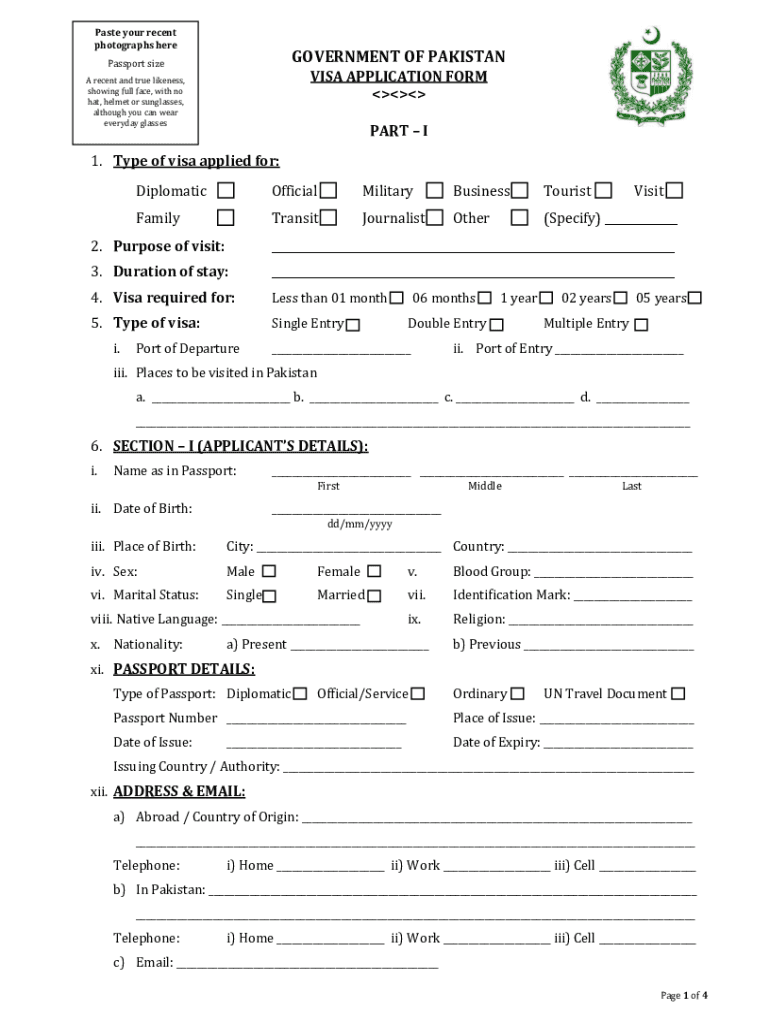
- Click ‘Get Form’ to open the visa application in the editor.
- Begin by selecting the type of visa you are applying for from the options provided, such as Tourist or Business.
- Fill in your personal details in Section I, including your name as it appears on your passport, date of birth, and nationality.
- Provide your passport details, ensuring that you include the passport number and its validity.
- In Section II, list family details and any accompanying persons traveling with you. Ensure all fields are completed accurately.
- Review your application for completeness. Remember that no column should be left blank; incomplete forms will not be accepted.
- Once satisfied with your entries, save the document and follow instructions for submission, including any required supporting documents.
Start filling out your visa application today using our platform for free!
It's free
Got questions?
How do I sign my how to get pakistan visa online free of charge?
Most eSignature solutions require users to have a paid subscription. With DocHub, there are two ways for you to add an electronic signature to your how to get pakistan visa online free of charge:
- You can do it during a 7-day trial period;
- You can subscribe to a free plan.
The second option, though, has limitations on the number of signatures, sign requests, emails, and documents for editing available per month. You can check for full information here.
Can I edit how to fill pakistan visa application on my phone?
As a comprehensive document modifying service, DocHub is available on smart phones. Open DocHub in your choice of mobile internet browser and employ our smart mobile-friendly toolset to fill out your how to fill pakistan visa application.
How much is a Pakistan visa for US citizens?
Do US citizens need a Pakistan visa?
Can Americans travel to Pakistan now?
Security and compliance
At DocHub, your data security is our priority. We follow HIPAA, SOC2, GDPR, and other standards, so you can work on your documents with confidence.
Learn more