




Here's how it works
How to use or fill out Mail Records - San Antonio Community Hospital - sach

- Click ‘Get Form’ to open it in the editor.
- Begin by entering the individual's name in the designated fields for Last, First, and Middle names.
- Fill in the home address, ensuring to include city, state, and zip code.
- Provide the home telephone number and date of birth in their respective fields.
- Enter the social security number as required.
- Indicate the dates of services relevant to your health information request.
- Select any applicable service types such as Outpatient Services, Emergency Room, or Inpatient by checking the corresponding boxes.
- Specify the recipient's name and address where your health information will be sent.
- Choose the purpose for which you are authorizing disclosure by checking appropriate boxes.
- Sign and date the form at the bottom to complete your authorization.
Start using our platform today to easily fill out your Mail Records form for free!
It's free
See more Mail Records - San Antonio Community Hospital - sach versions
Got questions?
Can I draw my electronic signature to sign my Mail Records - San Antonio Community Hospital - sach?
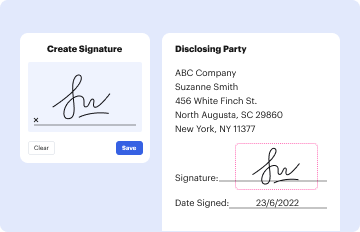
Sure, electronically drawing your signature is appropriate, but only if you utilize a tool that complies with industry laws and regulations. Try DocHub, which ensures eSignature validity under ESIGN and UETA requirements. All you need to approve your Mail Records - San Antonio Community Hospital - sach electronically is an account with DocHub and an internet connection. When you open your paperwork in our editor, click Sign and choose the Draw option.
How do you edit Mail Records - San Antonio Community Hospital - sach on iOS?
You can easily edit and complete your Mail Records - San Antonio Community Hospital - sach on any iOS device. Open an internet browser of your liking, go to the DocHub website, authorize or create a new account, upload your file for editing, and make your required changes. Our service is mobile-friendly, so using its features on your smartphone will be a no-brainer, even on the first try.
Security and compliance
At DocHub, your data security is our priority. We follow HIPAA, SOC2, GDPR, and other standards, so you can work on your documents with confidence.
Learn more


