




01. Edit your form online
Type text, add images, blackout confidential details, add comments, highlights and more.

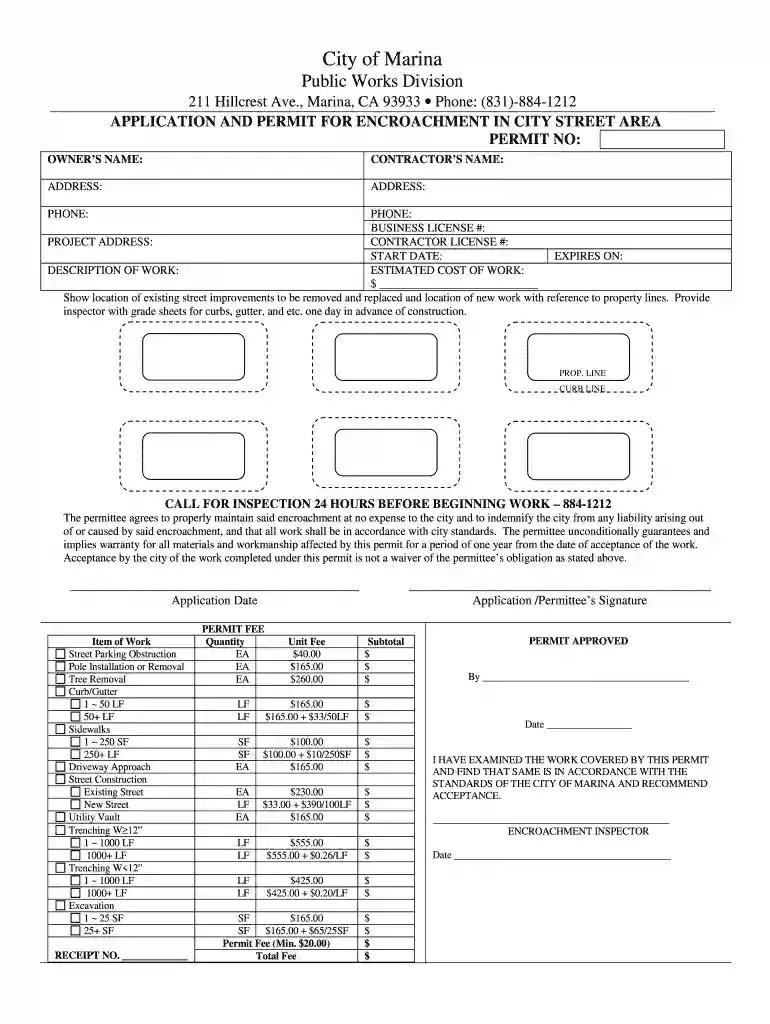
Type text, add images, blackout confidential details, add comments, highlights and more.

Draw your signature, type it, upload its image, or use your mobile device as a signature pad.

Send it via email, link, or fax. You can also download it, export it or print it out.

Start using our platform today to streamline your application process for free!
We've got more versions of the City of Marina Public Works Division - ci marina ca form. Select the right City of Marina Public Works Division - ci marina ca version from the list and start editing it straight away!
| Versions | Form popularity | Fillable & printable |
|---|---|---|
| 2025 | 4.6 Satisfied (51 Votes) | |
| 2024 | 4.2 Satisfied (56 Votes) | |
| 2024 | 4.3 Satisfied (55 Votes) | |
| 2023 | 4.2 Satisfied (47 Votes) | |
| 2023 | 4.7 Satisfied (44 Votes) | |
| 2023 | 4.8 Satisfied (43 Votes) | |
| 2022 | 4.8 Satisfied (93 Votes) | |
| 2022 | 4.4 Satisfied (45 Votes) | |
| 2022 | 4.8 Satisfied (202 Votes) | |
| 2022 | 4.6 Satisfied (31 Votes) | |
| 2022 | 3.8 Satisfied (32 Votes) | |
| 2022 | 4.8 Satisfied (147 Votes) | |
| 2022 | 4.4 Satisfied (27 Votes) | |
| 2022 | 4.8 Satisfied (60 Votes) | |
| 2021 | 4.4 Satisfied (60 Votes) |
Most eSignature solutions require users to have a paid subscription. With DocHub, there are two ways for you to add an electronic signature to your City of Marina Public Works Division - ci marina ca at no cost:
The second option, however, has limitations on the number of signatures, sign requests, emails, and forms for adjusting available per month. You can check for full details here.
If you want to edit your City of Marina Public Works Division - ci marina ca on the internet easily, it does not matter what browser you employ. DocHub’s simple editing instruments are available using any internet browser. Just open the appropriate tab within our editor, add your file, and fill it out without stress.
At DocHub, your data security is our priority. We follow HIPAA, SOC2, GDPR, and other standards, so you can work on your documents with confidence.
by M Frediani 2016 Increasing resilience towards storms, sea level rise, and erosion, minimizes damage and costs to the public, while speeding up recovery after a storm.Read more
Brian McMinn, Public Works Director City of Marina GSA 211 Hillcrest Avenue | Marina, CA 93933 (831) 884-1212 | bmcminn@cityofmarina.org ci.marina.ca.usRead more


