Handle P&l income statement Balance Sheet Templates quickly online

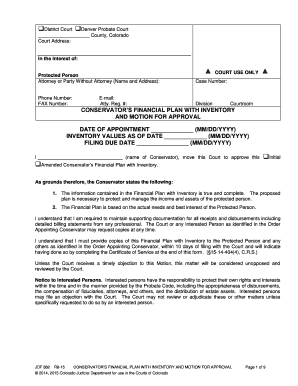
Document management can overpower you when you can’t discover all of the forms you require. Fortunately, with DocHub's substantial form library, you can get everything you need and swiftly manage it without the need of switching between applications. Get our P&l income statement Balance Sheet Templates and start utilizing them.

The best way to manage our P&l income statement Balance Sheet Templates using these easy steps:

  1. Examine P&l income statement Balance Sheet Templates and select the form you require.
  2. Preview the template and click on Get Form.
  3. Wait for it to upload in the online editor.
  4. Edit your form: add new information and pictures, and fillable fields or blackout certain parts if required.
  5. Fill out your form, save adjustments, and prepare it for sending.
  6. When you are ready, download your form or share it with other contributors.

Try out DocHub and browse our P&l income statement Balance Sheet Templates category without trouble. Get a free profile right now!


Video Guide on P&l income statement Balance Sheet Templates management

video background

Commonly Asked Questions about P&l income statement Balance Sheet Templates

How To Create a Profit and Loss Statement Choose a reporting period. Gather financial statements and information. Add up revenue. List your COGS. Record your expenses. Figure your EBITDA. Calculate interest, taxes, depreciation, and amortization. Determine net income.
Add all revenue earned over the accounting period. Add all expenditures made throughout the accounting period. Subtract total expenses from total revenue to know the difference. If the value is positive, it represents profit; if it is negative, it represents a loss.
Yes, there is a profit and loss template in Excel that you can use to create your own statement. The template includes formulas to calculate revenue, expenses, and net income. You can enter your own data to get started.
How to Write a Profit and Loss Statement Step 1 Track Your Revenue. Step 2 Determine the Cost of Sales. Step 3 Figure Out Your Gross Profit. Step 4 Add Up Your Overhead. Step 5 Calculate Your Operating Income. Step 6 Adjust for Other Income and/or Expenses. Step 7 Net Profit: The Bottom Line.
This derives the formula: Profit = Selling price - Cost Price. However, if the cost price of a product is more than its selling price, there is a loss is incurred in the transaction. This derives the formula: Loss = Cost Price - Selling Price.
Heres the basic process. Step 1: Choose a timeframe. Step 2: Gather your financial information. Step 3: Use a PL Statement template. Step 4: List your revenues. Step 5: List your cost of goods sold. Step 6: List your expenses. Step 7: List interest, taxes, depreciation, and amortization. Step 8: Calculate net income or loss.
Any profits not paid out as dividends are shown in the retained profit column on the balance sheet. The amount shown as cash or at the bank under current assets on the balance sheet will be determined in part by the income and expenses recorded in the PL.
There is some great accounting software out there, like QuickBooks, Peachtree, and others, that can generate a profit and loss statement for your business. But if you are a small business owner building a PL on your own, even a simple Excel spreadsheet will suffice.