Improve your template managing with Business loan Balance Sheet Templates

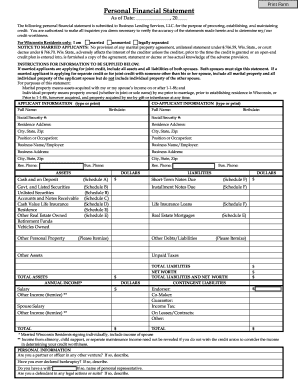
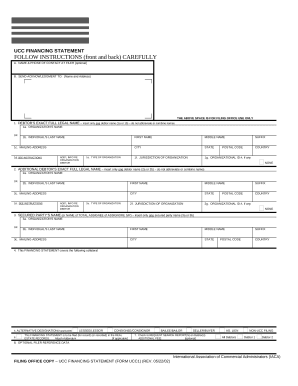
Your workflows always benefit when you can easily obtain all of the forms and documents you need on hand. DocHub gives a wide array of forms to ease your daily pains. Get a hold of Business loan Balance Sheet Templates category and quickly find your document.

Start working with Business loan Balance Sheet Templates in several clicks:

  1. Access Business loan Balance Sheet Templates and get the document you need.
  2. Click on Get Form to open it in the editor.
  3. Start modifying your file: add more fillable fields, highlight paragraphs, or blackout sensitive information and facts.
  4. The application saves your modifications automatically, and once you are all set, you are able to download or share your form with other contributors.

Enjoy easy document managing with DocHub. Discover our Business loan Balance Sheet Templates category and find your form right now!


Video Guide on Business loan Balance Sheet Templates management

video background

Commonly Asked Questions about Business loan Balance Sheet Templates

Preparing a Balance Sheet in 5 Steps Define a Reporting Period and Reporting Date. The first thing to make any financial statement is determining the data you want to look at. Gather Your Assets. Gather Your Liabilities. Determine Shareholders Equity. Add Liabilities to Shareholders Equity, Compare to Assets. How to Make a Balance Sheet: 5 Steps for Beginners - FreshBooks freshbooks.com en-gb hub accounting freshbooks.com en-gb hub accounting
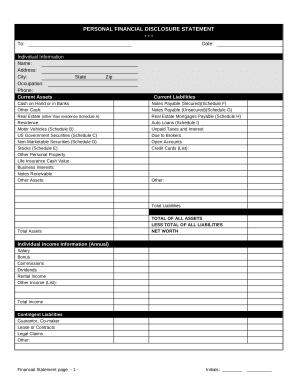
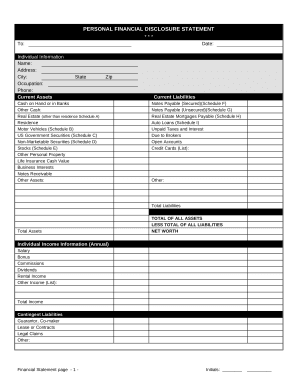
How to make a balance sheet Invest in accounting software. Create a heading. Use the basic accounting equation to separate each section. Include all of your assets. Create a section for liabilities. Create a section for owners equity. Add total liabilities to total owners equity.
Say for instance, a start-up company has a loan of $200,000 with $25,000 due this year. The portion of the loan due this year ($25,000) shows up in the current liabilities section, while the remainder ($175,000) will be recorded under the long-term assets category.
How to make a balance sheet Invest in accounting software. Create a heading. Use the basic accounting equation to separate each section. Include all of your assets. Create a section for liabilities. Create a section for owners equity. Add total liabilities to total owners equity. Step-by-Step: How To Make a Balance Sheet - Chase Bank Chase Bank knowledge-center start ho Chase Bank knowledge-center start ho
How to Prepare Projected Balance Sheet Step 1: Calculate cash in hand and cash at the bank. Step 2: Calculate Fixed Assets. Step 3: Calculate the Value of Financial Instruments. Step 4: Calculate your Business Earning. Step 5: Calculate Businesss Liabilities. Step 6: Calculate Businesss Capital.
The full amount of your loan should be recorded as a liability on your businesss balance sheet. Two liability accounts should be set up: one for short-term and one for long-term. The offset is either an increase to cash or the recording of new assets like a car, truck, or building.
Bank Loan is shown in the Equity and Liabilities side of Balance Sheet under the head Non-current liabilities and sub-head Long-term borrowings.
When recording your loan and loan repayment in your general ledger, your business will enter a debit to the cash account to record the receipt of cash from the loan and a credit to a loan liability account for the outstanding loan.
Follow these steps: Step 1: Pick the balance sheet date. Step 2: List all of your assets. Step 3: Add up all of your assets. Step 4: Determine current liabilities. Step 5: Calculate long-term liabilities. Step 6: Add up liabilities. Step 7: Calculate owners equity. Step 8: Add up liabilities and owners equity.