




Here's how it works

01. Edit your form online
Type text, add images, blackout confidential details, add comments, highlights and more.

02. Sign it in a few clicks
Draw your signature, type it, upload its image, or use your mobile device as a signature pad.

03. Share your form with others
Send it via email, link, or fax. You can also download it, export it or print it out.
How to use or fill out form 2300 wi with our platform

- Click ‘Get Form’ to open it in the editor.
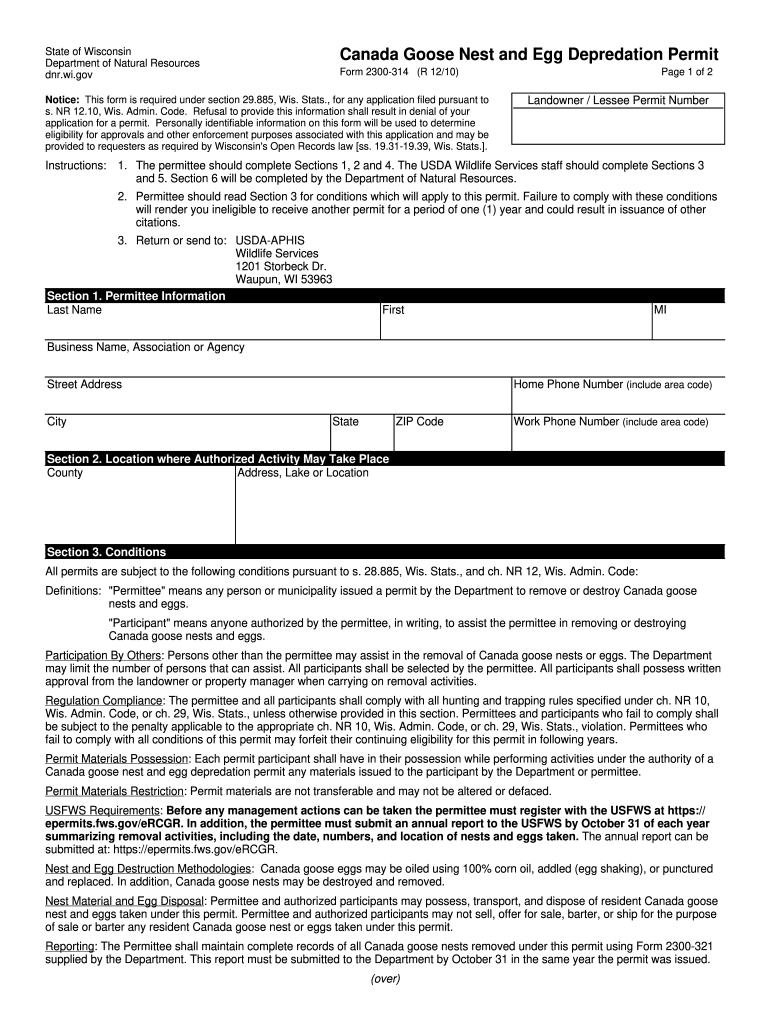
- Begin with Section 1, where you will enter your personal information. Fill in your last name, first name, middle initial, business name (if applicable), and complete your address including city, state, and ZIP code. Don’t forget to include both home and work phone numbers.
- Proceed to Section 2 to specify the location where the authorized activity may take place. Enter the county and provide a detailed address or description of the lake or location.
- Review Section 3 carefully as it outlines important conditions related to your permit. Ensure you understand compliance requirements and participant regulations.
- In Section 4, certify your property ownership by signing and dating the form. If applicable, have the landowner sign as well.
- Complete Section 5 if required for agency completion. This section is typically filled out by USDA Wildlife Services staff.
- Finally, ensure all sections are completed accurately before submitting the form as directed in the instructions.
Start using our platform today for free to streamline your form completion process!
Fill out form 2300 wi online
It's free
It's free
Security and compliance
At DocHub, your data security is our priority. We follow HIPAA, SOC2, GDPR, and other standards, so you can work on your documents with confidence.
Learn more


