



01. Edit your adr 109 online
Type text, add images, blackout confidential details, add comments, highlights and more.

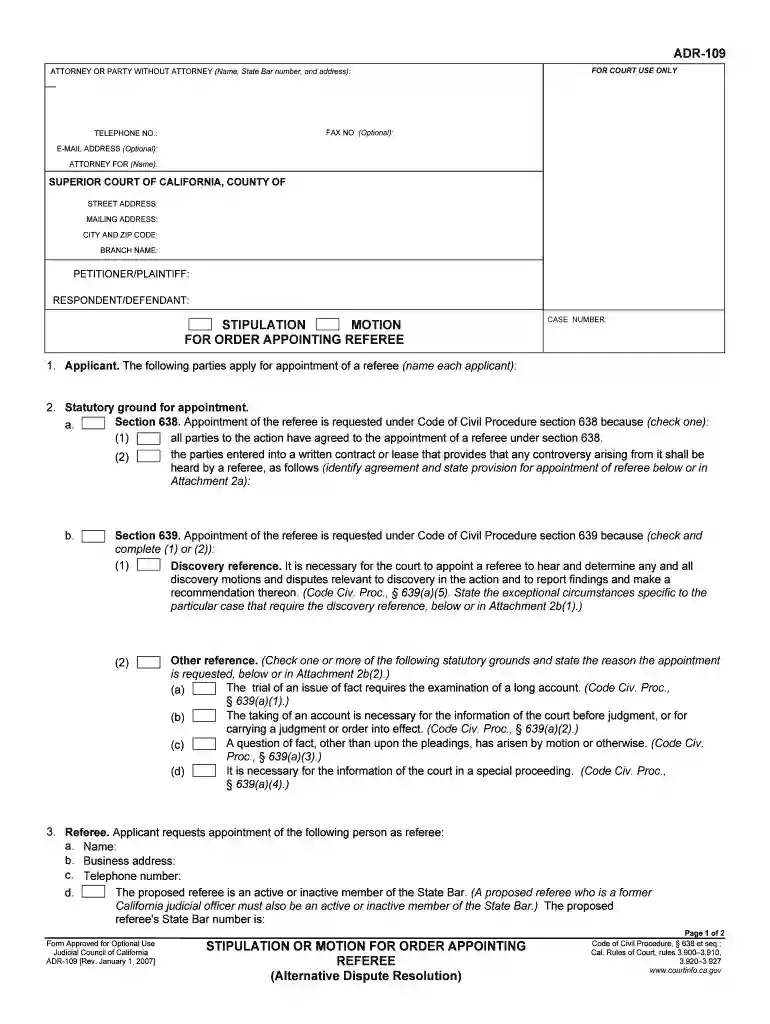
Type text, add images, blackout confidential details, add comments, highlights and more.

Draw your signature, type it, upload its image, or use your mobile device as a signature pad.

Send motion referee via email, link, or fax. You can also download it, export it or print it out.

Start using our platform today for free to streamline your adr 109 form completion!
We've got more versions of the adr 109 form. Select the right adr 109 version from the list and start editing it straight away!
| Versions | Form popularity | Fillable & printable |
|---|---|---|
| 2007 | 4.8 Satisfied (246 Votes) |
Approving documents on a mobile device is fast, straightforward, and doesn’t require software installation when you have an account with DocHub. Log in from any browser, complete your empty fields with your data, and click on Sign → Create your signature. You can draw your eSignature just as you usually do on paper, add its image to your adr 109, or type in your name and stylize its look. Whatever option you select, your paperwork will be valid.
With DocHub, there are several convenient methods to edit your adr 109 online. You can drag and drop the form and modify it straight at the DocHub site or use our browser extension to fill out your form immediately. On top of that, you can modify your PDF on your smartphone, as DocHub is compatible with all the available mobile platforms.
At DocHub, your data security is our priority. We follow HIPAA, SOC2, GDPR, and other standards, so you can work on your documents with confidence.
Jan 1, 2007 ADR-109. Form Approved for Optional Use. Judicial Council of California. ADR-109 [Rev. January 1, 2007]. STIPULATION OR MOTION FOR ORDERRead more
Such an election and the determination of tax liability on the tax return are subject to the terms and conditions of section 109 of the Revenue Act of 1971 andRead more


