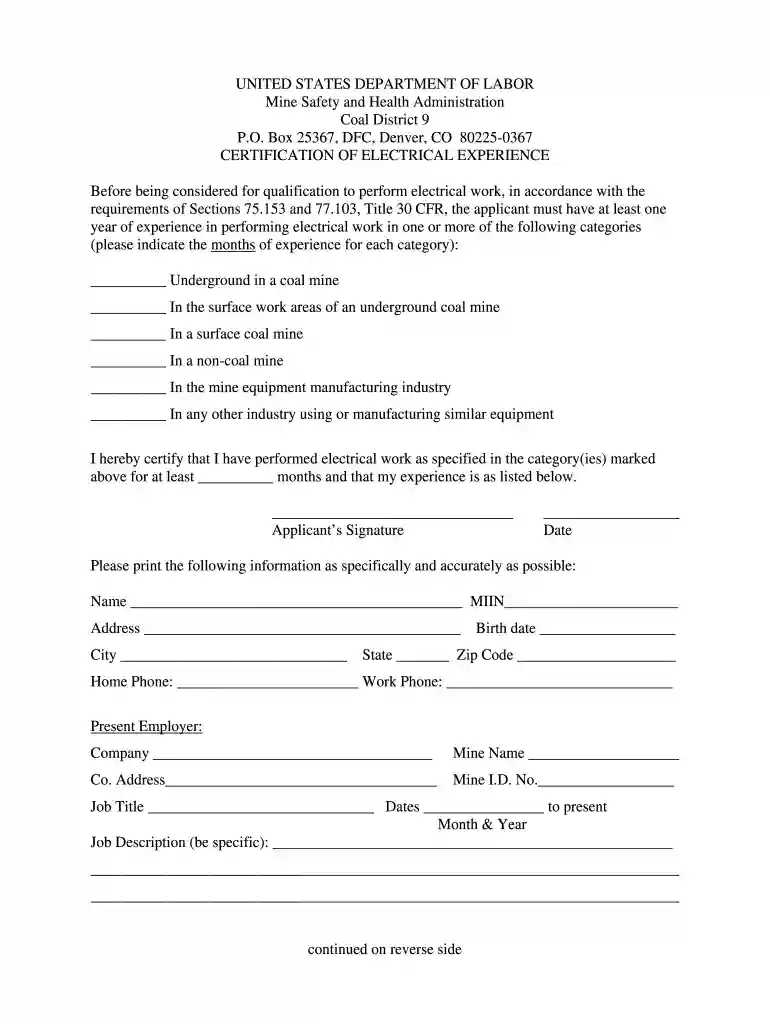
msha certification Preview on Page 1

Msha district 9 certification of electrical experience form 2026

Here's how it works

  • 01. Edit your msha certification online

    Type text, add images, blackout confidential details, add comments, highlights and more.

  • 02. Sign it in a few clicks

    Draw your signature, type it, upload its image, or use your mobile device as a signature pad.

  • 03. Share your form with others

    Send it via email, link, or fax. You can also download it, export it or print it out.

How to use or fill out msha district 9 certification of electrical experience form with DocHub

Form edit decoration
9.5
Ease of Setup
DocHub User Ratings on G2
9.0
Ease of Use
DocHub User Ratings on G2
  1. Click ‘Get Form’ to open the msha district 9 certification of electrical experience form in our editor.
  2. Begin by filling out your personal information at the top, including your name, MIIN, address, birth date, city, state, zip code, and contact numbers. Ensure accuracy for a smooth processing.
  3. Indicate your months of experience in each specified category by checking the appropriate boxes. This section is crucial as it determines your eligibility for qualification.
  4. In the job description section, provide detailed descriptions of your roles and responsibilities in previous positions related to electrical work. Be specific to highlight relevant experience.
  5. If you have additional work experience, fill out the subsequent sections for each company where you worked. Include job titles, dates of employment, and detailed job descriptions.
  6. Finally, sign and date the form at the bottom to certify that all information provided is accurate before submitting it for review.

Start using our platform today to easily complete your msha district 9 certification of electrical experience form online for free!

See more msha certification versions

We've got more versions of the msha certification form. Select the right msha certification version from the list and start editing it straight away!

VersionsForm popularityFillable & printable
20224.4 Satisfied (55 Votes)
20094 Satisfied (42 Votes)

be ready to get more

Complete this form in 5 minutes or less

Security and compliance

At DocHub, your data security is our priority. We follow HIPAA, SOC2, GDPR, and other standards, so you can work on your documents with confidence.

Related links

Permeable Reactive Barriers: Lessons Learned/New

The members of the Interstate Technology Regulatory Council (ITRC) Permeable Reactive. Barriers Team wish to acknowledge the individuals, organizations, andRead more

Learn more
Electrical Application

I hereby DocHub that I have performed electrical work as specified in the category(ies) marked above for a total of months and that I have attached theRead more

Learn more
Guide to MSHA

Operators are required under Section 48.29 to give a copy of the training certificate, MSHA Form. 5000-23, or an approved alternate, to the miner uponRead more

Learn more
If you believe that this page should be taken down, please follow our DMCA take down process here