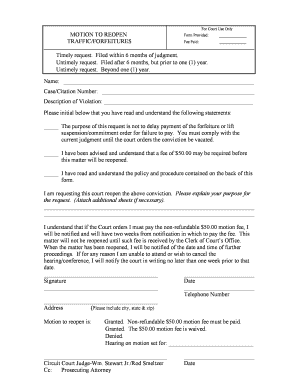
Type text, add images, blackout confidential details, add comments, highlights and more.
02. Sign it in a few clicks
Draw your signature, type it, upload its image, or use your mobile device as a signature pad.
03. Share your form with others
Send of 1164 fillable pdf via email, link, or fax. You can also download it, export it or print it out.
How to use or fill out of 1164 fillable pdf with our platform
Ease of Setup
DocHub User Ratings on G2
Ease of Use
DocHub User Ratings on G2
Click ‘Get Form’ to open the Standard Form 1164 in the editor.
Begin by entering your personal information in the designated fields, including your name, address, and contact details. Ensure accuracy for seamless processing.
Next, navigate to the section where you need to specify the purpose of the form. Clearly state the reason for your request to ensure clarity.
In the following fields, provide any necessary details related to expenses or reimbursements. Be thorough and precise to avoid delays.
Finally, review all entered information for completeness and correctness before signing. Use our platform’s signature feature to add your signature electronically.
Start using our platform today for free and streamline your form completion process!
Of 1164 fillable pdf templateOptional form 1164 PDFOf 1164 fillable pdf freeOf 1164 fillable pdf downloadOPTIONAL FORM 1164 (REV 11 2017)Of 1164 fillable pdf 2022Standard FORM 1164 claim for reimbursementOptional form 1164 example
Security and compliance
At DocHub, your data security is our priority. We follow HIPAA, SOC2, GDPR, and other standards, so you can work on your documents with confidence.
OPTIONAL FORM 1164 (REV. 11/2017). 8. This claim is approved. Long distance telephone calls, if shown, are certified as necessary in the interest of theRead more
Monitored Natural Attenuation of Inorganic Contaminants
The U.S. Environmental Protection Agency through its Office of Research and Development managed portions of the technical work described here under.Read more
Cookie consent notice
This site uses cookies to enhance site navigation and personalize your experience.
By using this site you agree to our use of cookies as described in our Privacy Notice.
You can modify your selections by visiting our Cookie and Advertising Notice.