



Here's how it works



How to use or fill out bhutan census family tree with our platform

- Click ‘Get Form’ to open the bhutan census family tree in the editor.
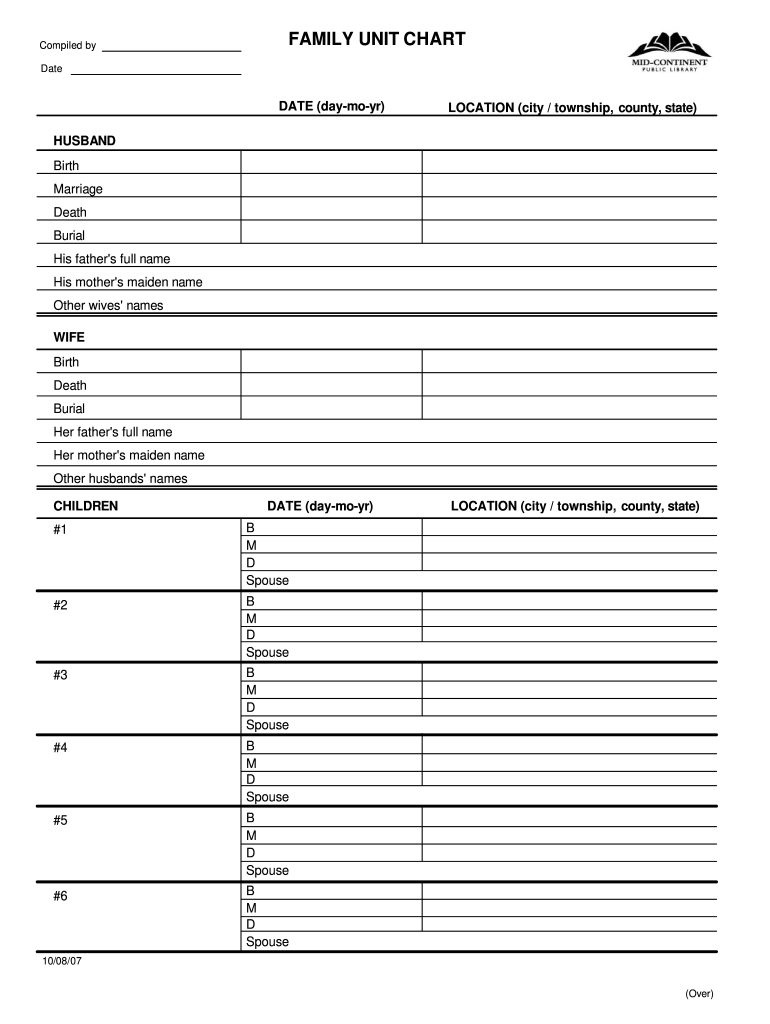
- Begin by entering the date of completion at the top of the form, formatted as day-month-year.
- Fill in the location details, specifying the city or township, county, and state where your family resides.
- In the 'HUSBAND' section, provide information such as birth, marriage, death dates, burial details, and names of his parents and other wives.
- Next, complete the 'WIFE' section with similar details: her birth, death, burial information, and parental names.
- For each child listed under 'CHILDREN', enter their respective birth (B), marriage (M), death (D) dates along with spouse names.
- Finally, document sources of information about your family in the designated section to ensure accuracy and reliability.
Start using our platform today for free to easily complete your bhutan census family tree!
It's free
See more bhutan census family tree versions
| Versions | Form popularity | Fillable & printable |
|---|---|---|
| 2007 | 4.8 Satisfied (50 Votes) |
Got questions?
How do I sign my bhutan census family tree for free?
Most eSignature services require users to have a paid subscription. With DocHub, there are two ways for you to add an electronic signature to your bhutan census family tree at no cost:
- You can do it during a 7-day trial period;
- You can sign up for a free plan.
The second option, however, has restrictions on the number of signatures, sign requests, emails, and forms for adjusting available per month. You can check for full information here.
How do you get g2c family tree in bhutan?
You can find the latest and most relevant version of the g2c family tree in bhutan in our DocHub forms collection. Search it by categories or use the search field to get the exact template that suits your situation. You may open this form for editing once you find it.
Security and compliance
At DocHub, your data security is our priority. We follow HIPAA, SOC2, GDPR, and other standards, so you can work on your documents with confidence.
Learn more


Related forms